A clean National Do Not Call scrub is useful, but it doesn't prove a campaign is compliant. A number can clear a registry check and still lack consent for a particular marketing purpose, carry a company-specific opt-out, or be queued for a channel the recipient never authorized. The practical test for TCPA compliance software is not whether it checks a number, but whether it can prevent a prohibited contact and later show why each permitted attempt went ahead.
| Control question | What the software should establish |
|---|---|
| Is outreach restricted? | Destination, channel, suppression status, and applicable timing |
| Is the legal basis documented? | Consent source, scope, disclosure, and timestamp |
| Has permission changed? | Revocation events across campaigns and communication systems |
| Can the decision be reconstructed? | Rule applied, relevant data, initiating user or workflow, and decision time |
This article assesses software as a chain of preventive, real-time, and evidentiary controls, not as legal advice. Buyers should ask a more demanding question than “Does it scrub against DNC lists?” Can the platform explain why a specific call or message was allowed, who initiated it, and what evidence was available at that moment?
Why DNC Checks Alone Do Not Ensure Compliance
A DNC check is one gate, not the whole control system. This guide is a method for scoring platforms rather than a ranking of them; when you want named products, our comparison of 10 TCPA compliance software options covers the suppression, consent-evidence, reassigned-number, and litigator tools directly. The FCC treats text messages as telephone calls subject to TCPA requirements, and National Do Not Call restrictions can apply to advertising calls made manually as well as through automated systems (FCC guidance on unwanted communications). A product that checks only whether a number appears on a registry can therefore miss restrictions tied to consent, channel, campaign purpose, or the sender's own suppression list.
Consider an outbound team preparing a promotional SMS sequence. A lead's number passes the team's National DNC check, but the stored consent relates to a service update, not marketing. That distinction between purpose, channel, and recipient is the heart of the rule, and what TCPA compliance is works through how each one changes the consent standard that applies. The registry result doesn't answer whether that consent covers the proposed message, whether the person has since opted out, or whether another system has recorded a seller-specific do-not-call request. A reliable platform needs to bring those facts together before it releases the message.
One decision, several controls
At minimum, each outreach decision should account for the destination, channel, purpose, consent evidence, suppression status, and applicable timing rules. The platform should also record the campaign or workflow that requested contact and the policy decision it made. That record matters when a business needs to review a complaint, investigate an exception, or understand why a scheduled message was sent.
| A passing check can miss | The additional control needed |
|---|---|
| Consent doesn't match the campaign | Purpose- and channel-aware consent |
| A person opted out in another system | Centralized, propagated suppression |
| An agent's call wasn't automatically dialed | Governance for manual calls and activity logs |
The buyer's central question is thus operational: can the software block the wrong contact and substantiate the right one? A registry lookup can help answer whether a number appears on a particular list. It cannot, by itself, establish the full basis for a particular call or message.
Understanding the TCPA Compliance Landscape
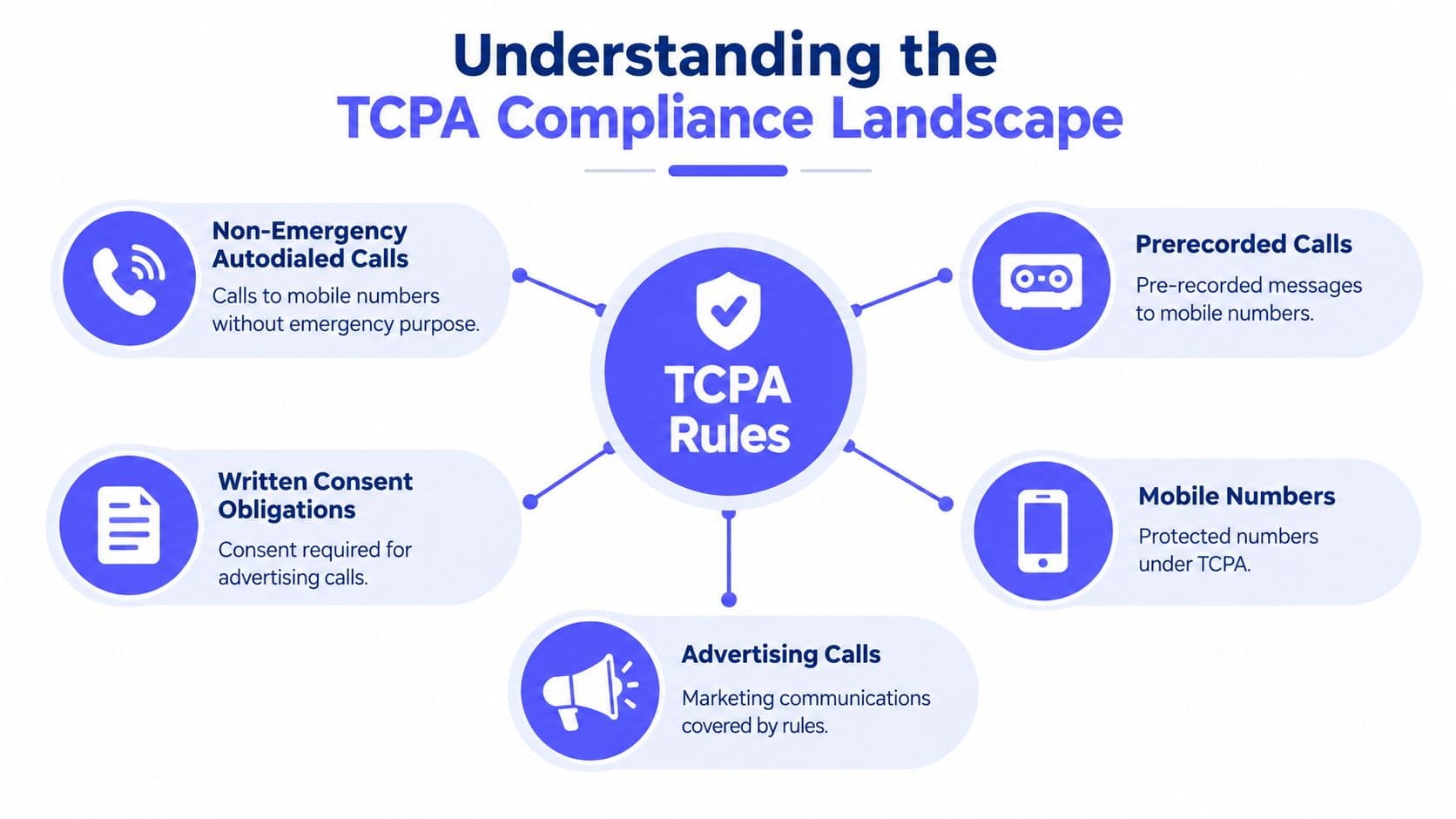
The Telephone Consumer Protection Act of 1991 creates a regulatory framework that software must translate into distinct checks. In general, non-emergency autodialed or prerecorded calls to mobile phones require prior express consent. For advertising calls using an autodialer or prerecorded message, written consent is generally required. SMS is treated as a type of telephone call under TCPA requirements, so a system needs rules for messaging as well as voice.
Separate the questions the software must answer
A single “consented” field in a CRM is too blunt for an outreach decision. Permission for a service-related call shouldn't automatically authorize a promotional SMS. A useful policy engine should let an organization distinguish the destination type, communication channel, purpose, consent source, and any later restriction.
A separate layer applies when a number is on the National Do Not Call Registry. Advertising calls, including manually dialed live calls, are generally prohibited unless an established business relationship or prior express written consent applies. A person's request not to be called by a particular seller must also be handled distinctly from registry status.
The Supreme Court's decision in Facebook v. Duguid narrowed the statutory definition of an automatic telephone dialing system. The equipment must have capacity to use a random or sequential number generator when storing or producing numbers. That changed the legal analysis for some automated technologies, but it didn't eliminate consent, DNC, or prerecorded-message obligations.
For a buyer, the practical questions are direct: Is this destination covered by the rule? Does the consent record fit this channel and purpose? Has a revocation or seller-specific restriction intervened? For a more detailed introduction to the topic, see GrowOutly's overview of TCPA compliance.
Evaluate Core Compliance Software Capabilities
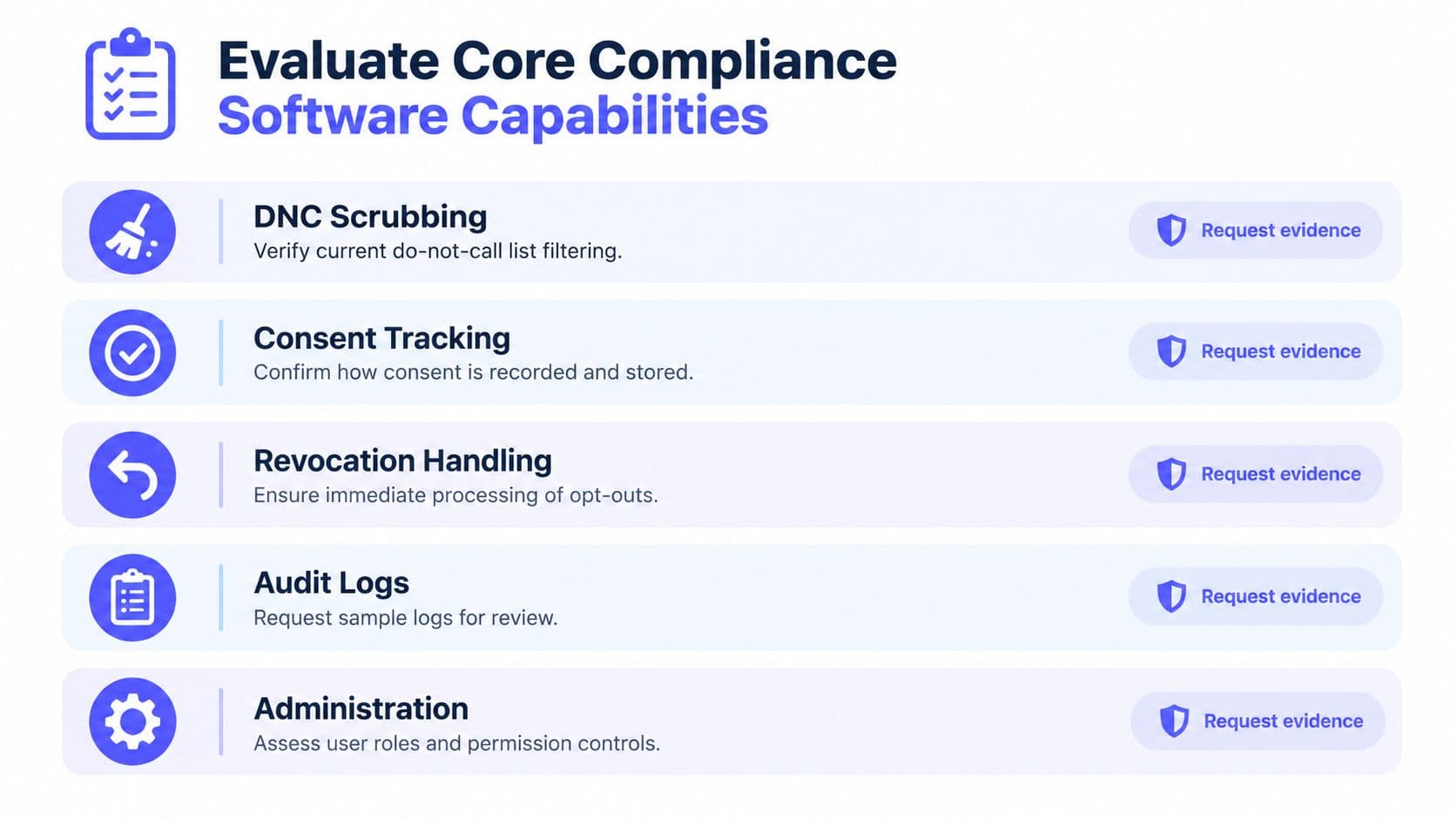
Evaluate products by testing their behavior, not by counting feature labels. A vendor may say it offers consent management or real-time screening, but buyers need to know which records it uses, what happens when records conflict, and whether a blocked decision leaves an auditable trace.
Ask for evidence, not a feature tour
DNC scrubbing: Ask how the platform distinguishes National DNC status from internal suppression, how it obtains and refreshes relevant data, and what it does if a check fails or data are unavailable. Request a demonstration using a record that should be blocked, then inspect the reason and log produced.
Consent tracking: Review whether records preserve the disclosure presented, the capture method, originating page or campaign, timestamp, phone number, seller identity, and authorized purpose. The platform should make it possible to tell whether consent supports the proposed channel and campaign, rather than displaying a generic permission flag.
Revocation handling: FCC rules generally require callers to honor do-not-call and consent-revocation requests as soon as practicable, with an outer limit of 10 business days (FCC order on revocation requests). Ask a vendor to demonstrate how a request updates active campaigns, retry queues, scheduled messages, agent interfaces, and connected systems. A fast screening check is of limited value if it consults stale suppression data.
Audit logs and administration: Request sample decision logs showing the rule decision, relevant data version, workflow or operator, and timestamp. Check whether role-based access, exception approval, and change history are available, and whether the log captures both blocked attempts and permitted outreach.
Practical rule: Ask the vendor to show what happens when a consent record is missing, a suppression lookup fails, or an opt-out arrives while a campaign is running. The default action and the evidence it creates matter as much as the successful path.
The video below can serve as a starting point for a product discussion. Follow it with a scripted demonstration using your own campaign types and consent scenarios.
Compare Platform Types and Architectures
Architecture decides where a compliance failure can hide. The same chain of controls (preventive screening, real-time agent governance, and an evidentiary record of why each contact was allowed) behaves differently depending on whether it runs inside the outreach tool, alongside it, or across several tools at once.
Three ways to deploy the controls
A specialist compliance layer fits organizations running several dialers, messaging products, and CRM systems that need one policy engine across all of them. Its strength is preventive depth: one rule set, one suppression ledger, one place where blocked decisions get recorded. Its weakness is dependence. Every check still relies on connected tools to honor the result, so buyers should test what a live agent sees when a call is blocked and whether the ledger stays authoritative for every source of consent data.
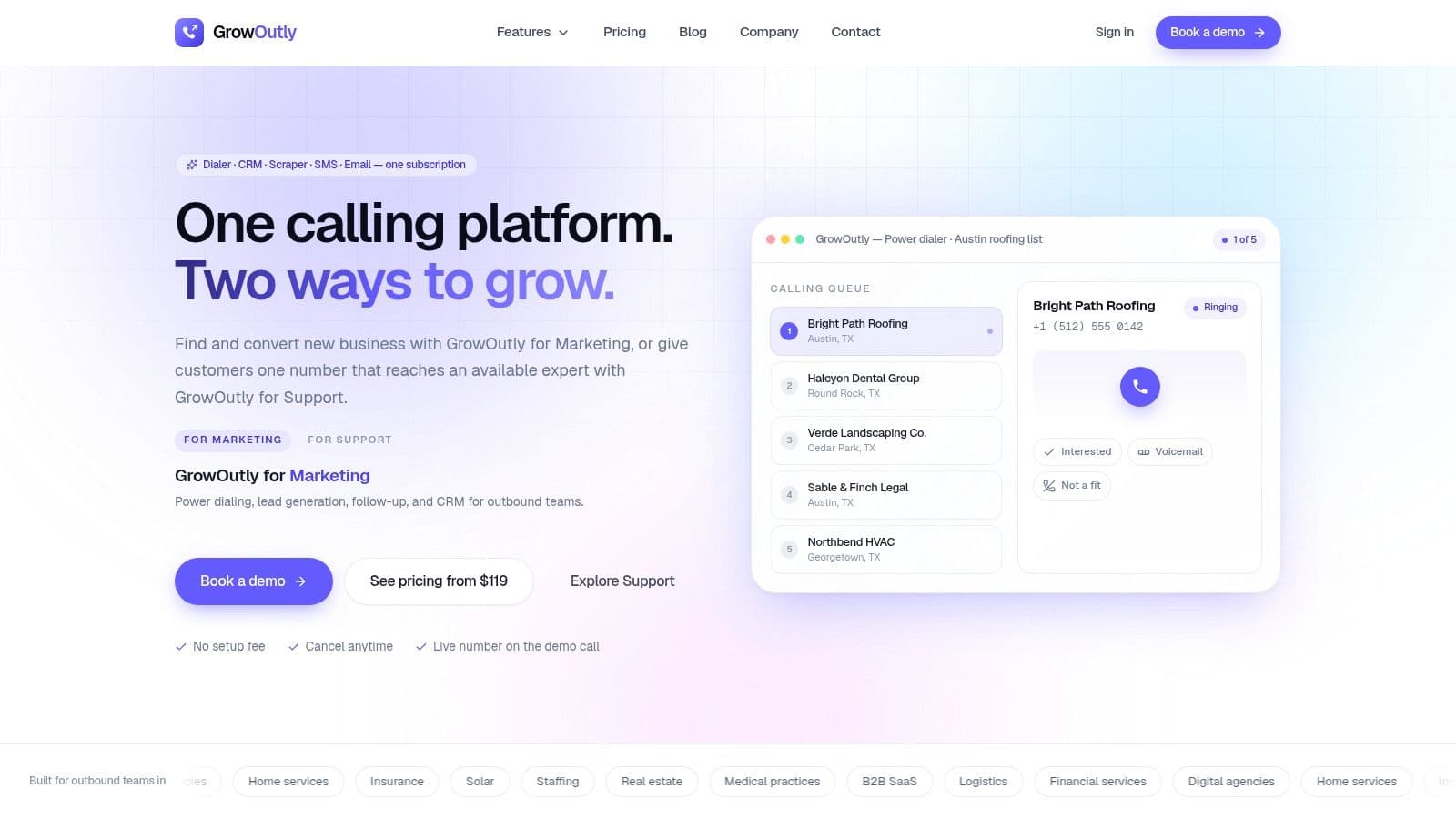
An integrated outreach suite runs calling, messaging, contact records, and compliance decisions in one workspace, which tightens the real-time side of the chain. Consent captured in a web form can immediately shape what an agent is allowed to do, and a revoked number stops appearing in campaigns without waiting on a sync. GrowOutly, for example, describes a pre-dial and pre-SMS gate covering National DNC, 50-state DNC and curfew rules, and telemarketing litigator screening before a call or message connects. This is a vendor's own product description, so buyers should verify each gate in a scripted demo rather than treat it as independent evidence.
A layered approach keeps the calling or messaging systems a business already runs and adds a shared policy and evidence layer on top. It avoids replacing working infrastructure, and it concentrates the hard questions in one place: which system wins when consent records conflict, how fast a revocation reaches every retry queue and agent desktop, and whether the organization can reconstruct a single decision timeline across products. Live-agent governance is where layered setups most often strain, because the policy layer may register a suppression event before the dialer does.
| Architecture | Potential fit | Trade-off to test |
|---|---|---|
| Specialist layer | Multiple existing communication tools | Integration depth and duplicated records |
| Integrated suite | Teams seeking shared workflows and activity history | Replacement needs and cross-channel policy coverage |
| Layered approach | Established systems that can't be replaced | Event synchronization and control ownership |
Teams weighing dialer behavior alongside compliance controls can compare deployment options against the workflows in this guide to call center dialer software. Whatever the architecture, the test is the same: run a revocation mid-campaign, then ask the vendor to show the blocked attempts, the propagation timestamps, and the log entry explaining why the next allowed contact was permitted. A platform that cannot answer that question is selling the preventive link of the chain and skipping the evidentiary one.
Build a Weighted Vendor Comparison Matrix
Use the matrix as a shortlist tool, not a vendor ranking. Score it against the controls your program actually needs, which our TCPA compliance checklist for outbound teams sets out as one pre-dial and pre-SMS gate. The available information doesn't establish comparable pricing, deployment terms, or validation materials for every product, so the ratings below describe what to investigate in each approach, not a claim that every vendor of that type behaves the same way.
| Use Context | Specialist Layer | Integrated Suite | Layered Approach | Key Trade-Off |
|---|---|---|---|---|
| Pre-dial DNC screening | Strong candidate for dedicated policy depth | Convenient when checks precede native dialing | Depends on the gate integration | Centralized control versus workflow dependence |
| Consent evidence | Test source, scope, and provenance | Test whether CRM and activity history share records | Test which system is authoritative | Depth versus data duplication |
| Cross-channel revocation | Test event delivery to every connected tool | Test shared suppression across native channels | Test synchronization and failure alerts | Unified operation versus integration burden |
| SMS keyword handling | Test language and transport coverage | Test native SMS and campaign behavior | Test consistency across providers | Native workflow versus split ownership |
| Audit reconstruction | Request decision-level logs | Test whether records include rule and action details | Reconstruct across system logs | One timeline versus multiple evidence sources |
| CRM integration | Test connectors and conflict handling | Often part of the same workflow, still verify | Requires explicit mapping | Flexibility versus maintenance effort |
| Implementation effort | Depends on existing integrations | May involve workflow migration | Can preserve existing tools, with integration work | Replacement versus coordination |
| Control ownership | Define policy owner and escalation | Confirm administration across teams | Assign an accountable owner for each layer | Clear authority versus shared responsibility |
Adjust the weights to the operation
A compliance team may weight consent provenance, exception approvals, and audit reconstruction most heavily. A high-volume outbound operation should emphasize pre-contact blocking, queue invalidation, and reliable propagation across agents and retries. A local service business may prioritize simple internal suppression and clear timing controls, while an organization with existing communications infrastructure should give more weight to integration failure behavior and data ownership.
Before requesting demonstrations, decide which controls are mandatory and which are trade-offs. Then ask each vendor to show the same scenarios, using consistent pass criteria. A product that scores well on screening but can't show how revocations reach active workflows shouldn't receive a high overall score because its dashboard is easy to use.
Apply Controls to Real Outreach Scenarios
The strongest evaluation uses realistic events rather than a polished feature tour. In fiscal year 2025, the FTC received more than 2.6 million Do Not Call complaints, and robocalls were reported more often than live telemarketing calls (FTC report on the National Do Not Call Registry). Automated screening matters, but that doesn't remove the need to govern live agents or investigate what happened after a call connected.
Follow the event through the system
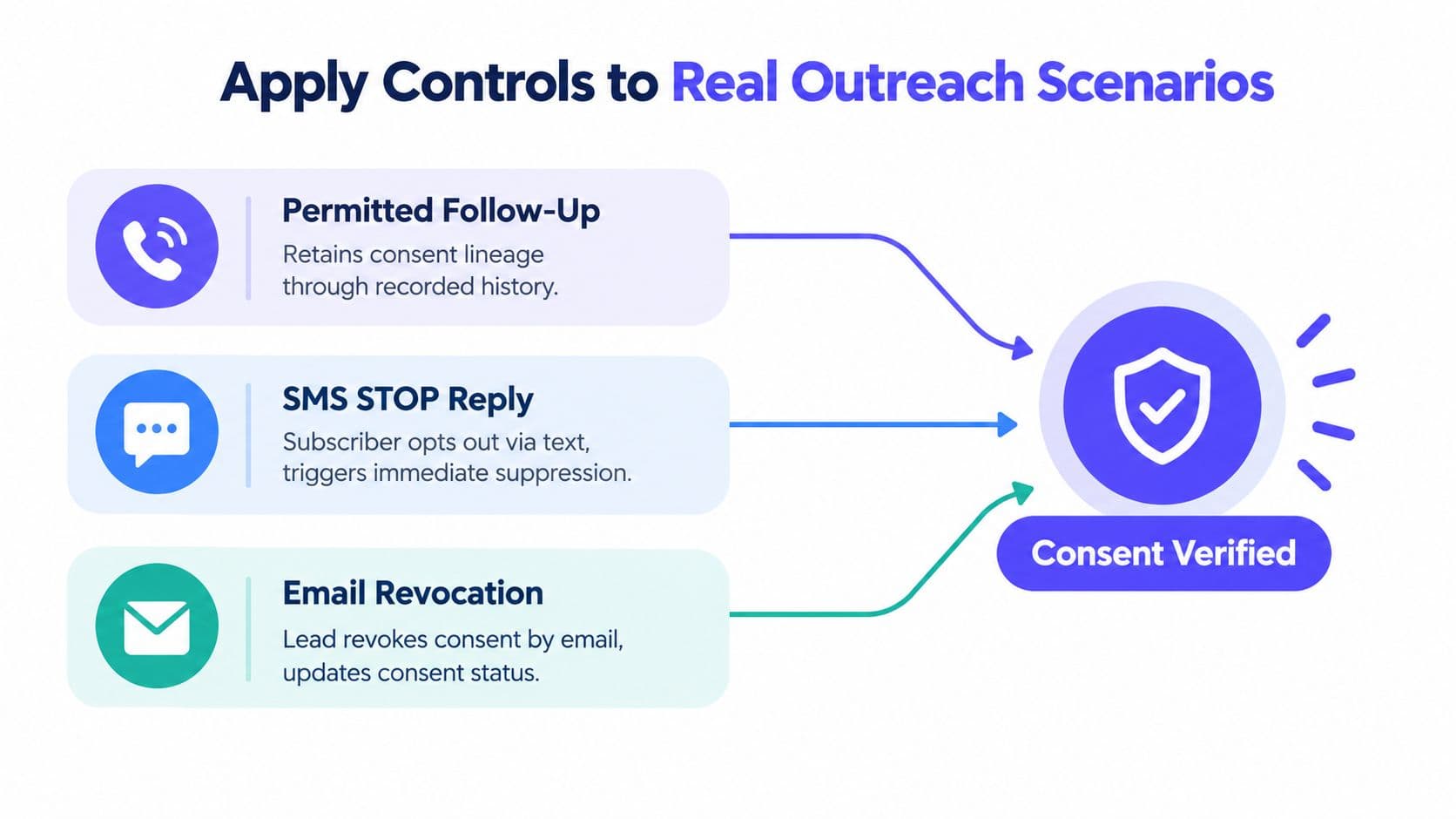
Permitted follow-up: An agent proposes a follow-up call after a prior interaction. The system should retrieve the consent record and its scope, screen applicable suppression sources, and record the campaign, agent, decision, and time. If an exception is needed, an authorized reviewer should approve it before the dialer proceeds.
SMS STOP reply: A subscriber replies STOP to a campaign. The platform should record the request, suppress the number from relevant campaigns and sending numbers, and prevent scheduled sends and retries. A single permitted confirmation should identify the program and confirm removal, without promotional content. Later campaign enrollment must not undo the suppression.
Email revocation with multiple systems: A lead asks by email to stop contact and has records in separate calling and messaging systems. The business should resolve the request to the relevant identity, update the suppression state, and propagate it to every affected workflow. The evidence should preserve the request source, receipt time, matching decision, and systems updated. Seller-specific suppression should remain distinct from National DNC status.
Uncertain live-agent call: An agent has a number but can't establish the legal basis for calling. The dialer should block or hold the attempt for review rather than relying on the agent to infer permission. If a call is permitted, the platform should record who placed it, the relevant consent and screening results, and any approved exception. Agent permissions and call review help address risks that a pre-dial check cannot assess, including what the agent says after connection.
For a practical operational checklist that teams can adapt during implementation, see GrowOutly's TCPA compliance checklist. The key test is whether a reviewer can reconstruct the decision from system evidence instead of relying on an agent's memory.
Implement SMS Outreach Keywords Safely
Treat opt-out handling as a suppression workflow, not just a keyword filter. CTIA guidance identifies STOP, END, CANCEL, UNSUBSCRIBE, and QUIT as opt-out terms and says the mandatory keywords should work whether an inbound message arrives through SMS or MMS (CTIA Short Code Monitoring Handbook). Senders should also recognize clear natural-language requests such as “please opt me out.”
Define a consistent event sequence
Normalize capitalization, surrounding spaces, and punctuation before applying keyword rules. Handle common variations consistently, but don't treat a keyword embedded in an unrelated word or sentence as an automatic opt-out without checking context. Keep help requests and human-escalation keywords separate, so a request for assistance doesn't trigger suppression accidentally.
For a valid opt-out, the system should:
- Create a durable event: Record the number, message, campaign, timestamp, and source.
- Propagate suppression: Block future campaign sends across sending numbers, scheduled sequences, retry queues, and agent interfaces.
- Send one confirmation: Acknowledge removal without promotional content, then stop marketing messages.
- Preserve evidence: Keep the event and the system actions available for review.
Consent records should retain the disclosure presented, capture method, originating page or campaign, phone number, timestamp, and authorized purpose. Message templates should identify the sender and provide a clear way to opt out. Buyers should test whether the system handles duplicate requests, linked identities, revoked consent, and stale campaign queues without restoring permission or sending another promotional message.
Test failure paths, not just the happy path
In acceptance testing, send each keyword through SMS and MMS, then test punctuation, capitalization, repeat requests, and natural-language phrasing. Queue a message before an opt-out and check whether the platform cancels it, not merely whether it blocks the next new send. Try to send from a human interface after suppression, and inspect the logs to confirm that the system blocked the attempt and recorded why.
A reliable platform makes the suppression state take precedence over CRM segments and campaign enrollment. If that precedence isn't clear, the organization risks treating the same person as opted out in one workflow and eligible in another.
Choose the Right TCPA Compliance Software
The selection decision determines who owns the evidence when a complaint or a revocation dispute arrives. Pick the architecture that matches the work the organization must control, then verify it against live workflows. A specialist layer earns consideration when policy depth, cross-vendor integration, and deployment flexibility dominate the requirements list. An integrated suite fits teams that want calls, messaging, CRM records, and compliance evidence in one workspace. A layered architecture can suit organizations that cannot replace established communication systems, though it shifts the burden of integration ownership, data conflicts, and audit records onto the buyer.
An integrated product should reach the shortlist through demonstration rather than branding. GrowOutly is one option for teams evaluating calling and outreach in a shared platform; buyers should verify its relevant checks and records in a scripted demonstration and review the contractual terms. Ask the vendor to run a call, an SMS send, a revocation, and a blocked attempt on test records drawn from your own processes.
Procurement checks that expose gaps
Before signing, assign ownership for consent records, internal suppression, registry access, and data refreshes. A platform that records an opt-out but leaves a scheduled sequence untouched has documented the violation rather than prevented it. Confirm behavior when a lookup fails, a user lacks permission, two records conflict, or a revocation lands mid-campaign. Review sample logs and confirm they capture the evidence and the policy decision behind both allowed and blocked outreach, since "the system said yes" is not a defense unless the system can show why.
Keep the consent disclosure and its source rather than a bare status flag. Define an audit process for manually dialed calls and for agent conduct after connection, because live conversations fall outside most automated checks. Set role permissions so users cannot remove a suppression or override a failed check, and document who approves exceptions.
Then rehearse the failure path. Disconnect a test integration, submit an opt-out through an unexpected channel, and attempt a send from a scheduled workflow after suppression. Two channels are worth rehearsing separately: voicemail drop software covers prerecorded messages, and the call center dialer software buyer's guide has a broader demo checklist for the dialing layer these controls sit in front of. The platform should fail closed, notify the responsible owner, and leave a record a reviewer can reconstruct. Software enforces the controls a program defines; legal review, written procedures, and accountable managers still decide what those controls should be.
GrowOutly brings outbound dialing, inbound call handling, messaging, and CRM workflows together, with pre-dial and pre-SMS compliance checks described for its platform. If you are evaluating how those controls fit your outreach operations, visit GrowOutly to review the product and decide whether it merits a scripted demonstration.