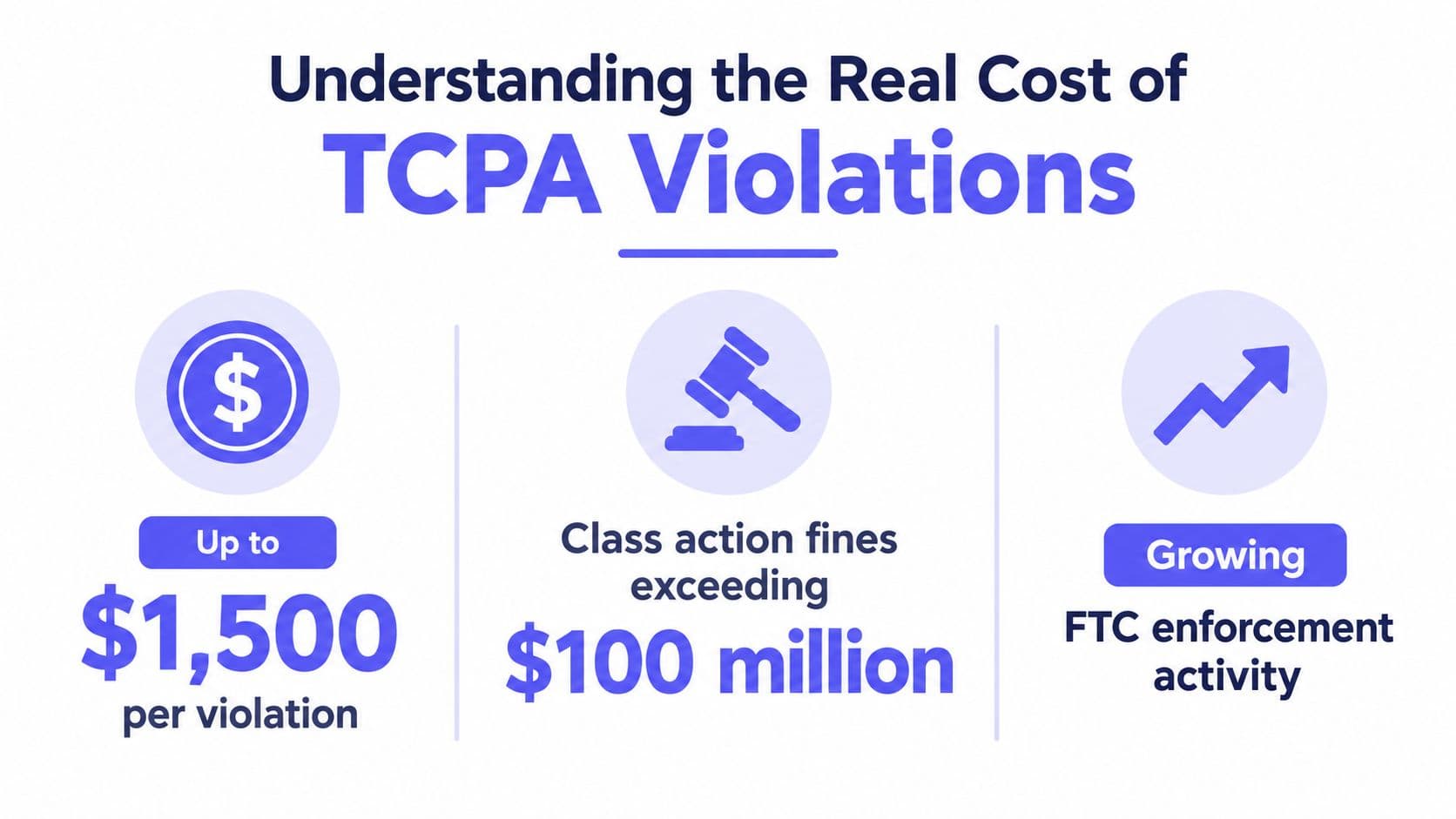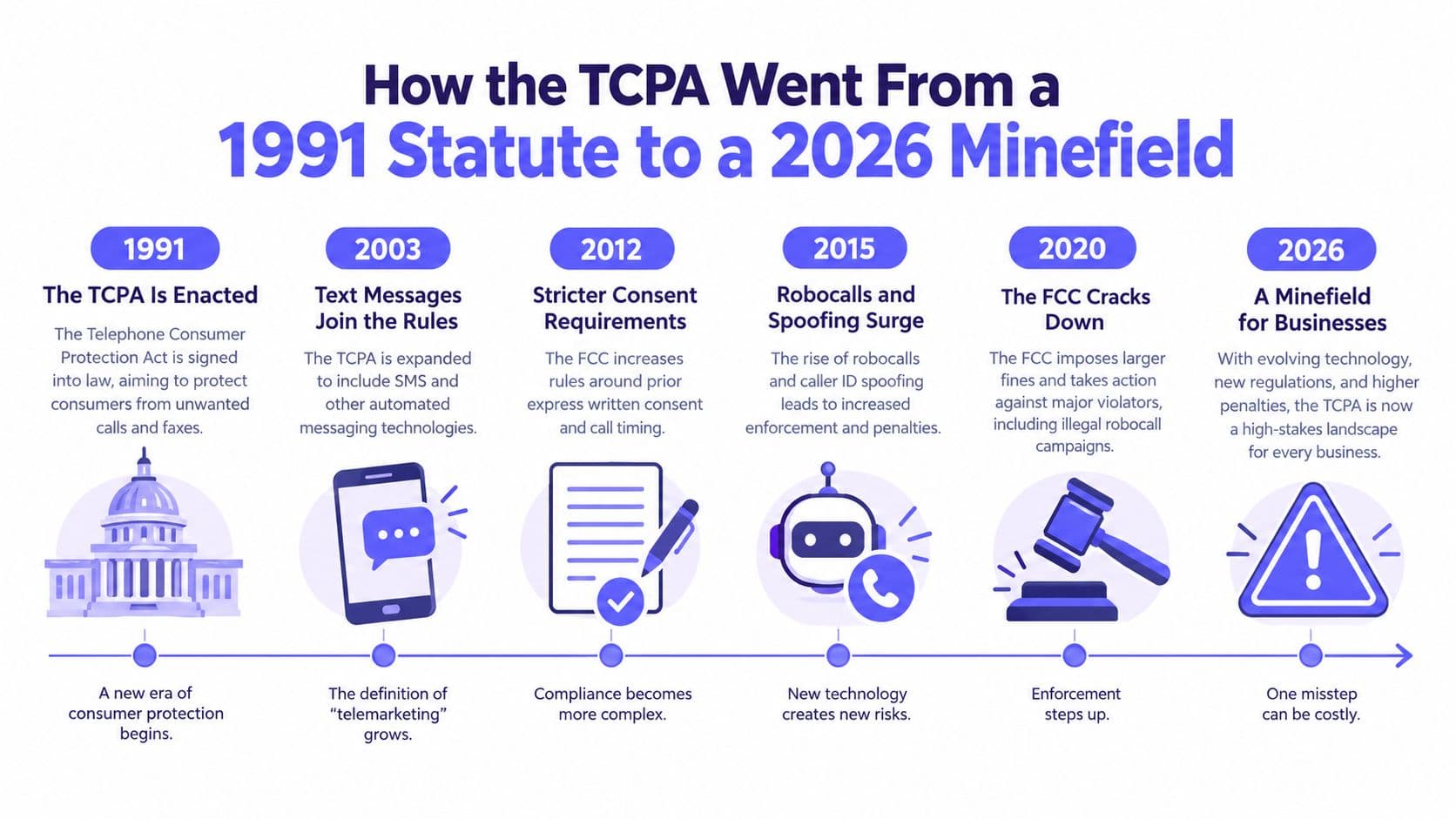
Many teams buy voicemail automation for speed and then act surprised when compliance becomes the bottleneck. That's backwards. Voicemail drop software is not a productivity toy, it's an automated prerecorded-message system, and once you use it for telemarketing, you're inside the rules that govern robocalls, consent, suppression, timing, and evidence. The companies that get this right don't ask, “How many more dials can we squeeze in?” They ask, “Can we prove every drop was allowed?”
Why Voicemail Drop Is a Compliance Story First
Voicemail drop is a consent and evidence problem before it is a speed tool. It usually arrives as one feature inside a dialer, so what a power dialer is is useful background on the call loop this sits inside. Every automated message sits inside a regulated outreach process, and regulators care about call state, consent, suppression, and proof. A clean demo means nothing if the workflow cannot show why each drop was allowed.
The FTC said consumers filed approximately 1.1 million complaints about robocalls in fiscal year 2024, down from 1.2 million in FY 2023 and more than 3.4 million in FY 2021 FTC complaint release. Robocalls still made up the majority of Do Not Call violation complaints in every month of FY 2024. Automation did not stop being a compliance problem just because the complaint count moved.
The Do Not Call registry shows the scale of the issue. The FTC's registry had more than 258 million active registrations as of September 30, 2025, after adding over 4.7 million numbers during fiscal year 2025 FTC DNC data book. Any voicemail automation stack has to screen against that list before a rep ever plays a recording.
Practical rule: if a platform cannot show how it screens numbers, stores consent, and logs each drop, it is a risk multiplier.
The question for sales leaders is simple. Does the product treat voicemail as a deliverability trick, or as an evidence workflow? The first approach creates legal headaches. The second keeps outreach moving without putting your legal team on edge. If you want a plain-language baseline on TCPA risk, this TCPA compliance guide is a good starting point.
What Voicemail Drop Software Actually Does
A rep's old workflow is tedious. Dial, wait through rings, listen for the beep, deliver the message live, hang up, and move on. The modern workflow is cleaner, but only if the software is doing the right thing under the hood.
The mechanic in plain language
Voicemail drop software records a message once, then plays it when the dialer decides the line has reached voicemail or an answering machine. In a good system, the rep isn't guessing or listening forever. They're working through a call queue, and the software is deciding whether to transfer the call live or deliver the prerecorded file.
That matters for message consistency. Every prospect hears the same wording, tone, and length, instead of whatever the rep can improvise after the fifteenth missed call of the afternoon. It also matters for speed, because the rep doesn't have to stay on the line and narrate the message manually.
A simple scenario makes it obvious. A BDR works a 200-lead list with a power dialer. Ten calls in, they hit a voicemail. In the old workflow, they'd wait, speak, hang up, and lose momentum. In the one-click workflow, they choose the right recording and move straight to the next prospect while the message plays.
A clean voicemail workflow is never just about saving seconds. It's about keeping the rep in a call rhythm without introducing sloppy, non-auditable behavior.
Voicemail drop, ringless voicemail, and live answer handoff
These are not the same thing. Voicemail drop in a dialer usually follows a live call attempt. Ringless voicemail tries to deliver a message directly to voicemail without the phone ringing, which is a different compliance conversation altogether. Live answer handoff is the fallback when a human picks up and the software routes the call to the rep instead of dropping a recording.
That distinction is why answer classification sits at the center of the whole feature. If the system mislabels a live person as voicemail, you've got a bad interaction and a possible complaint. If it mislabels voicemail as a live answer, you waste the rep's time and the campaign loses consistency. The software is only as good as the state it assigns in those first seconds.
Efficiency Gains That Matter for Outreach Teams
The value proposition is not magic conversion uplift. It's cleaner throughput. Managers care about how many real conversations happen per rep, how much time gets wasted between connects, and whether the message the prospect hears is the same one the team intended.
What improves in practice
A good voicemail workflow reduces dead time. Reps stop waiting through greetings, stop repeating the same script under pressure, and spend more of the day either talking to people or moving to the next dial. That usually gives managers better visibility into voicemail coverage by campaign, because every drop can be logged and measured instead of disappearing into a rep's memory.
The useful metrics are boring on purpose. Track live conversations, time spent on non-conversation tasks, and the share of callbacks tied to a specific voicemail version. Don't chase vanity numbers like “more dials” without looking at whether those dials produced usable contact activity.
| Metric | Manual Voicemail | One-Click Drop |
|---|---|---|
| Rep flow | Stop, wait, speak, hang up | Select recording, continue dialing |
| Message consistency | Varies by rep and fatigue | Standardized across the campaign |
| Manager visibility | Patchy unless reps self-log | Easier to log by campaign and version |
| Time waste | High during voicemail-heavy blocks | Lower because the rep moves faster |
The difference is operational, not cosmetic. A rep who spends less time narrating voicemails can stay in motion longer, and that usually makes coaching cleaner too, because managers can isolate what the message said instead of guessing what each rep delivered. If you're comparing tools, look for the ones that log the drop automatically inside the campaign record.
Federal Rules That Govern Prerecorded Messages
Casual buyers get burned here because the rule is about consent and proof, not the dialer brand. If your voicemail drop is used for telemarketing, the FTC's rules apply, and the central question is whether the call carries a prerecorded sales message and whether the recipient gave explicit consent.
Consent, timing, and opt-out rules
For prerecorded telemarketing calls, the FTC's Telemarketing Sales Rule requires a prior signed written agreement from the recipient before the seller can place those calls FTC telemarketing rule guidance. The rule applies whether a person answers, an answering machine answers, or voicemail service answers.
The same rule also controls timing and disclosures. A compliant prerecorded call must allow at least 15 seconds or four rings before disconnecting, begin the message within two seconds after a completed greeting, and disclose at the start that the recipient can request placement on the company's do-not-call list FTC telemarketing rule guidance. If a person answers, the call also needs an interactive opt-out mechanism. If voicemail answers, the message must provide a toll-free number that connects the recipient to an automated opt-out path.
The FCC has also taken the position that ringless voicemail to wireless phones is a call using an artificial or prerecorded voice under the TCPA, so consent still matters even when the phone never rings FCC consumer policy issues. Teams get this wrong when they treat “no ring” as “no call.”
Build the campaign around the rules, not around hope. Separate informational outreach from sales outreach. Treat every prerecorded message as something that needs a consent source, a suppression check, and a traceable opt-out path.
If a vendor cannot explain how it enforces timing, opt-out, and consent by call type, do not let sales use it for outbound telemarketing.
How Answering Machine Detection Really Works
The biggest technical risk isn't speed. It's misclassification. A voicemail system that thinks it heard a machine when it reached a live person creates a bad experience and regulatory exposure. Pacing makes that worse, which is part of why power dialer vs predictive dialer treats abandonment and misclassification as the same family of risk. A system that misses a machine wastes time and can leave campaigns inconsistent.
Think in states, not guesses
A serious voicemail platform should behave like a state machine, not a yes/no guess. Useful signals include ring duration, call connection, greeting onset, speech and silence transitions, dual-tone detection, transfer status, message playback start, and hang-up. The system should be tracking how the call behaves over time, not just making a snap judgment on the first sound it hears.
That's also why borderline cases should fail safe. If the system is unsure, the safer answer is usually no automated message or a human-reviewed disposition. Chasing drop volume at the expense of certainty is how teams get sloppy.
False positives and false negatives hurt differently. A false positive interrupts a live person with a prerecorded message, which is the one you do not want to defend. A false negative just wastes rep time or leaves the voicemail incomplete. Those are not symmetrical problems, so your QA shouldn't treat them like they are.
What to ask in a demo
Ask how the vendor measures accuracy by carrier, campaign, time of day, and greeting type. Ask whether the benchmark recordings came from your target markets, not some generic sample. Ask how uncertainty is recorded, and what happens when the software isn't confident.
The stronger systems give you labeled event logs and reviewable call-state data. The weak ones give you a marketing claim and hope nobody asks how it behaves on your actual lists. If you want a vendor-facing example of an outbound workflow with this kind of structure, see the outgoing calls feature overview.
SMS Outreach Keywords and Opt-Out Handling
If your dialer also sends texts, the compliance problem doesn't stop at voicemail. Many teams run voice and SMS from the same numbers, and that means opt-out handling has to be just as strict for texts as it is for calls.
Stop terms that should always work
A compliant SMS system should recognize standard U.S. stop keywords like STOP, UNSUBSCRIBE, END, QUIT, STOPALL, REVOKE, OPTOUT, and CANCEL. It should also recognize assistance keywords like HELP and INFO Twilio SMS keyword guidance. Those keywords are not decorative. They trigger suppression.
The software has to normalize capitalization, map equivalent terms to one suppression state, and persist that block across every campaign and sending number. If someone opts out on one sequence, they don't get to be rediscovered through another workflow two days later.
Twilio's documentation also shows why exact matching matters. It distinguishes OPTOUT from OPT OUT, because the service doesn't support spaces in that keyword Twilio SMS keyword guidance. That sounds small until you realize sloppy keyword handling is exactly how systems fail in production.
What good handling looks like
The best systems treat stop replies as suppression events, send a confirmation, and keep the record visible across campaigns. They also record renewed consent separately if the recipient opts back in later. That distinction matters because revoked consent and renewed consent are not the same thing.
If a recipient writes “please stop texting me,” the platform shouldn't need a perfect exact-match string to do the right thing. Human language is messy, and your suppression logic needs to be more forgiving than your campaign logic. For a closer look at how two-way messaging fits into a calling stack, the SMS feature page is the kind of reference I'd use in a vendor review.
Practical rule: if the opt-out log can't survive a compliance audit, the SMS layer isn't finished.
Best Practices for a Compliant Voicemail Drop Program
A safe voicemail program starts before the first drop. If you do not have consent capture, suppression hygiene, and logs in place, the feature just lets you make bad behavior faster.
Use the checklist that matters
- Capture written consent carefully: For prerecorded telemarketing, keep the signed written agreement tied to the contact record and the campaign source.
- Refresh suppression data on schedule: FTC guidance says telemarketers and sellers must remove registered numbers from calling lists at least every 31 days.
- Screen before the call connects: Block numbers on DNC lists, curfew-restricted records, and litigator lists before the dial goes out.
- Log every drop: Store timestamp, dialed number, message version, consent lineage, and opt-out status.
- Separate message types: Do not mix informational calls and prerecorded sales outreach in the same loose process.
- Measure AMD quality: Track false positives and false negatives separately, then review them by carrier and campaign.
A lot of teams say they want efficiency, but what they really want is less manual cleanup. That is not the same thing as building a compliant process. The better answer is immutable evidence, not a checkbox that says “TCPA compliant” and nothing behind it.
Why the evidence layer is the differentiator
A voicemail feature can increase compliance exposure because it makes repeated prerecorded messages cheap. Sellers do not like hearing that, but it is the reality.
Good programs pair automation with auditability. If your records cannot prove who consented, what message went out, when it played, and what suppression event happened after, you do not have a serious outbound system. You have a faster way to create ambiguity.
Choosing a Platform and Getting Started This Week
Use voicemail drop only if you already have consent capture, a CRM that stores campaign history, and suppression tooling that your team uses. If you're still managing lists in spreadsheets or guessing at opt-outs, wait. The risk is higher than the gain.
For teams that do have the basics, pick a stack, not a single feature. One option is GrowOutly, which combines outbound dialing, voicemail drop, two-way SMS, built-in CRM, pre-dial compliance screening, and audit logs in one workspace. That kind of setup reduces the handoffs where compliance gaps usually appear.
The first three moves are straightforward. Audit your consent records, test your opt-out handling on voice and SMS, and review how your dialer classifies voicemail versus live answers. Our TCPA compliance checklist for outbound teams covers running all of that through one pre-dial and pre-SMS gate, and 10 TCPA compliance software options covers the tools that enforce it. If any of those fail under pressure, fix the process before you scale the campaign.
If you want a stack that keeps dialing, texting, routing, and logs in one place, look at GrowOutly. Use the evaluation questions in this article on your next demo, and make the vendor show you consent handling, suppression logic, and audit exports before you let reps touch the feature. Our call center dialer software buyer's guide has a broader demo checklist if voicemail drop is one requirement among several.