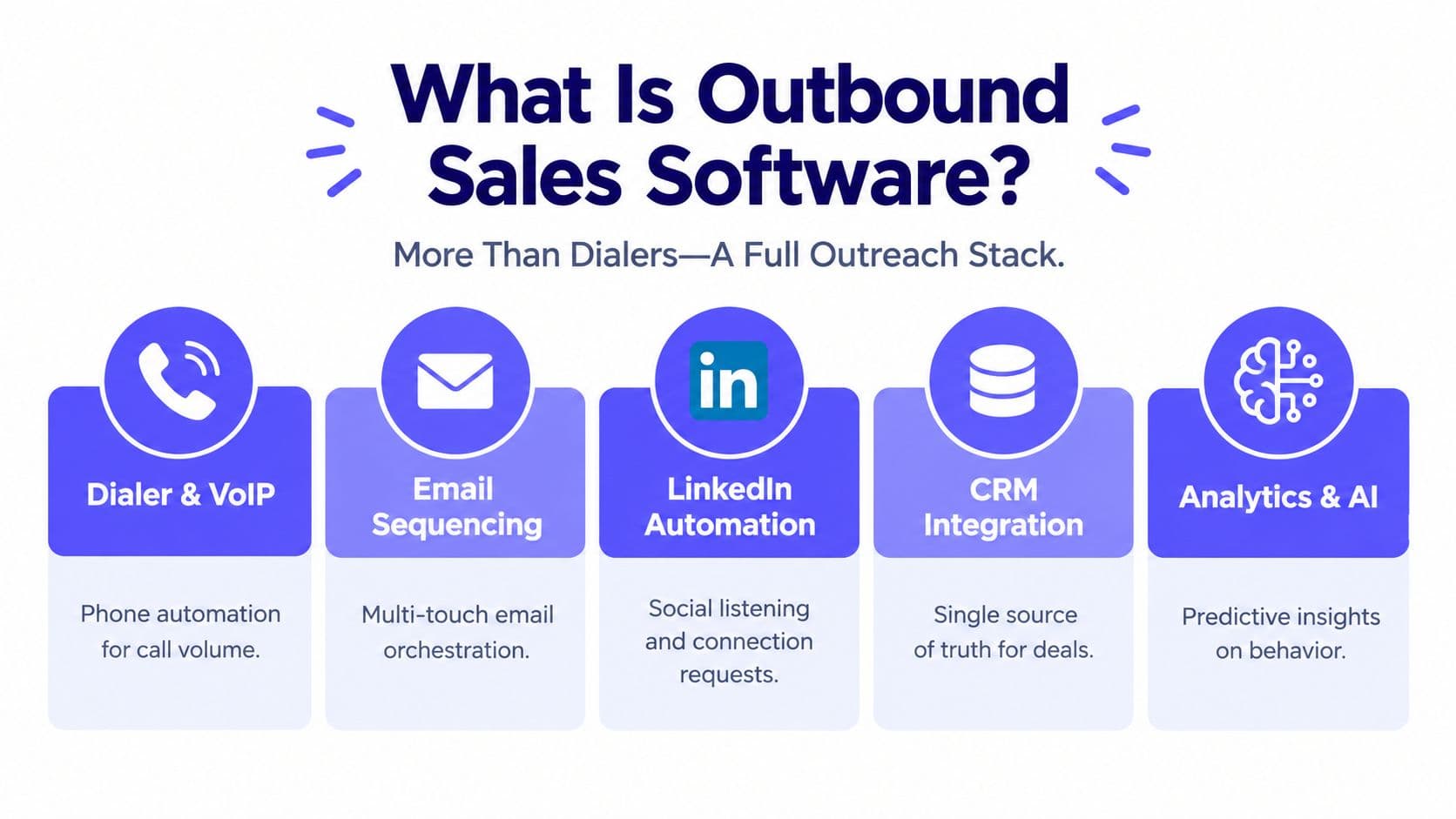
Most dialer advice starts in the wrong place. Buyers get told to chase faster pacing, higher connect rates, and more calls per hour, then discover at renewal that the software can't prove consent, can't keep SMS compliant, and can't route a live conversation to the right human fast enough to matter. That's a bad purchase.
The right question is simpler and more demanding, can the platform prove why each contact was eligible at the moment of outreach, and can it keep the customer journey coherent across outbound, inbound, and messaging? If it can't do both, the speed gains are cosmetic. If it can, the dialer earns its seat in the stack.
| Dialer type | Pacing model | Best-fit volume | Agent control | Compliance demands |
|---|---|---|---|---|
| Preview | Agent reviews before each call | Low-volume, high-stakes outreach | Highest | Strong, because the agent still needs pre-dial evidence |
| Power | Automated, one lead after another | Steady outbound programs | Moderate | High, because the system is doing the pacing |
| Predictive | Algorithmic pacing ahead of agent availability | High-volume campaigns | Lowest | Highest, because pacing mistakes create exposure |
Why Speed Is the Wrong First Question in Dialer Selection
The loudest vendors still sell speed, but speed is not the business problem. You need a system that can prove consent before carrier connection, hand a live caller to the right human, and keep the activity record tied to the conversation instead of scattered across tools. That's the true renewal-time test.
The three buyer jobs that actually matter
First, the dialer has to block restricted outreach before the call or text goes out. Under the TCPA, non-emergency autodialed or prerecorded calls to wireless numbers generally require prior express consent, telemarketing calls generally require prior express written consent, and autodialed text messages are covered too. The FCC also says revocation can stop further robocalls or robotexts absent an exemption, so consent can't be treated like a one-time CRM note. FCC revocation and consent guidance
Second, the platform has to route humans well. A caller who needs help shouldn't bounce through a queue because the dialer was optimized only for attempts per hour. The best dialer is the one that gets the right context to the right rep quickly, then gets out of the way.
Third, outbound and inbound can't live in separate realities. If a rep promises a callback, the next agent should see that history immediately. If SMS opt-out came in five minutes ago, the next campaign launch shouldn't touch that contact. That's not a convenience feature, it's operational discipline.
Practical rule: if a vendor leads with connect rate and buries consent evidence, you're buying pacing, not a control system.
The cloud shift made this distinction unavoidable. Contact centers moved from on-prem telephony hardware to software delivered over the internet, and industry estimates put cloud adoption at 67% in 2023, up from 45% in 2020. The same reporting estimates more than 12 million agents worldwide in 2023, which is why workflow design matters more than hardware nostalgia. Cloud contact-center adoption and market figures
How a Dialer, an Inbound Router, and a Workspace Differ
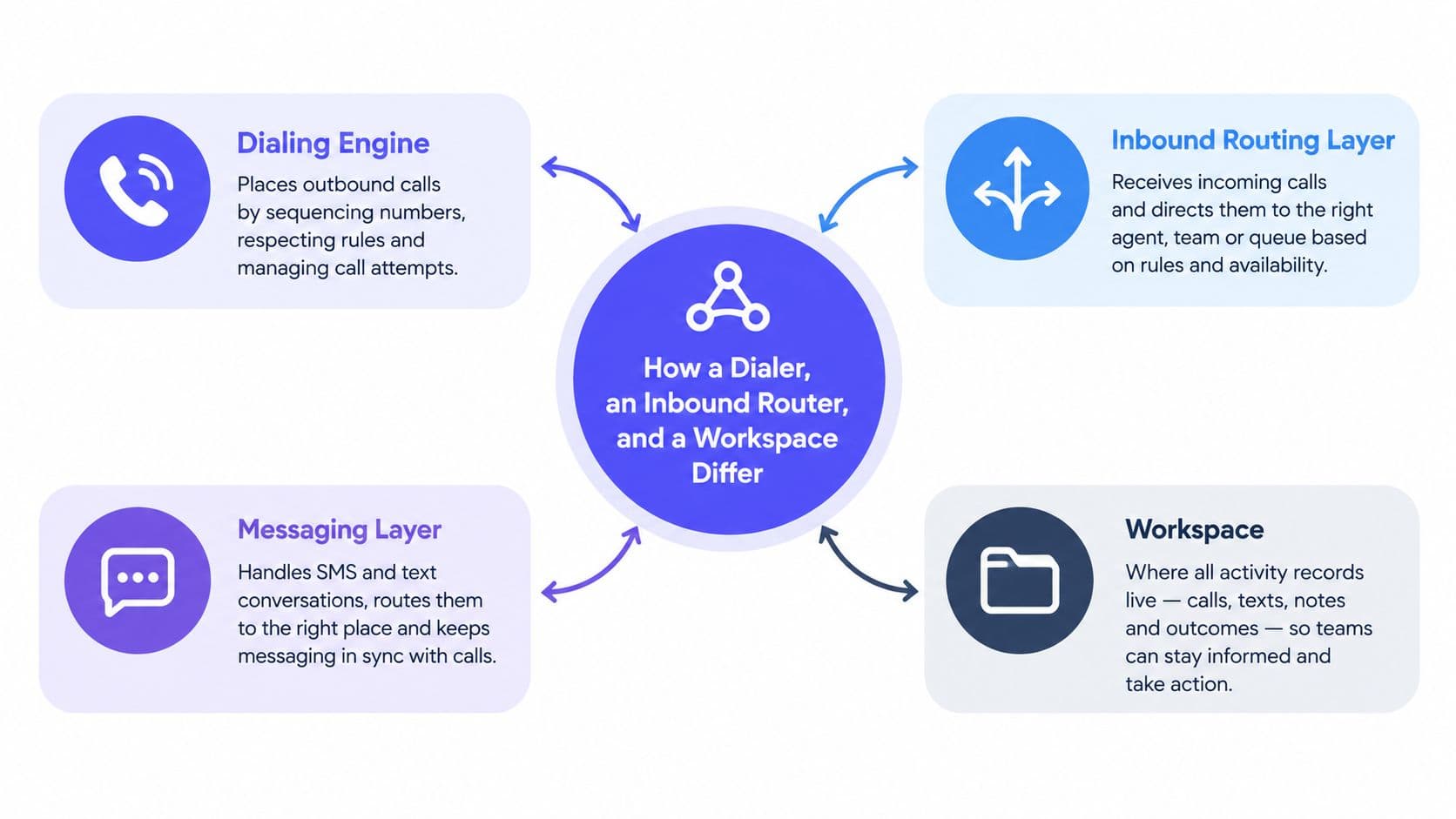
A modern call center dialer software stack is really four systems pretending to be one. The dialing engine places outbound calls, the routing layer handles inbound traffic, the messaging layer manages SMS, and the workspace stores the record of what happened. If you compare vendors without separating those layers, you'll miss the critical trade-offs.
What each layer should do
The dialing engine should support the pacing model you need. Preview dialing gives the agent time to review context before each call. Power dialing moves sequentially and suits teams that want steady outbound flow without full predictive aggressiveness. Predictive dialing pushes harder and can fit large campaigns, but only if you're comfortable with the added control burden.
The inbound routing layer should decide who answers next based on skills, availability, and context, which our comparison of 10 inbound call routing software options scores across the wider field. If the customer calls back after an outbound touch, the platform should not make them repeat themselves. That handoff is where many “dialers” fall apart, because they were built to start conversations, not continue them. Keeping the thread intact is a CRM question as much as a telephony one, which power dialer CRM covers in detail.
The messaging layer needs its own rules. SMS is not just another log line in the contact record. It's a separate workflow with separate consent logic, separate opt-out handling, and separate audit expectations. Our TCPA compliance checklist for outbound teams sets out how to run both through one pre-dial and pre-SMS gate rather than per channel.
The workspace is where the whole thing becomes operational. That means call outcomes, text replies, notes, booking events, and consent status live in one place, not in a pile of exports and browser tabs. If the activity record isn't unified, you'll keep paying in rework.
Why cloud changed the buying standard
Cloud deployment matters because it lets teams support distributed agents, centralized campaign controls, automatic activity records, and CRM integrations without installing a full telephony stack at every site. That shift explains why modern buying decisions are less about PBX replacement and more about workflow control.
If you're reviewing vendors, ask one blunt question: which layer are they strong at? A good dialer can still be a weak router. A good router can still be a mess for SMS. A good workspace can still hide compliance gaps. Know the layer before you sign.
Preview, Power, and Predictive Dialers Compared
Pick the pacing model that matches your list quality and compliance posture, not the one that sounds most aggressive in a demo. The cleanest way to compare them is by scenario, because the label alone tells you almost nothing. The summary below is enough to shortlist; power dialer vs predictive dialer takes the two main modes apart properly, with published throughput ranges, the FCC 3% abandoned-call ceiling, and the agent count predictive pacing needs before it behaves.
Where each mode fits
| Dialer type | Best fit | What it does well | Where it breaks |
|---|---|---|---|
| Preview | Low-volume, high-stakes calling | Lets the agent review context before dialing | Slows teams that need volume |
| Power | Agencies, insurance, home services, B2B outbound | Keeps calls moving without full predictive risk | Less efficient than predictive at scale |
| Predictive | Large campaigns with strong controls | Maximizes live-answer throughput | Raises abandon and compliance pressure |
Preview is the mode I'd trust when the conversation matters more than raw volume. Think of a high-value account, a delicate renewal discussion, or any call where the rep needs context before saying hello. It's slower, and that's the point.
Power dialing is the workhorse. It's a better fit when the team needs control, consistency, and a stable cadence across a live lead queue. For agencies and field-service teams, it usually lands in the sweet spot between productivity and restraint.
Predictive dialing is for organizations that already know how to manage compliance, list hygiene, and pacing risk. If the team can't explain how it controls abandons, curfews, and consent screening, predictive mode is a liability dressed up as efficiency.
A useful rule is to choose the least aggressive dialer that still supports the campaign. Many teams overspecify this. They buy predictive because they imagine they need it, then spend the first quarter turning features off.
The best mode isn't the one that dials fastest. It's the one your supervisors can defend in a compliance review and your agents can use without confusion.
For a deeper side-by-side, see this power dialer vs predictive dialer comparison. The practical decision is still the same, start with list quality, call volume, and legal exposure, then choose the pacing model last.
Compliance as a Pre-Dial Decision
Compliance has to happen before carrier connection, not after the call is already in motion. Once you accept that, the software requirements become obvious. Consent screening, DNC screening, curfew checks, and revocation handling belong in the pre-dial gate.
The regulatory pressure behind this design isn't abstract. When the TCPA took effect in 1991, an estimated 18 million robocalls were placed each day. By 2019, estimates cited in a legal-policy filing put daily robocall volume at roughly 153 million, about 8.5 times the 1991 level, and annual volume had nearly doubled from 2017 to 2019. TCPA robocall history and volume estimates
What a real pre-dial gate checks
A competent system doesn't just store consent, it tests it in real time. It should verify the destination type, purpose-specific consent, consent source, timestamp, revocation status, do-not-call status, and calling-hour eligibility before a call rings or a text sends.
For U.S. wireless outreach, the FCC states that autodialed or prerecorded calls and texts generally require consent, and telemarketing calls generally require prior express written consent. The FCC also places the burden on the sender to prove consent for robotexts, which means loose CRM notes won't cut it. FCC consumer guidance on robocalls and texts
The FTC's calling-hour rule matters too. Outbound telemarketing calls to a residence generally can't go out before 8:00 a.m. or after 9:00 p.m. in the consumer's local time, unless the consumer has agreed to different hours. A dialer should use the contact's location or time zone, not the agent's.
Operational benchmark: don't ask only how many records the system blocks. Ask how many restricted contacts still slip through. That false-negative rate is the failure that matters.
The audit trail has to be reconstructable. Store the rule result, policy version, consent provenance, revocation event, time zone, and suppression reason. If your team can't explain why a contact was allowed or blocked, your “compliance tool” is just a prettier dialer.
For a stricter look at the legal baseline, review TCPA compliance requirements.
SMS Outreach Keywords and Consent Workflows
Treat SMS as a first-class workflow or don't send it at all. Messaging has its own consent logic, its own opt-out language, and its own audit burden. If your dialer blurs those lines, you'll create avoidable compliance problems.
The consent distinction that matters
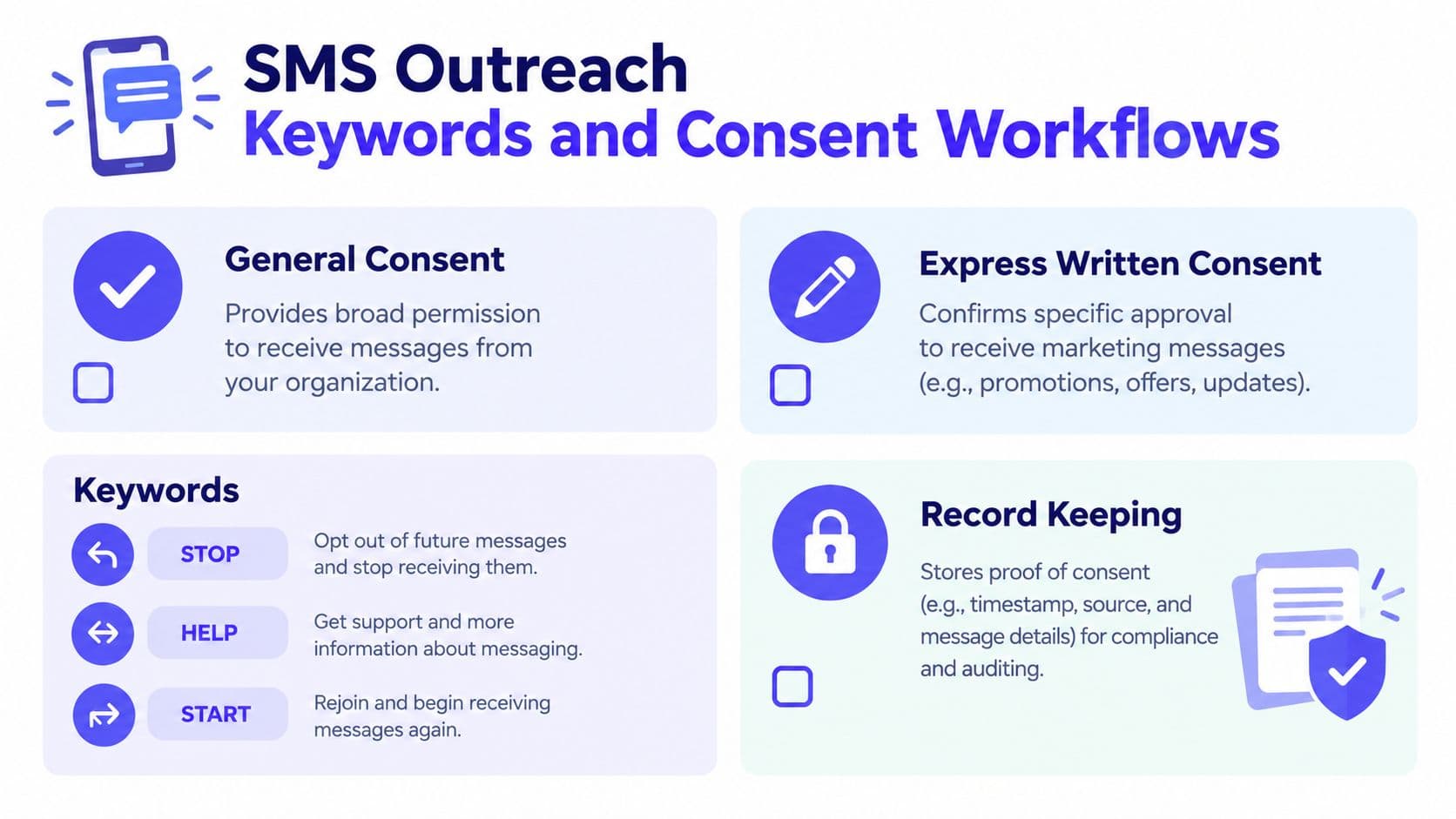
CTIA guidance separates general consent to receive messages from express written consent for marketing messages. That distinction matters because the dialer should record not just that someone opted in, but what they opted into. Consent for appointment reminders doesn't automatically authorize unrelated promotional text campaigns. CTIA messaging principles
The keywords your system should recognize
Your SMS workflow should recognize standard and natural-language opt-out terms. The obvious one is STOP, but the system should also catch stop, end, unsubscribe, cancel, quit, and please opt me out. After an opt-out, the sender may send one confirmation message for that campaign, then stop.
That's the bar. Anything less means agents will keep sending to people who already revoked permission, and that's how a messaging queue turns into a compliance incident.
What to store and what to suppress
Keep the source of consent, the purpose of the opt-in, the timestamp, and the exact campaign tied to that permission. Scan inbound replies for opt-out language immediately and suppress future campaigns right away. Don't let one valid text opt-in bleed into another campaign just because the contact exists in the CRM.
GrowOutly's SMS workflow is one example of how teams can keep voice and text tied to the same contact record without treating messaging as an add-on.
Record consent by purpose, not by contact. That one habit prevents a lot of messy arguments later.
Matching Dialer Type to Your Real Audience
The wrong dialer usually comes from starting with the feature list instead of the workflow. Different teams need different combinations of pacing, routing, and recordkeeping, and the best fit depends on the people using it.
Practical fits by team type
Agencies and B2B services teams usually do best with power dialing, not because it's flashy, but because it balances control with throughput. They also need CRM sync, activity logging, and compliance gates that don't slow reps down every time a list changes.
Home-services and trade businesses care about territory logic. Local presence caller ID and voicemail automation matter because reps are working geographic lists, not abstract lead pools. If the list comes from map-based prospecting, the workflow should stay clean from target creation to first dial.
Insurance and solar sales teams tend to run heavier outbound volume, which makes predictive pacing tempting. That's fine only if consent records, suppression rules, and curfew logic are built into the workflow and not left to supervisor discipline.
Staffing and recruiting teams need SMS and email sequencing tied to the same permission record. Candidates move fast, and the system has to track whether a message channel is still valid for that person, not just whether a number exists.
Customer support teams should care less about dialing speed and more about availability-aware routing. When a caller reaches an expert who already sees context at answer, the interaction stays shorter and cleaner.
A hard rule for buying
Buy the workflow you run every day, not the one you imagine on a great sales forecast. If outbound and inbound are both part of the job, the platform has to handle handoffs without making the agent rebuild context.
One option in that category is GrowOutly, which combines outbound dialing, inbound routing, SMS, and CRM in one workspace. That matters less as a marketing claim than as an operational choice, because the record stays where the work happened.
If your team serves multiple audiences, choose the platform that matches the messiest reality, not the cleanest demo. The more channels you run, the more valuable a shared workspace becomes.
Evaluating Vendors and Rolling Out Without the Usual Pitfalls
Start vendor demos with evidence, not promises. Ask them to show pre-dial and pre-SMS gates using deterministic test cases, then watch whether the system blocks the right contacts before connection. If they can't demo that cleanly, keep moving.
Demo checklist that actually exposes weakness
- Pre-dial proof: Ask how the system handles wireless numbers, National DNC records, time-zone curfews, and revoked consent before carrier connection.
- SMS proof: Test opt-in scope, message-purpose separation, and opt-out handling using both STOP and natural-language replies.
- Audit logs: Confirm the platform records the rule result, policy version, consent source, and suppression reason.
- Routing quality: Check whether caller context appears at answer without adding obvious wrap-up time.
- Reporting depth: Look for service level and abandonment segmented by queue and interval, not just a daily average.
- Pricing clarity: Insist on transparent volume-based pricing and ask what changes at higher usage.
- Uptime claims: Demand specificity about concurrency and carrier region, because vague uptime language is easy to market and hard to compare.
The rollout pitfalls are predictable. Teams underestimate list hygiene, treat SMS as a feature instead of a workflow, and forget that outbound context has to survive the handoff into inbound support. That's how promising deployments become messy within a quarter.
What I'd sign off on
I'd choose the platform that proves three things in the demo, it can block restricted contacts before they ring, it can route live conversations to the right human with the right context, and it can keep the activity record in one place. When you move from criteria to candidates, our comparison of 10 outbound call center software platforms scores ten products on exactly those dimensions, and the wider outbound sales software buyer's guide covers the data readiness and CRM write-back checks that sit around the dialer. If a vendor nails only one of those, the contract renewal will be painful.
The right dialer is not the one that promises the most attempts. It's the one your team can operate safely, defend in review, and use across voice and text without rebuilding the customer story in three different systems.
If you want to replace fragmented dialing, routing, and messaging with one operational workspace, look at GrowOutly. It's built for teams that care about compliance gates, call routing, and keeping activity records tied to the same contact. If that's the standard you want at renewal time, start there.