You're probably in the middle of the same mess many revenue teams hit first. A rep has one call window open, the CRM in another tab, notes in a third, and a calendar invite sitting somewhere else. A callback gets missed, the wrong record is open, and the next rep inherits a half-finished story instead of a clean next step.
A power dialer CRM solves that problem by putting the call, the customer record, the compliance check, and the follow-up in one workspace. That matters because CRM adoption is already a core operating norm, with 91% of companies with more than 10 employees using CRM software and about 87% of CRM users on cloud-based systems CRM industry statistics. The dialer only becomes useful when it stays attached to the record the team works from.
Why Teams Switch From a Standalone Dialer to a Power Dialer CRM
If you are still working out what a power dialer CRM is in the first place, power dialer CRM: what it is and how it works covers the queue-to-record loop and the productivity case. This guide picks up afterwards, at the integration itself and how it behaves once real volume hits it.
The first reason teams move is simple, they're tired of losing context. A standalone dialer may make calls faster, but if the rep still has to copy notes, log outcomes, and chase the next task in another tool, the speed gain leaks away. What a power dialer is walks through that call loop on its own, and power dialer vs predictive dialer covers why pacing mode changes how much the integration has to absorb. The rep feels busy, but the pipeline still gets stitched together by hand.
The hidden cost of tab switching
When the dialer and CRM live apart, the team ends up working around the software instead of through it. That usually looks like notes in a scratch pad, follow-ups in a calendar, and contact history buried in a separate system that nobody fully trusts. The result is predictable, duplicate outreach, stale statuses, and a manager who can't tell what happened without asking three people.
A power dialer CRM fixes that by making the call itself part of the customer record. The rep dials, sees the contact context, and records the outcome in the same place. The buyer should care less about “faster dialing” and more about whether the system prevents information loss.
Practical rule: if a rep can't answer “what happened last time?” without opening another tool, the workflow is already broken.

That's why the buying conversation changes so fast once a team has enough reps and enough records to justify structure. A high-volume calling workflow becomes more valuable when the team can't rely on memory or Slack threads to hold the thread together. The win is continuity, not speed for its own sake.
What a Power Dialer CRM Does
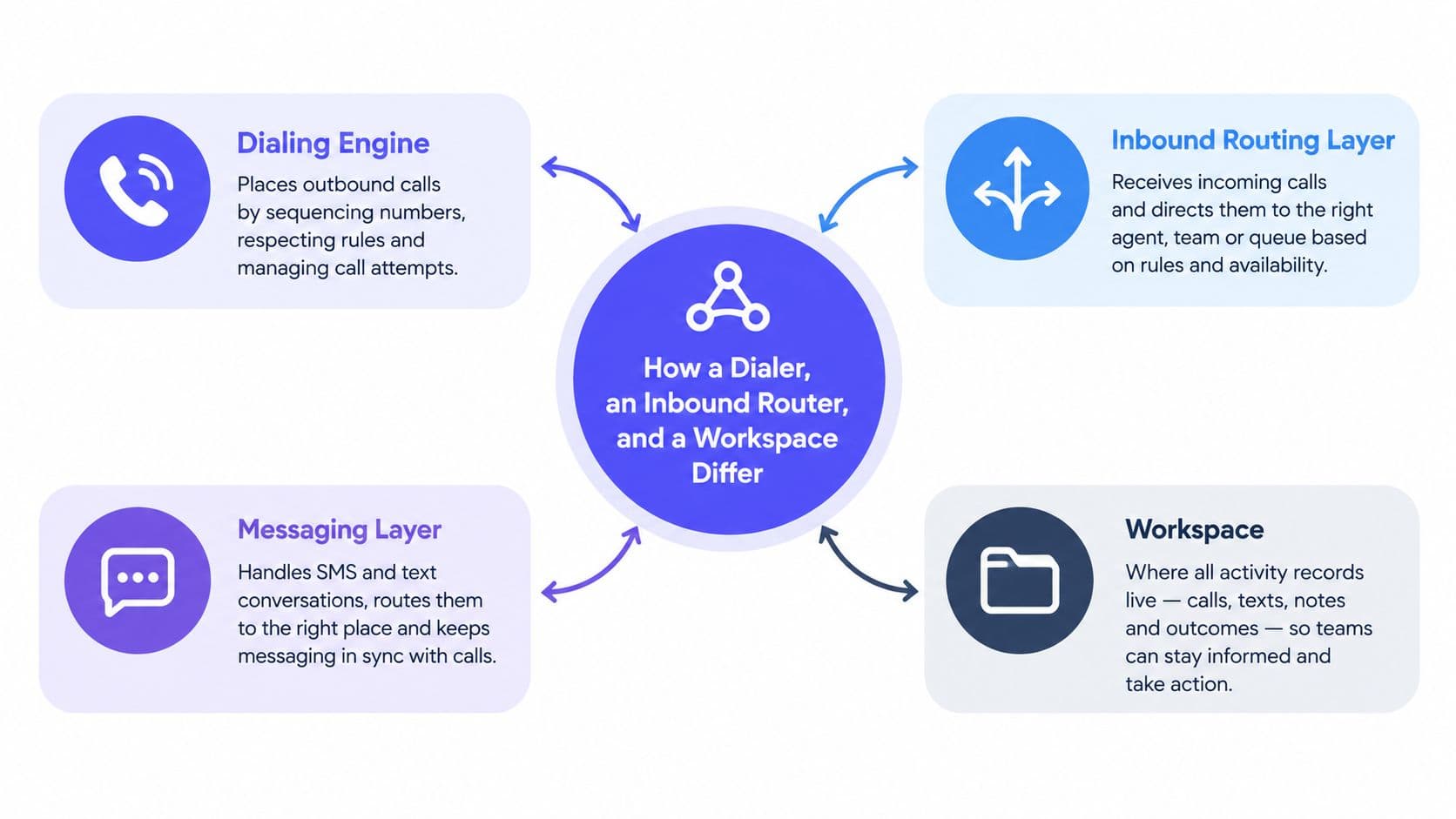
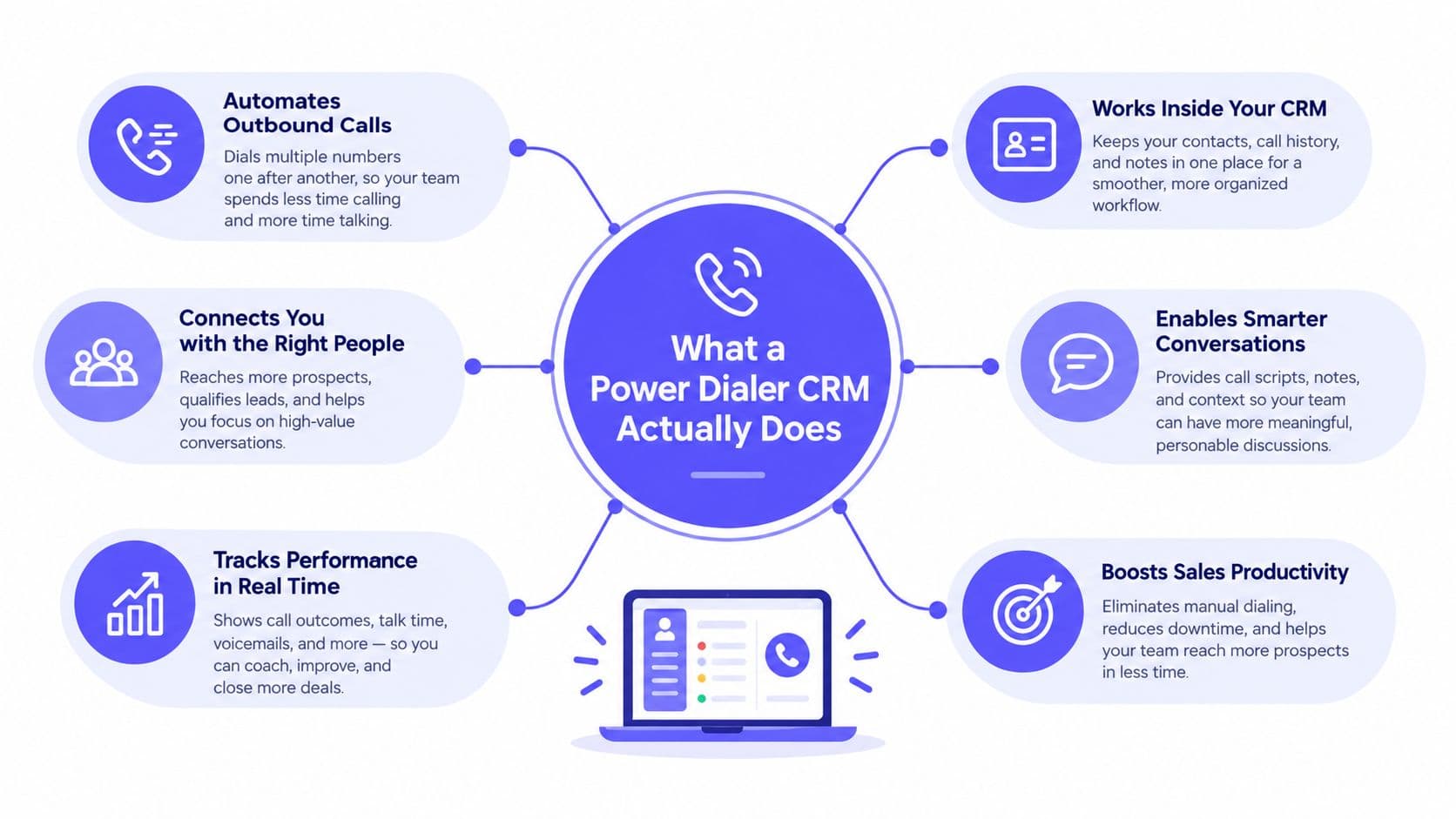
A power dialer CRM is less about raw calling speed than about keeping every call tied to the right record, the right status, and the right next step. The dialer places the call. The CRM stores the contact, the history, the notes, and the pipeline stage. Core value is what happens after the call ends, because the system should capture the outcome without making the rep retype it somewhere else.
Dialing is only half the system
A dialer by itself can push more calls through a queue. A CRM by itself can hold more records. Teams need both in the same workspace because the call and the memory of the call have to stay connected. Otherwise, follow-up becomes a separate admin task, and that is where mistakes start.
Teams already run their work through a shared CRM, so the dialer belongs inside that system rather than beside it. The point is not just convenience. It is keeping the activity trail intact so managers, reps, and compliance owners all see the same record of what happened.
What the rep should see
During a live call, the rep should be able to see the contact's recent history, the last outcome, the next task, and the result field without leaving the screen. If there is a transcript or recording, it should attach to the same record. If the outcome is “booked,” the calendar step should trigger. If the outcome is “do not contact,” suppression should happen right away.
That is why a power dialer CRM is really an activity-capture system first. Speed matters only after the system can answer a more basic question, what happened, and what happens next? For outbound teams, that answer has to carry across calls, email, SMS, and opt-out handling, because a missed suppression or a lost note creates risk long after the dialer has moved on.
The system should answer one question without delay, what happens next?
If it cannot do that, the tool is doing part of the job while leaving the team to clean up the rest.
Native vs Third-Party Power Dialer Integrations
Buyers often get sold a smooth demo that won't survive scale. A native setup means the dialer, CRM, and activity log share the same workspace, database, and authentication. A third-party setup means separate tools are linked by sync jobs, field mapping, and API calls that can lag or break. Which products fall on which side is worth checking against our comparison of 10 outbound call center software platforms, since CRM depth is one of the dimensions it scores.
Native systems usually lose less information
Native integration tends to win on data fidelity, audit completeness, and compliance gating. When the contact record and the dialer share the same state, there's less room for an opt-out to sit in one system while another still treats the contact as eligible. It's also easier for the rep because they aren't waiting on a sync to see the latest note or disposition.
Third-party setups offer more flexibility if a team insists on mixing best-of-breed tools. They can also be easier to slot into an existing stack. The trade-off is that every extra connection adds a place where duplicate contacts, missed updates, and delayed suppressions can slip through.
A common failure mode is simple. One system creates the record, the other doesn't see it yet, and the rep dials the same contact twice. Another is worse, an opt-out lands in one app but doesn't propagate to the dialer quickly enough. Once a team crosses from a handful of users to a real outbound operation, those cracks stop being edge cases.
| Integration type | What it feels like | Main trade-off |
|---|---|---|
| Native | One workspace, one timeline, one login | Less flexible if the vendor's workflow is opinionated |
| Third-party | More tool choice, more configuration | More sync risk, more duplication risk |
For a comparison lens on how teams think through dialer structure, the operating model in GrowOutly's dialer overview is useful because it shows the difference between a calling layer and a fragmented stack.
Buyer filter: ask where the source of truth lives, then ask how long it takes for an opt-out to reach every place a call could originate.
Anatomy of a Compliant Outbound Calling Workflow
A compliant workflow starts before the phone rings. The dial queue should check the destination number, consent type, consent source, DNC status, campaign purpose, caller identity, and local calling window before the call connects. The FCC's position is clear enough for operations teams, compliance should work as a synchronous pre-call decision, not a post-call cleanup exercise FCC unwanted communications guidance.
What happens in practice
A rep opens a queue of dial-ready contacts. The system checks whether the record can be called, then either allows the call or blocks it with a clear reason. If the call goes through, the result should be written back immediately, along with the contact timeline, agent identity, timestamp, and ruleset version.
That design matters because it turns policy into behavior. The rep doesn't have to remember whether a number is on a do-not-call list, whether consent was revoked, or whether the campaign is allowed to run right now. The CRM decides before the call goes out.
The best systems also propagate suppression across channels. If a contact opts out on a call, that preference should carry to SMS, voicemail-drop workflows, and automated follow-up. Otherwise the team creates a compliance gap by accident, not intent.
What a good record captures
A solid calling record should store the contact or account ID, normalized phone number, campaign, agent, UTC timestamp, local time, disposition, and audit trail. That gives operations something much better than a call count. It gives them evidence.
If the system can't prove what consent state existed at the moment of contact, it's not really controlling compliance, it's just storing notes.
For teams that want to compare their own process against a tighter workflow, this TCPA checklist is worth reading alongside the logic above. The point isn't legal theater. It's building a calling queue that blocks bad outreach before it starts.
SMS Outreach Keywords That Drive Action
SMS works best as a structured workflow, not an open-ended chat thread. The useful keywords are the ones that map cleanly to the next action and create a timeline event. They also need to sit on top of lawful outreach eligibility, not replace it.
Use keywords as actions, not permission
For outbound engagement, YES and BOOK can signal interest or trigger scheduling. CALL can route the contact back to a rep. INFO can request details without forcing a long back-and-forth. These are not magic words, they are shortcuts for moving the lead to the next state.
Suppression keywords need to work immediately across the whole record. STOP, UNSUBSCRIBE, CANCEL, END, and QUIT should suppress future messaging at once. HELP should return support instructions or route the contact to an agent. Every response should be written into the contact timeline with the original message, response, timestamp, campaign, and responsible rep or automation.
The cross-channel piece matters most. If someone texts STOP, the CRM should suppress that contact from future voice outreach too, not just texting. That is what a unified preference ledger does, it keeps channels from behaving as if they are separate businesses.
The FCC also treats autodialed texts as subject to TCPA requirements, and consent is generally required for those texts to wireless numbers FCC robocalls and texts guidance. So keywords make the workflow easier, but they do not create the right to message.
GrowOutly's SMS features follow that same logic in product terms, a keyword should change the state of the record, not just reply to a message.
Why Maximum Dial Speed Is the Wrong Goal
The instinct to optimize for dials per hour is understandable, but it can push teams in the wrong direction. More dials can mean more complaints, more opt-outs, and more contact with stale or poorly consented records. If the queue is noisy, speed just multiplies the noise.
Measure the conversation, not the churn
A better lens is revenue per compliant conversation. That forces the team to segment by list source, attempt number, time zone, agent, disposition, and channel. It also makes the buyer ask whether the problem is really call volume, or whether the list quality and targeting are weak.
That's why many teams discover that faster dialing isn't the highest-value change. The bigger lift comes from better logging, cleaner routing, and less manual cleanup after each call. Independent evidence from a La Poste business case reported a 50% reduction in manual CRM data-entry time after NLP-assisted call-center workflows, along with a 15% performance increase, which is a good reminder that better activity capture can matter as much as raw dialing pace La Poste business case.
A more useful KPI set
| Metric Category | What It Measures | Why It Matters |
|---|---|---|
| Revenue per compliant conversation | Value created from eligible, recorded conversations | Keeps the team focused on outcomes, not raw volume |
| Complaint rate | How often outreach creates friction | Signals when speed is damaging trust |
| Opt-out rate | How often contacts ask to stop | Reveals list quality and message fatigue |
| Booking rate | How many conversations turn into meetings | Shows whether the call is moving the pipeline |
| Logging completeness | Whether activity makes it into the CRM | Protects reporting and follow-up quality |
Faster isn't better if the record is wrong by the time the rep hangs up.
If the team can't explain which KPI predicts revenue, it's probably still measuring motion, not progress.
Best Practices for Power Dialer CRM Operations
A mature setup puts the rule in the system, not in a rep's memory. That matters because a power dialer CRM is doing two jobs at once, keeping outreach compliant and preserving a usable activity record.
Operational habits worth standardizing
- Refresh the National DNC list at least every 31 days. The FTC says sellers and telemarketers must update National Do Not Call call lists on that cycle FTC telemarketing rule guidance.
- Enforce the 8 a.m. to 9 p.m. local-time window. Calls outside that window should stay out of the agent queue unless a valid exception applies FTC Do Not Call FAQ.
- Honor consent withdrawals across channels within 10 business days. The FCC's 2025 revocation rule requires businesses to process reasonable withdrawals and carry them across calls and texts DNC revocation guidance.
- Keep a live agent ready before increasing concurrency. If a call connects and no one is available, the contact gets a dead end instead of a conversation.
- Connect answered predictive or automated calls within two seconds. FTC guidance and the Telemarketing Sales Rule address that timing standard for this dialing style.
- Cap simultaneous calls per agent. A rep needs time to read context, confirm intent, and respond like a human.
- Use voicemail drop only after confirming call state. Dropping a voicemail on the wrong state creates a bad customer experience and a bad record.
- Log every action to one timeline. Calls, texts, emails, transcripts, recordings, bookings, and opt-outs should all land on the same contact history.
The cleanest rule is also the simplest. If the CRM cannot enforce the policy before outreach starts, it is too late.
Common Questions About Power Dialer CRM Setups
Should a small team choose native or third-party integration
If the team lives in one CRM already, native usually reduces training and sync risk. Third-party connections only make sense when there's a real system constraint, not just vendor preference. The key question is whether the contact record stays trustworthy when volume rises.
What belongs in the CRM versus a separate warehouse
The CRM should hold the operational truth for calling, consent, contact history, tasks, and next actions. A warehouse can still store reporting history or deeper analytics, but the rep shouldn't need it to know what to do next. If the team has to check another system before calling, the workflow is too split.
How should a team pilot without disrupting pipeline flow
Start with one segment, one queue, and one ownership model. Keep the old process intact for the rest of the pipeline, then compare logging completeness, opt-out handling, and follow-up speed before expanding. That's safer than swapping the whole team at once and trying to debug a live book of business.
What red flags show a vendor is selling speed instead of governance
If the demo talks mostly about connect rate and barely mentions suppression logic, call-state logging, or audit trails, that's a warning sign. Our call center dialer software buyer's guide has a demo checklist built to expose exactly that, and what TCPA compliance is covers the rules the audit trail has to satisfy. If the system can't show where the consent decision was stored, who changed it, and how it reaches every outreach channel, the stack is being sold as a dialer, not as an operating system for outreach.
GrowOutly brings outbound dialing, CRM records, messaging, scheduling, and compliance checks into one workspace, which is exactly the kind of setup a team needs when the goal is clean activity capture instead of raw call churn. If you're evaluating a power dialer CRM for sales or support, see how GrowOutly handles calling, timelines, and follow-up in a single system.