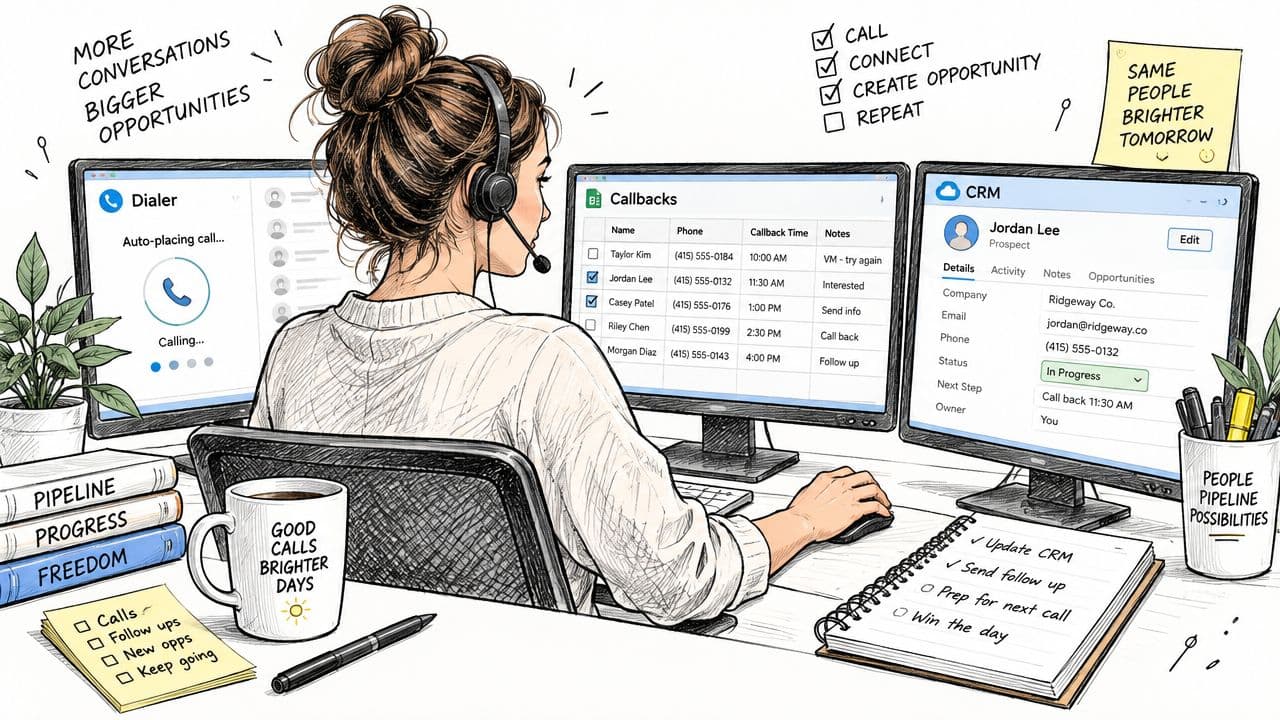
You're probably staring at three tabs right now, a dialer, a CRM, and a notes sheet, trying to keep calls moving while hoping nothing falls through the cracks. A prospect answers while you're switching windows, you half-hear the opener, and by the time the call ends you're wondering whether the outcome got logged, whether the callback note was saved, and whether you'll remember which number to hit next.
That's the core problem a Power Dialer CRM solves. It doesn't just make calls faster, it keeps dialing, notes, SMS, voicemail drops, and follow-up attached to the same contact record so the rep can stay in the conversation instead of managing tabs.
What a Power Dialer CRM Looks Like in a Real Rep's Day
The day usually starts messy. One rep has the dialer open for calls, a spreadsheet for callbacks, and the CRM in another tab to fix missing dispositions. That setup works until a prospect hangs up mid-sentence, the note never gets copied over, or a callback gets buried in a separate list the rep forgot to check.
The tab chaos most reps start with
A plain dialer can place calls, but it doesn't carry the account story with it. A rep has to remember where the lead came from, what was said last time, and whether the next step was a voicemail, an SMS, or a meeting link.
That's why the context gets lost so easily. If the contact record lives somewhere else, the rep has to switch away from the call just to update what happened, and that's usually when the little mistakes show up.
Practical rule: if the call outcome isn't written back to the same record the rep opened before dialing, someone on the team will eventually work from stale context.
The integrated version removes the friction
In a connected workspace, the rep opens the contact record, hits dial, and sees the call timer, the contact timeline, and the next action in one place. The dialer doesn't sit beside the CRM like a separate tool, it sits inside the workflow.
That matters after the call, too. SMS replies, email sends, and meeting bookings write back to the same timeline, so the rep doesn't have to reconstruct the conversation later. A platform like GrowOutly follows that pattern by keeping outbound dialing, CRM, messaging, and scheduling in one workspace, which reduces the handoffs that usually slow reps down. That consolidation is the premise of a whole category: what a sales engagement platform is covers where a CRM stops storing and an engagement layer starts executing.
The payoff is simple. The rep spends less time stitching together records and more time doing the part that moves deals forward, which is the live conversation.
The Core Concept Behind Power Dialer CRM Software
A power dialer is the part that moves through the call list. It auto-dials the next number as soon as the rep wraps the current call, instead of making the rep manually type or paste each number.
A CRM is the system of record. It stores contacts, accounts, activities, and pipeline stages, which means it's where the team should be able to see what happened, when it happened, and what comes next.
Queue to record
A Power Dialer CRM combines those two jobs. The dialer pulls the next number from a queue, and every interaction lands on a permanent record in the CRM timeline. That queue-to-record connection is the whole idea, numbers go out in order, outcomes come back in order.
When the systems are integrated well, the rep doesn't think about the plumbing. The dialer reads CRM fields for phone numbers and dispositions, then writes the call outcome back to the contact activity log in real time. If a CRM has its own built-in dialer, that can be convenient. If it integrates with an external dialer through an API or marketplace app, the main test is whether the sync is bidirectional and whether the call history lands where reps can see it later.
For a simple starting point, the queue should be built from the CRM, not from a spreadsheet copy. The CRM should also keep the result, not just the attempt.
Useful shortcut: if the rep can open one contact, place a call, log the outcome, and queue the next follow-up without leaving the record, the system is doing the right job.
For a deeper reference on the general dialer model, see this explanation of a power dialer. The important part is not the label, it's whether the CRM and dialer share one live timeline.
Productivity and Connect Rate Gains You Can Expect
The productivity lift comes from removing dead time, not from making people talk faster. Manual dialing forces the rep to look up numbers, wait through rings, note the outcome, and then do it all again. A power dialer cuts out that repeat work, so the rep spends more of the hour on actual conversations.
What the throughput looks like
Published guidance commonly places power dialers around 40 to 90 dials per hour, with stronger implementations reaching 80 to 120 per hour when list quality, connect rates, and wrap-up time are controlled, according to 2026 auto-dialer benchmarks. Other industry references describe roughly 60 to 80 calls per hour per rep, and some cite about 400 calls per rep per day versus 120 with manual dialing, which is a 233% increase, as noted in the power dialer guide.
Those numbers don't come from the dialer alone. Shorter inter-call gaps, CRM logging that happens automatically, and a cleaner queue all contribute. Poor list quality and weak caller-ID reputation are common reasons connect rates fall, even when the rep is doing everything right. The list side is its own buying decision, and our comparison of 10 B2B prospecting tools covers the sourcing, enrichment, and phone verification that decide whether the queue is worth dialing at all.
Benchmark table
| Dialing Mode | Dials per Hour | Live Conversations per Hour | Typical Connect Rate |
|---|---|---|---|
| Manual dialing | Far fewer than a power dialer | Lower, because the rep spends more time entering numbers and notes | Variable |
| Power dialer | Roughly 40 to 90, and in stronger setups 80 to 120 | Higher than manual because the rep is already ready when the call connects | Stronger when caller ID, timing, and list quality are aligned |
| High-performing CRM-connected power dialer | Around 60 to 80, with some references higher in controlled conditions | Better than manual because wrap-up work is reduced | Depends on reputation, timing, and clean data |
The key thing to teach a new rep is this. The dialer raises efficiency, but the connection rate still depends on the list, the number reputation, and whether the team is calling at the right time in the right region. Region is where caller ID gets misread most often, since in an overlay market a prefix like area code 832 proves provisioning rather than location.
How the End-to-End Calling Workflow Stays Connected
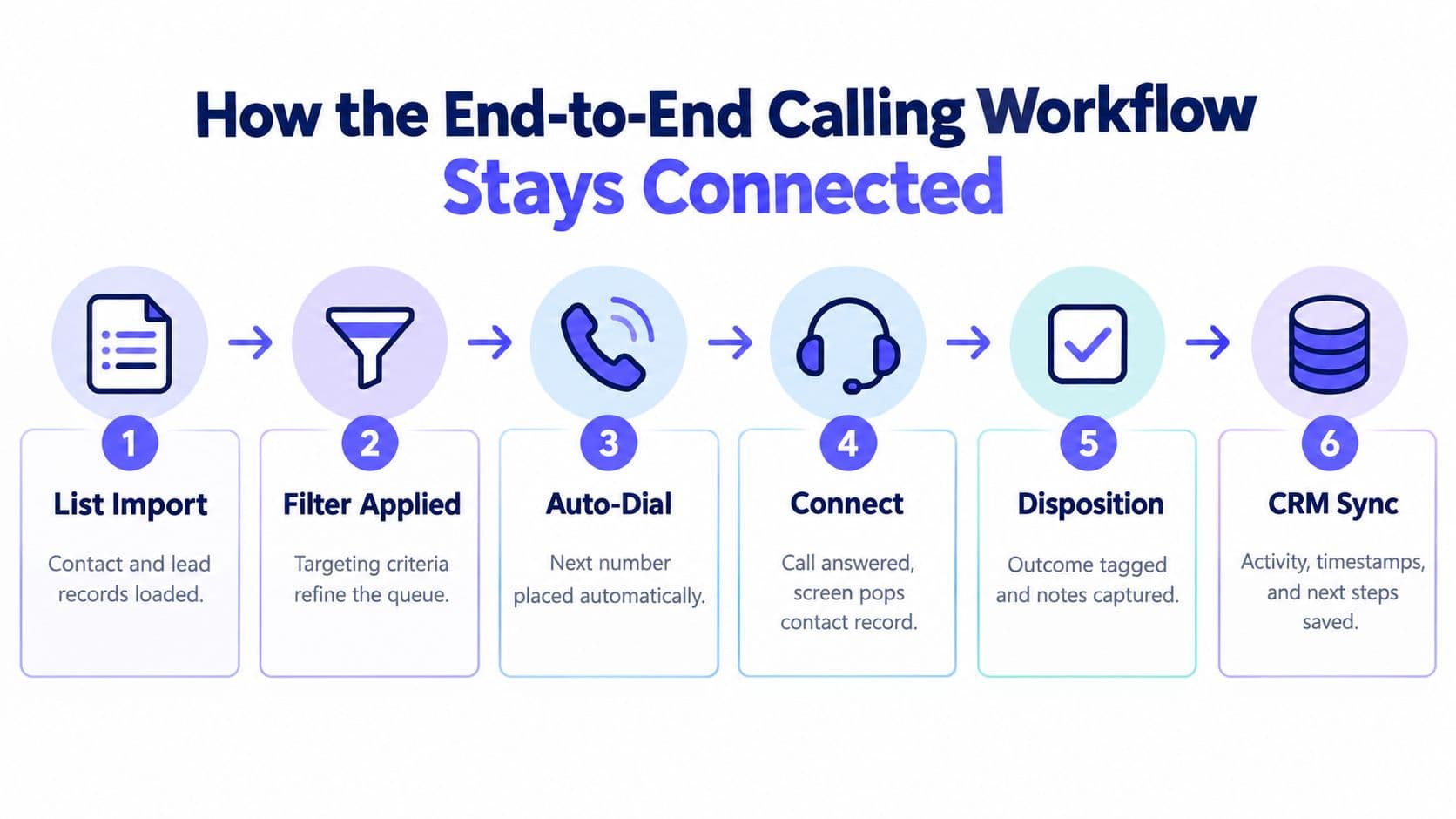
A connected workflow starts before the first ring. The rep loads a list from CRM filters or imports contact and lead records, then the dialer pulls one record at a time and shows the relevant context on screen.
What gets written where
Once the call starts, the dialer should auto-log the attempt, stamp the timestamp, record the duration, and save the disposition back to the contact timeline. The rep handles the parts a system can't guess, like notes, qualification, and the next step.
The strongest workflow is the one where follow-up doesn't depend on memory. If the rep leaves a voicemail, sends an SMS, or books a meeting, those actions should attach to the same contact record so the next touchpoint has the full context.
The handoff points that usually break
The classic failure is the lost call. Someone talked to the prospect, but the CRM never learned it, so the next rep calls again with no context. Another common break is partial logging, where the call attempt exists but the disposition or callback time never got filled in.
A good CRM-linked dialer reduces that risk by separating what the system can populate from what the rep must decide. The system can log the attempt, timestamp, duration, and activity trail. The rep still has to choose the disposition and add the note that explains the conversation.
For a more structured view of CRM-linked dialing, see this CRM feature overview. The goal is always the same, one record, one timeline, no duplicate manual entry.
Outreach Compliance Best Practices Built Into the Dialer
Compliance has to happen inside the dialing flow, not after the fact. If the rep has to remember the rules manually, the system is too loose for high-volume outreach.
The rules that should fire before a call goes out
The queue should be scrubbed against the National Do Not Call Registry and any stricter state-level lists before dialing begins, as described in the power dialer compliance guidance. The system should also enforce local calling-hour limits, including 8 a.m. to 9 p.m. in the prospect's time zone, and it should keep the call records and outcomes logged for review.
The legal pressure behind this is real. Under widely cited TCPA guidance, unauthorized contacts can trigger statutory damages of $500 per violation, rising to $1,500 per willful violation, and compliance commonly requires calling only between 8 a.m. and 9 p.m. local time plus re-scrubbing DNC lists at least every 31 days, according to TCPA compliance guidance.
What the CRM should preserve
A dialer built for compliance should keep an audit trail with the number dialed, timestamp, agent, disposition, and opt-out status. That lets a manager review one report instead of reconstructing a campaign from scraps. If the contact opts out, the suppression flag should flow back into the CRM immediately so the person is removed from future queues automatically.
Best practice: do the compliance check before the dial, not after the call. Once the prospect has already been contacted, the audit log is only evidence, not prevention.
Regulated teams usually need that sequence written down as a gate rather than a habit, and the cold calling playbook for insurance walks through it running in front of the dialer, from the registry scrub through the litigator screen to the calling window.
For teams handling recordings, the system also needs to respect consent rules, pause or announce before recording where required, and keep that action visible on the record. If the platform can't do that cleanly, the workflow is too fragile for serious outbound work.
| Compliance Rule | Where It Fires | CRM Record Updated |
|---|---|---|
| DNC scrubbing | Before queue load | Suppression status and reason |
| Calling-hour limits | Before each call attempt | Time-zone rule check and call eligibility |
| Recording consent handling | At call start | Consent state and recording flag |
| Opt-out processing | On contact request | Internal DNC or SMS suppression |
For a practical compliance reference tied to the dial step, see this DNC compliance overview.
SMS Outreach Keywords and Compliance Rules
SMS only works when consent, timing, and opt-out handling are tied to the contact record. A text sent from a disconnected process is how teams end up messaging people who never opted in or who already asked to stop.
Consent has to be captured and stored
Opt-in can come from a web form, a keyword text-join flow, or verbal consent. Each source should tag the CRM record with the consent source and timestamp, because that's what lets the team prove where permission came from later.
The outbound flow also needs clear opt-out handling. Common stop words include STOP, UNSUBSCRIBE, CANCEL, END, and QUIT. If an inbound message contains any of them, the platform should suppress future SMS across the system, not just for that campaign.
What reps should watch for
A simple checklist helps more than a long policy document.
- Capture consent at the source: log whether the contact came from a form, a keyword join, or a verbal yes.
- Store the evidence on the record: keep the timestamp, source, and wording of the agreement.
- Honor opt-outs immediately: if a reply says STOP or any close variant, suppress all future texts.
- Respect timing windows: only send during permitted hours in the prospect's locale.
- Keep sender identity clear: the message should identify the business name, not a mystery number.
Common compliance keywords also include HELP, INFO, YES, Y, START, and UNSTOP. A text-to-join keyword such as SUPPORT can start an opted-in conversation, and every message should include an easy opt-out instruction such as “Reply STOP to opt out,” as laid out in the SMS keyword guidance.
The practical point is simple. If a contact hits an SMS cap or opts out, the CRM should show that status before the next outreach decision is made. That prevents repeat messaging and keeps the rep from guessing.
Evaluation Checklist for Choosing the Right Platform
Buyers usually get distracted by feature lists, but the true test is whether the platform supports the daily workflow without creating compliance gaps. A useful scorecard ties each capability to a visible outcome in the CRM and a guardrail the rep doesn't have to remember manually.
Dialer mechanics
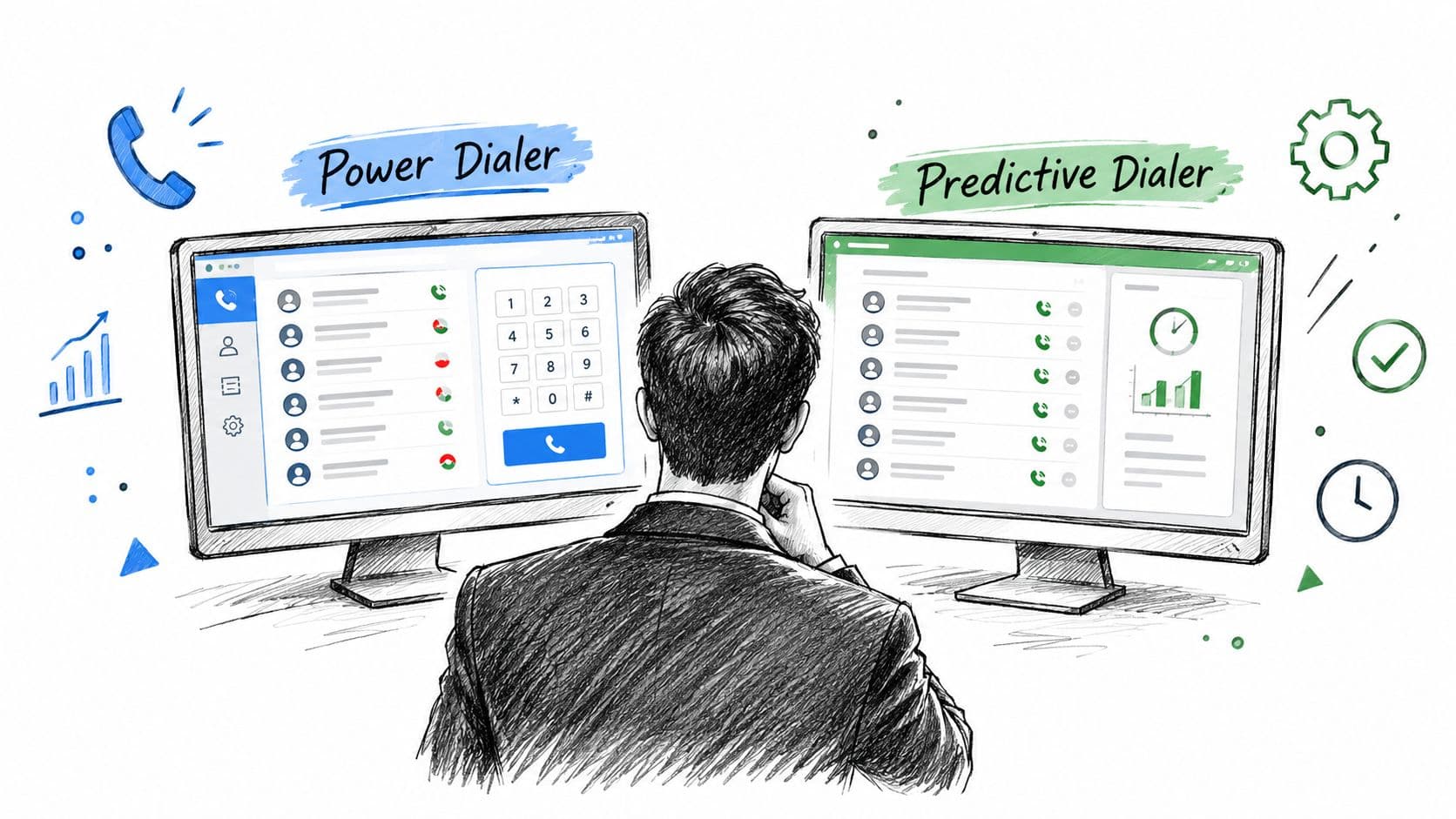
Ask whether the dialer is progressive or predictive, how answer machine detection works, whether local presence dialing is available, and whether voicemail drop is built in. If that first question is still open, power dialer vs predictive dialer weighs throughput against abandonment risk and rep control, which is the trade-off behind the answer. Ask for a live demo that shows the next call loading from the queue after wrap-up.
If the proof point is only a marketing slide, the feature is probably bolted on. If the vendor can show a call ending, the next number loading, and the record updating without another click, the workflow is probably native.
CRM integration depth
Look for bidirectional sync, field-level mapping, activity logging, and custom object support. The question isn't whether the dialer “integrates” with CRM, it's whether the rep sees the same contact history before and after the call.
A weak sign is delayed logging or duplicate records. A stronger sign is a single timeline where calls, texts, and disposition changes land automatically.
Compliance, SMS, and reporting
Compliance needs DNC scrubbing, time-zone calling windows, recording disclosures, and audit log retention. SMS needs opt-in capture, opt-out keyword recognition, cadence caps, and visible STOP or HELP handling. Reporting should show queue throughput, disposition trends, contact attempts per record, and rep-level activity.
If you still need a shortlist to run that checklist against, our comparison of 10 business calling software platforms scores ten products on dialing depth, inbound routing, SMS, CRM logging, and the usage costs a published seat price leaves out.
For the final vendor conversation, use this order: pilot the dialer mechanics first, validate the integration second, and pressure-test compliance before you sign. If the platform can't keep one call, one record, and one consent trail in the same workflow, it's not ready for serious outbound use.
If you're comparing platforms for a team that needs dialing, CRM context, SMS, and compliance in one place, GrowOutly is worth a look because it keeps those pieces in the same workspace. Use the platform as a workflow test, not just a phone tool, and check whether your queue, your record, and your suppression rules all stay aligned from the first call to the last follow-up.