A caller reaches your support line, chooses the right department, and still lands with the wrong person. The agent is available, but the CRM record doesn't open, the caller's previous messages are invisible, and the transfer begins before anyone understands the issue. That experience usually reflects a routing design problem, not an agent problem.
The strongest inbound call routing software connects IVR intent capture, skills and queue logic, real-time availability, caller context, failover, reporting, and follow-up messaging. It should send a call to the best available resource, show that person enough history to act, and preserve the interaction when the conversation moves to SMS.
This comparison focuses on how those details behave in real support and marketing operations. The right choice depends on your team size, routing complexity, existing CRM and help desk systems, administrative capacity, reliability requirements, and need for outbound messaging. The call routing software market was estimated at about USD 2.5 billion in 2023 and is projected to reach roughly USD 7.8 billion by 2033, with a compound annual growth rate near 12.5%, according to Verified Market Reports' call routing software analysis. Buyers aren't treating routing as a basic phone feature anymore. They're choosing an operating layer for customer conversations.
1. GrowOutly
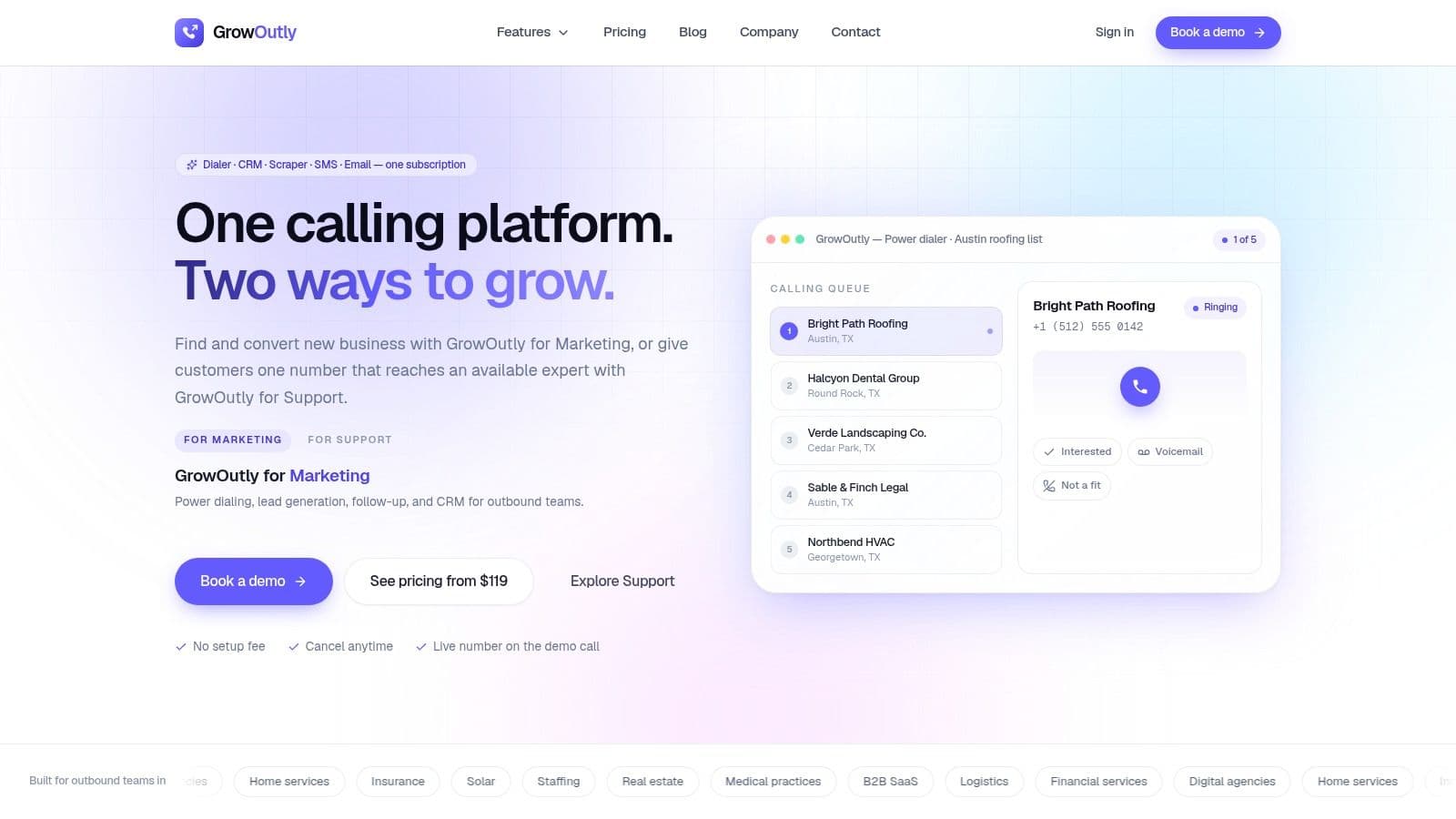
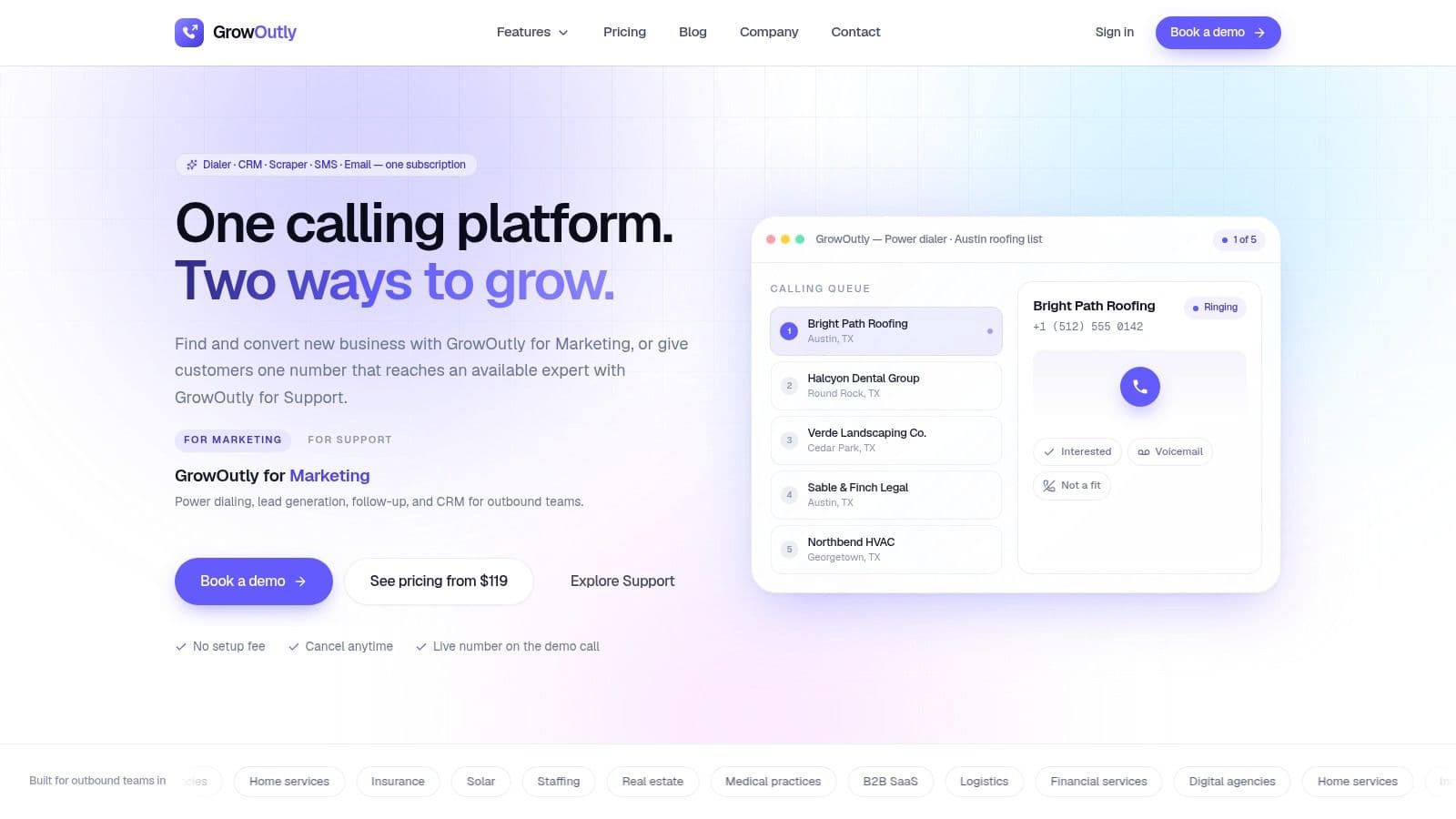
A caller reaches a support queue, while a sales rep works a related lead in another system. Without a shared record, both employees may repeat questions, miss prior messages, or lose the opportunity to book a next step. GrowOutly is designed for teams that want inbound support and outbound marketing activity in one workspace.
The platform combines inbound call routing, outbound power dialing, two-way SMS and MMS, email outreach, lead scraping, scheduling, and a built-in CRM. That consolidation reduces the need to reconstruct contact history across a dialer, spreadsheet, CRM, messaging tool, and calendar, and it is the same argument behind a sales engagement platform: one contact timeline instead of four systems that each know part of the story.
For inbound calls, its main operational strength is availability-aware routing with caller context on screen before answer. IVR, business-hours rules, skills-based routing, ring order, overflow paths, backup teams, on-call mobile routing, voicemail-to-text, and callback tasks cover failure cases that basic ring groups often handle poorly. The incoming call routing feature suits teams that need support queues and sales follow-up in the same system.
Where GrowOutly earns its place
GrowOutly carries the interaction into outreach operations. Calls, texts, and emails are logged in contact timelines. Google Calendar and Microsoft 365 integrations let agents book meetings during a call, while recordings and transcripts support coaching, compliance review, and handoff.
The platform cites 99.95% uptime, pre-call and pre-SMS compliance checks in under 45 milliseconds, and an average of 48 seconds from native Google Maps scraping to the first dial on its reliability and performance page. Its published plans start at $119 per month for one user with 300 calling minutes and 100 SMS, followed by $319 per month for Pro and $819 per month for Essentials, with custom Enterprise packages available, per the GrowOutly pricing page. The site also reports 12k+ sales teams and a 3.4x uplift in conversations per rep. Treat these as vendor-published claims and test them against your call volume, workflows, and reporting needs.
Practical rule: A unified platform helps only when the team uses one timeline. Confirm that inbound calls, SMS replies, booking activity, recordings, and notes appear where agents already work.
Trade-offs
GrowOutly fits agencies, home services, solar, insurance, staffing, B2B sales, and support teams seeking one operational workspace. Large enterprises may prefer a specialized workforce-management suite or a developer-led platform with deeper orchestration controls.
Compliance features do not remove customer responsibilities. Teams still need appropriate consent, permissions, carrier coverage, and country-specific processes for calls and messages. Model minutes, SMS, seats, and add-ons before committing, because usage allowances can raise costs or make migration harder as volume grows. Visit the GrowOutly site and see how it fits your team.
2. RingCentral
RingCentral works well for organizations that want to begin with a mature business phone system and expand into contact-center operations. RingEX supports business calling, while RingCX adds more advanced inbound handling for teams that need queues, IVR, and broader contact-center controls.
Its multi-level auto-attendant can guide callers through departments, while time-of-day and holiday rules prevent calls from entering a queue that isn't staffed. Department and queue routing are straightforward for conventional support structures. Teams can also add recording, CRM and ITSM integrations, and APIs when agents need screen pops or automatic activity logging.
Best operating fit
RingCentral's main advantage is the path from ordinary business telephony to a broader CCaaS deployment. A growing company doesn't have to replace its whole phone environment just because routing requirements become more complex. That flexibility also makes the platform familiar to administrators, consultants, and support professionals.
The downside is administrative breadth. Small teams may configure only a fraction of the available capabilities, while contact-center add-ons, storage, and expanded reporting can make the actual cost harder to judge. Teams should compare the simplest RingEX configuration with the RingCX design they'll need later, rather than evaluating only the entry point.
For a broader comparison of unified calling workflows, the business calling software guide provides useful context. RingCentral is a sensible shortlist option when reliability, established integrations, and gradual expansion matter more than having the smallest possible administration surface.
3. Dialpad
Dialpad puts AI assistance close to the live conversation. Its business communications and AI Contact Center products combine cloud calling with real-time transcription, sentiment analysis, IVR, and queue or skills-based routing at contact-center tiers.
That combination changes how supervisors handle routing quality. A manager can review what happened during a call without relying only on after-call notes, while agents can use live transcripts to maintain context during complex conversations. The value is highest when the team has a clear process for acting on those signals. Sentiment data that never changes queue priority, coaching, or escalation policy is just another dashboard.
What to validate
Dialpad is attractive for teams that want a modern interface and fast deployment without building an AI layer themselves. AI Agent options can support automation and self-service, but the cost and practical value depend on how much automation the team can safely expose to callers.
Advanced AI and contact-center capabilities may require higher tiers or add-ons. International and toll-free usage, as well as more advanced routing, can introduce usage charges. Before choosing Dialpad, test a real call flow with caller authentication, CRM lookup, transfer, callback, and transcript availability. A polished demo isn't enough if the agent still has to search for the customer after answering.
4. Aircall
Aircall suits SMB and mid-market sales and support teams that need inbound routing without a dedicated telephony specialist. Its no-code IVR, queues, ring groups, warm transfers, call monitoring, and time- or skill-based routing handle common day-to-day call flows.
Routing quality depends on what happens before the call reaches an agent. Aircall's integrations with HubSpot, Salesforce, Intercom, and other business tools can place caller and interaction details in the CRM or help desk. Agents spend less time searching for account history, provided the integrations are configured carefully and records are matched reliably.
Aircall works well when the existing business stack is stable and the phone system needs to fit around it. Test failed CRM lookups, unavailable agents, transfers, and after-hours rules before launch. A route that looks correct in a diagram can still send callers to an empty queue if schedules and presence settings are not maintained.
Where it falls short
Aircall is simpler to administer than many enterprise CCaaS platforms, but that limits unusual routing designs. Teams that need advanced workforce engagement, detailed quality-management workflows, or developer-controlled orchestration may need a more extensible platform. No-code flows are easier for operations teams to maintain, while developer-led systems offer greater control at a higher implementation cost.
Core plans may carry seat minimums, and add-on usage can affect the final bill. Include inactive and seasonal users in the cost review instead of assuming everyone will answer continuously. Aircall's skills-based routing guide recommends mapping call types to queues, assigning proficiency levels, routing to the strongest available match, and defining overflow after a wait threshold. For marketing teams, pair missed-call rules with SMS follow-up, and confirm consent and opt-out handling before enabling outreach.
5. Five9
Five9 is built for organizations with demanding inbound operations, blended inbound and outbound work, and a need for detailed reporting. Its ACD, speech-enabled IVR, configurable queues, skills-based routing, and priority logic support contact centers where a simple round-robin distribution isn't enough.
A useful Five9 design can distinguish between language, product expertise, customer priority, and reason for calling. It can also combine those attributes with agent availability, which prevents a highly skilled agent who is already handling a difficult case from appearing available merely because their status wasn't updated correctly.
Enterprise trade-offs
Five9's reporting covers real-time and historical views across inbound and outbound activity. That helps managers compare queue behavior with staffing, campaign demand, and service outcomes. CRM and UC integrations are another strength, particularly when the agent needs account information before accepting the interaction.
The platform typically uses quote-based pricing, and some models may carry minimum seat requirements, including a 50-seat minimum on certain models. That makes Five9 harder to justify for a small team with modest routing complexity. It also requires more operational discipline than an SMB phone system. If nobody owns skill definitions, queue thresholds, schedules, and reporting governance, the platform's depth becomes administrative drag instead of better routing.
6. Talkdesk
Talkdesk is a strong middle ground for teams that need complex inbound journeys but don't want every change to require custom development. Its ACD supports skills, business hours, IVR selections, and other attributes, while Talkdesk Studio provides a visual flow builder for data lookups and routing rules.
The visual design matters during implementation. An administrator can see where a caller enters the flow, which data condition changes the path, and what happens when the preferred queue is closed. That makes it easier to review routing with support leaders who understand the operation but aren't writing code.
A platform for evolving flows
Talkdesk's growing AI agent and orchestration capabilities can support self-service and more contextual routing. The risk is that a flow becomes too ambitious. Teams often get better results by starting with a short IVR, a clean CRM lookup, and explicit overflow paths before adding conversational automation.
Pricing is quote-based, and add-ons can raise total cost. The platform also needs an owner who understands both the business rules and the data behind them. Without that person, a drag-and-drop builder can produce a complicated maze just as easily as it can produce a clean call flow.
7. Genesys Cloud CX
Genesys Cloud CX is designed for organizations that need voice and digital routing, workforce tools, speech-enabled IVR, predictive routing, and native AI assistants in one contact-center suite. It can support large or regulated environments where routing decisions need to account for multiple attributes and operational policies.
Its depth is the main differentiator. Predictive and attribute-based routing can go beyond the next available agent, while workforce management and workforce engagement tools connect staffing decisions to queue performance. Voice and digital bots can also handle routine requests before the caller reaches a person.
Strong for governed operations
Genesys publishes CX1 through CX4 pricing tiers and offers named or concurrent options, which gives buyers more structure than a fully opaque quote process. Even so, the total design can become complex. AI features may consume tokens, and associated costs vary by use.
SMBs may find the suite excessive if their need is only business-hours routing, voicemail, and CRM logging. Large teams should still avoid buying every module immediately. Start with the queues and skills that affect first-contact handling, then add WEM, bots, and predictive capabilities only when the operating data supports them.
8. NICE CXone
NICE CXone targets complex, high-volume contact centers with advanced inbound routing, IVR, workforce engagement, analytics, and compliance requirements. Skills- and priority-based routing can operate across channels, which is useful when a customer starts with voice but needs a digital follow-up or escalation.
The workforce suite is a major reason to consider CXone. Quality management, workforce management, analytics, and routing can share an operational model, allowing managers to connect staffing coverage with queue behavior and agent performance. That level of coordination is difficult to reproduce with several narrowly focused tools.
Implementation is part of the product
CXone pricing isn't publicly listed and generally requires a sales process. Its total cost can exceed SMB-focused platforms, particularly when expert services are needed for implementation and ongoing optimization.
The platform makes sense when the organization has dedicated contact-center administration and clear governance. It makes less sense when a small team wants to change IVR menus occasionally without specialist support. Buyers should ask who will own skills, quality rules, data retention, reporting definitions, and release testing before signing.
9. Twilio Flex
Twilio Flex is the developer-led option in this list. It uses Twilio building blocks such as Studio, TaskRouter, APIs, and global voice and messaging infrastructure, giving engineering teams control over the way calls, customer data, and tasks move through the operation.
That flexibility is valuable when standard routing doesn't match the business. A team can build a data dip into an internal system, create a custom prioritization model, or design a specialized agent workspace. Multiple pricing models, including named seat, hourly, active user, and user-plus-usage structures, can also suit seasonal or part-time staffing.
Flexibility has an engineering bill
Twilio Flex requires more technical effort than turnkey CCaaS tools. The organization must plan the data model, authentication, observability, error handling, release process, and support ownership. Voice, SMS, Studio, and other underlying Twilio services also add variable usage costs.
Recording and retention deserve early attention. A separate call recording software overview is useful when deciding how recordings should be stored, searched, restricted, and connected to customer records. Flex is powerful, but it works best when engineering and operations share responsibility for the finished routing experience.
10. Freshdesk Contact Center
Freshdesk Contact Center, formerly Freshcaller, is the natural choice for support teams already invested in Freshdesk. IVR, call queues, queue-to-queue transfers, IVR transfers, recording, and agent availability controls keep voice activity close to tickets and customer history.
That proximity is the product's practical strength. An agent can work from the Freshdesk environment instead of switching between a help desk and a separate phone console. OmniRoute and queue or agent status controls in Omni plans can help balance workload when some agents are unavailable or already handling demanding tickets.
Best for a Freshdesk-centered workflow
Freshdesk Contact Center isn't aimed at organizations seeking the deepest enterprise CCaaS or workforce-management layer. Advanced routing and automation can also sit behind Omni or upper-tier plans, so the entry-level experience may not represent the configuration a growing support team will eventually need.
Before adopting it, test ticket creation, caller identification, transfer behavior, recording access, and the treatment of abandoned or callback requests. The platform is strongest when Freshdesk is already the system of record. If the CRM, ticketing platform, and phone system are split across different vendors, the integration experience should be the deciding factor rather than the IVR feature list.
Top 10 Inbound Call Routing Software Comparison
| Product | Core features | UX / Quality (★) | Value & Pricing (💰) | Target audience (👥) | Unique strengths (✨) |
|---|---|---|---|---|---|
| GrowOutly 🏆 | Outbound power dialer, inbound IVR/routing, SMS/MMS, email, built-in CRM, Google Maps scraping, calendar booking | ★★★★☆, auto-logging, 99.95% uptime claim | 💰 From $119/mo (Base); Pro/Essentials/Enterprise; volume-based allowances | 👥 Outbound sales teams, agencies, home services, support teams | ✨ Native Maps scraping (48s to first dial); sub-45ms compliance gate; unified workspace; vetted cold-caller network |
| RingCentral (RingEX/RingCX) | Multi-level IVR, queues, call recording, broad integrations/APIs | ★★★★☆, mature, well-documented | 💰 Published plans; CC add-ons can increase costs | 👥 SMB → Enterprise, multi-site organizations | ✨ UCaaS + CCaaS breadth; easy to staff/support |
| Dialpad (AI Contact Center) | Real-time transcripts, sentiment, IVR, skills routing, AI Agents | ★★★★☆, AI-first UX, modern UI | 💰 Usage-based AI features; some advanced features need higher tiers | 👥 Teams wanting fast setup + AI assistance | ✨ Live call AI, sentiment analysis, fast setup |
| Aircall | No-code IVR, queues, ring groups, extensive CRM integrations | ★★★☆☆, quick admin, simple UI | 💰 Per-seat (three-seat min on some plans); add-ons apply | 👥 SMB / mid-market sales & support stacks | ✨ Large integration library; low admin overhead |
| Five9 | ACD, speech IVR, skills/prioritized routing, blended inbound/outbound | ★★★★☆, enterprise-grade reliability | 💰 Quote-based; seat minimums typical (higher TCO) | 👥 Large contact centers with complex routing | ✨ Deep analytics & blended ops for scale |
| Talkdesk | ACD routing, Studio visual flow builder, AI agent options | ★★★★☆, low-code, admin-friendly for complex flows | 💰 Quote-based; add-ons raise cost | 👥 Mid-market → Enterprise with orchestration needs | ✨ Drag-and-drop Studio for complex IVR/workflows |
| Genesys Cloud CX | Omnichannel routing, predictive routing, WEM/WFM, native bots | ★★★★☆, scalable for regulated environments | 💰 Published tiers (CX1–CX4); named/concurrent options | 👥 Large, regulated enterprises | ✨ Native voice/digital bots + workforce tools |
| NICE CXone | Skills-based routing, advanced IVR, WEM, QM, analytics | ★★★★☆, enterprise feature depth | 💰 Quote-based; typically higher TCO | 👥 High-volume, compliance-focused enterprises | ✨ Deep WEM/QM and compliance tooling |
| Twilio Flex | Visual/API routing, TaskRouter, Studio, developer-first toolkit | ★★★☆☆, very flexible but engineering-led | 💰 Flexible pricing models; underlying Twilio usage costs | 👥 Teams needing heavy customization/engineering | ✨ Max customization; global telephony building blocks |
| Freshdesk Contact Center | IVR, queues, transfers, call recording; tight Freshdesk linkage | ★★★☆☆, fast setup within Freshworks | 💰 Published plans; best value when paired with Freshdesk | 👥 Support teams using Freshdesk ecosystem | ✨ Unified ticket & call history; quick time-to-value |
Turn Routing Requirements Into a Reliable Shortlist
Start with caller intent and agent capability, not vendor features. List the reasons people call, identify the queue or workflow for each reason, and map the skills an agent must have before receiving that interaction. Skills-based routing works best when the IVR menu or dialed number maps each call type to a dedicated queue, agents have proficiency levels such as Advanced, Intermediate, and Basic, and the system sends the call to the strongest available match before applying overflow rules. That operating pattern is described in Aircall's skills-based routing guidance.
Then define availability precisely. “Available” should mean ready to handle the interaction, not merely logged in. Include business hours, holidays, breaks, active call status, after-hours destinations, queue wait thresholds, backup teams, mobile escalation, voicemail-to-text, and callback tasks. IVR should capture enough intent to improve the match, but not force callers through a long menu that increases abandonment.
Caller context is the next test. The agent should see the customer record, recent calls, open tickets, previous messages, relevant account attributes, and the reason captured in IVR before answering. That is the inbound half of the queue-to-record loop power dialer CRM describes on the outbound side, and it fails for the same reason: the call and the record live in different systems. If the platform can't surface that information quickly, ask whether the integration is real-time, what happens when the CRM is unavailable, and whether the call still reaches a usable fallback.
Routing quality has to be measured beyond answer rate. Track misroutes, transfers, queue wait, abandoned calls, callback completion, first-contact resolution, and whether agents had the context needed to resolve the issue. Independent benchmark data from Natterbox reported hunting time falling 54% year-on-year, from 5.15 minutes in 2024 to 2.37 minutes in 2025, after organizations replaced static IVR menus with CRM-native and conversational AI routing. That result appears in Natterbox's contact-center benchmarks, but it shouldn't be treated as a guaranteed outcome for every deployment. A separate IVR benchmark from JustCall recommends routing accuracy above 90%, meaning fewer than one in ten callers should be misrouted.
Test the failure path, not just the happy path. Disconnect the CRM, close the primary queue, remove the most skilled agent, and call outside business hours. A routing system earns trust when it still gives the caller a clear next step.
Reliability and administration deserve equal weight. Ask about uptime commitments, carrier redundancy, incident communication, recording behavior during outages, audit logs, permissions, and who can change routing rules. A platform with impressive AI but unclear ownership can create more operational risk than a simpler system that the team maintains correctly.
SMS follow-up needs its own controls. Confirm consent and applicable permissions before sending, keep the message in the same customer timeline where possible, assign replies to a monitored queue, and make the next step clear. Opt-in disclosures should name the program, state message frequency, explain that message and data rates may apply, provide Reply STOP for opt-out and Reply HELP for assistance, and link to the privacy policy and terms. Recognized opt-out keywords include STOP, STOPALL, UNSUBSCRIBE, CANCEL, END, and QUIT, according to LeadCompliant's SMS opt-in guidance.
Your system should also handle reasonable revocation methods, not only one preferred keyword. Under the April 11, 2025 TCPA revocation rule, carriers and platforms must honor any reasonable opt-out method within 10 business days, and keywords including STOP, QUIT, END, REVOKE, OPT OUT, CANCEL, and UNSUBSCRIBE are treated as per se reasonable triggers, as explained in Plura's text-to-call compliance guidance. Test each keyword, mixed-case variations, agent alerts, suppression behavior, and the timing of follow-up automation before launch. For the wider framework those rules sit inside, what TCPA compliance is covers the consent standards, how channel and purpose change the requirement, and what a defensible program has to preserve as evidence.
Finally, compare total usage costs, integration effort, reporting depth, administrative workload, reliability requirements, and messaging controls. GrowOutly fits teams that want inbound routing, outbound dialing, CRM history, scheduling, compliance checks, and SMS in one workspace. RingCentral, Dialpad, Aircall, and Freshdesk Contact Center suit teams prioritizing faster administration and existing business software. Five9, Talkdesk, Genesys Cloud CX, and NICE CXone are stronger for governed enterprise operations, and our comparison of 10 outbound call center software platforms scores several of the same vendors on dialing modes and campaign controls if the outbound side of the queue matters as much as the inbound one. Twilio Flex is the right direction when custom development is part of the strategy. Choose the platform your team can configure, monitor, and improve after the launch, not merely the one with the longest feature list.
GrowOutly combines availability-aware inbound call routing with outbound dialing, two-way messaging, CRM timelines, scheduling, recordings, transcripts, and compliance checks in one workspace. If you want to test a routing and follow-up workflow without stitching together separate tools, visit GrowOutly and see how it fits your team.