The platform with the longest feature list isn't automatically the best business calling software. A power dialer can be a poor choice for a support queue, while an enterprise contact center can be unnecessary for a small team that mainly needs calls, texts, and CRM logging.
Start with the conversation your team handles most often. Do you need high-volume outbound dialing, inbound IVR and routing, coordinated SMS outreach, deep CRM workflows, omnichannel support, or an enterprise contact center with workforce management? Those needs lead to very different buying decisions.
This comparison ranks ten platforms by operational fit, not feature volume. It considers calling and messaging capabilities, CRM and integration fit, compliance controls, usability, pricing complexity, implementation effort, and practical limitations. It also connects each tool to the teams most likely to benefit from it, from local sales groups and recruiting teams to global contact centers.
The market context explains why the choice matters. A 2026 estimate places the global VoIP services market at about US$201.97 billion, with a projection of US$472.21 billion by 2033 at a 12.9% CAGR (Kixie's business VoIP statistics overview). Business calling software is no longer just a replacement for desk phones. It's becoming the operating layer for dialing, routing, messaging, scheduling, and customer records.
1. GrowOutly
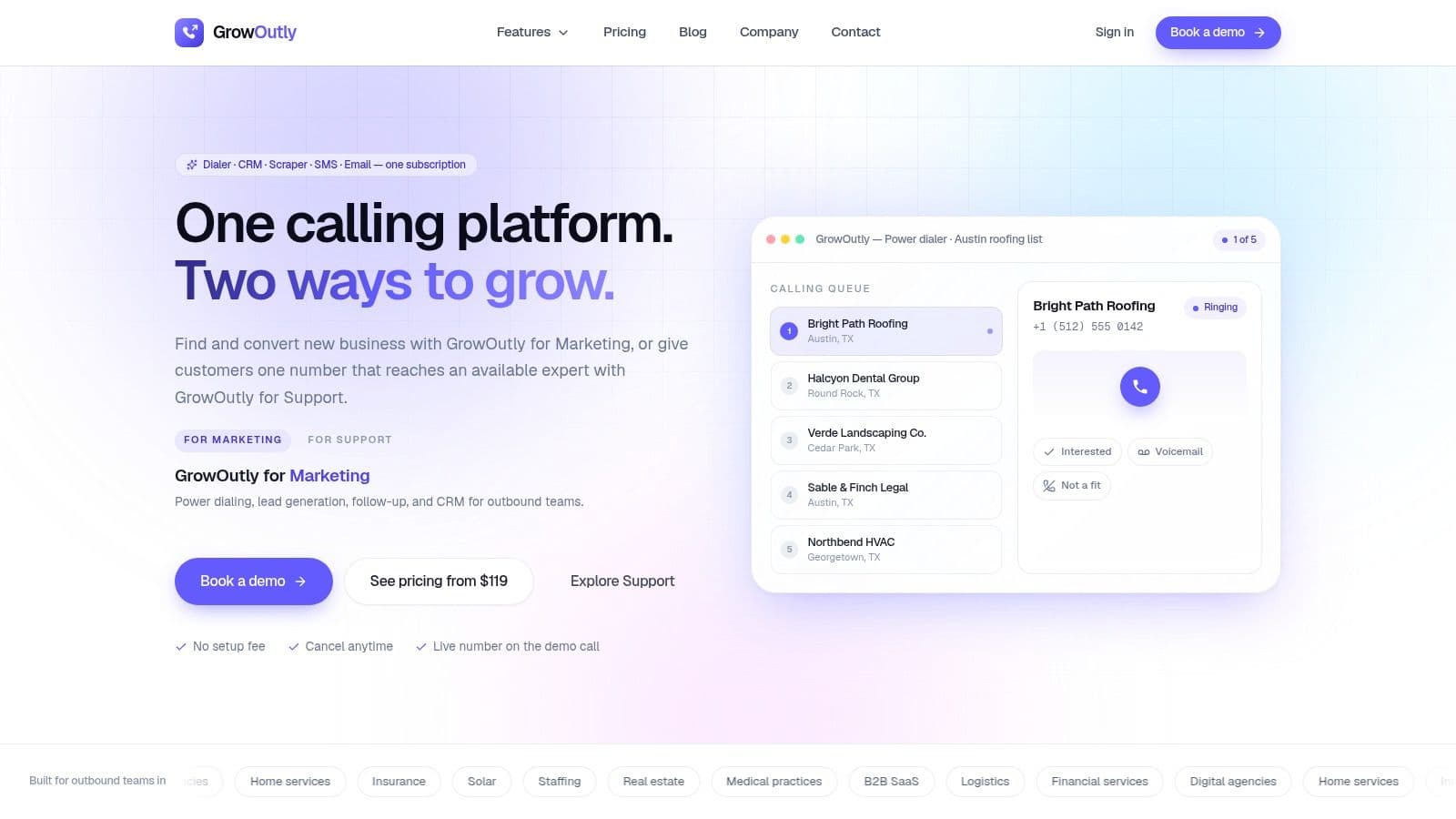
GrowOutly is the strongest fit for teams that want outbound prospecting and inbound support in one workspace. It combines a power dialer, inbound routing, SMS/MMS, email outreach, Google Maps lead scraping, calendar booking, and a built-in CRM. That combination matters for agencies, B2B service firms, home-service businesses, insurance and solar teams, staffing groups, and support organizations that lose time moving information between separate tools.
Its most distinctive workflow starts with territory research. Native Google Maps scraping creates de-duplicated, dial-ready lists inside the platform, rather than sending reps through a spreadsheet and a separate data-cleaning process. The site cites an average of 48 seconds from scraping to the first dial (GrowOutly). That isn't a universal performance guarantee, but it shows where the product places its emphasis: shortening the distance between finding a prospect and starting a conversation. Teams that source records elsewhere should weigh that against a dedicated data layer, which our comparison of 10 B2B prospecting tools breaks down on coverage, enrichment, and phone verification.
Why the unified workflow matters
GrowOutly's outbound power dialer queues the next call, supports voicemail drops and local-presence caller ID, and logs activity in the CRM. Reps can follow up through two-way SMS/MMS or email from the same workspace, then offer live availability through Google Calendar or Microsoft 365 during the call. Inbound routing adds IVR, support queues, skills-based routing, and caller context at answer.
Compliance is built into the outreach path. The pre-dial and pre-SMS gate checks National DNC, 50-state DNC, curfews, and telemarketing-litigator screening in under 45 milliseconds, while audit tokens support later review (GrowOutly). Teams still remain responsible for consent and applicable telemarketing laws, especially when calling internationally or operating across jurisdictions.
Strengths and limitations
Pros:
- One workspace: Dialing, CRM, scraping, email, SMS, and scheduling reduce handoffs and duplicate data entry.
- Outbound depth: Power dialing, voicemail drop, local presence, and instant next-call queuing support high-volume prospecting.
- Support capability: Availability-aware routing gives customer-facing teams more context when calls arrive.
- Compliance visibility: Audit logs, role controls, recordings, transcripts, and pre-outreach checks support regulated workflows.
- Flexible capacity: An on-demand network of vetted cold callers can add outreach capacity without a full hiring cycle.
Cons:
- Usage limits: Smaller plans include constrained calling minutes, SMS capacity, and virtual numbers, so costs can rise with activity.
- Operational responsibility: Compliance gates reduce exposure, but they don't replace consent collection, policy design, or legal review.
- Implementation scope: Teams replacing several tools will need to migrate records, define pipelines, and establish permissions.
GrowOutly's site reports 3.4x more conversations per rep, 99.95% platform uptime, and 12,000+ sales teams using the product (GrowOutly). Those are vendor claims, so buyers should validate them with a representative pilot. Published examples include Base at $119 per month, Pro at $319 per month, and Essentials at $819 per month, with allowances for users, minutes, and numbers varying by tier (GrowOutly pricing). The practical question isn't whether every team needs the entire stack. It's whether the cost of fragmented tools and manual handoffs is greater than adopting one integrated workspace.
2. Aircall
Aircall suits small and midsize sales or support teams that prioritize fast deployment and integrations. Its cloud phone system is built around a straightforward admin experience, rep-friendly calling, and a broad marketplace that connects with tools such as HubSpot, Salesforce, Zendesk, and Intercom.
The key trade-off is tier placement. Aircall includes core calling and routing, while its Power Dialer, voicemail drop, and outbound campaign capabilities are positioned on the Professional tier. A team comparing entry plans should therefore test its actual outbound workflow instead of assuming that every sales feature appears in the lowest package.
Best operational fit
Aircall works well when the CRM is already the source of truth. Salesforce users can connect call activity to customer records, while support teams can bring phone context into help-desk workflows. Analytics, smart routing, AI summaries, and conversation intelligence strengthen the case for teams that want call management without building a complex contact-center program.
The interface and administration are major advantages for a team without dedicated telephony staff. Deployment is relatively approachable, and reps can learn the core workflow quickly. That simplicity is more valuable than a long feature list when managers need to standardize calling across a distributed team.
Limitations to model
Aircall includes one local or toll-free number per seat, with additional numbers available. Its three-license minimum can raise the effective entry cost for very small teams, and the Professional tier may be necessary for serious outbound work. A dialer-only team may find Aircall more expensive than a specialized tool, while a larger contact center may eventually need deeper workforce and routing controls.
Choose Aircall when integration breadth and usability outweigh the need for a specialized outbound engine. It's particularly practical for teams that already operate in a supported CRM and want calling to become a visible part of that workflow.
Website: Aircall
3. Dialpad
Dialpad is the clearest choice for teams that want AI embedded throughout business calling software, rather than added as a separate recording or analysis product. Its business phone, messaging, meetings, and contact-center products use real-time transcription, AI recaps, coaching, sentiment tools, and scorecards to turn conversations into searchable operating data.
Sales teams can use live guidance and post-call summaries, while support leaders can review interactions without relying entirely on manual notes. Dialpad separates its product lines into Sell, Support, and Connect, which helps buyers map the platform to a dominant workflow instead of purchasing an undifferentiated bundle.
Where Dialpad stands out
The strongest fit is a team that values conversation intelligence more than dialer specialization. Supervisors can use coaching and scorecards to create a more consistent review process, and agents can receive context during or after calls. Routing, recording, analytics, and business-phone functions provide the operational foundation beneath those AI features.
This makes Dialpad attractive to sales organizations that want call quality and coaching in the same platform as calling. It also suits support teams that need transcripts and summaries to accelerate handoffs. Buyers should still test terminology, accents, transcript quality, and the way AI outputs enter their CRM before rolling the platform out broadly.
Buying caution
Some AI and contact-center capabilities require a sales quote, so published plan comparisons won't always reveal the final cost. Teams should ask which features are included, which require higher tiers, and whether AI usage changes the commercial model.
Dialpad's power-dialing capabilities are useful, but the product isn't as narrowly optimized for high-velocity outbound calling as dialer-first platforms. Select it when AI coaching, transcription, and structured conversation review are central to the operating model. Choose another platform when the primary goal is to move through a large prospect list as quickly as possible.
Website: Dialpad
4. RingCentral
RingCentral is built for organizations that need a broad communications ecosystem across calling, messaging, video, devices, and global telephony. It fits mixed sales and support environments where the phone system must serve more than one department, and it can scale beyond a basic software dialer.
Its plans include extensive telephony capabilities, with unlimited US and Canada calling and toll-free minute pools available across plan structures. Automatic call recording, IVR, and advanced routing on higher tiers make RingCentral a reasonable option for teams with established call flows and more formal administration.
Fit for complex communications estates
The platform's device ecosystem is a meaningful differentiator. Organizations with desk phones, room systems, software clients, and distributed locations can manage a wider communications estate without limiting the solution to outbound sales users. Global coverage also helps companies that need consistent administration across regions, although country-specific calling rules and number availability still require validation.
RingCentral isn't the most efficient choice for a small team that only wants a power dialer. Its breadth introduces configuration and plan-selection work that a focused sales platform may avoid. That additional complexity becomes worthwhile when multiple departments need calling, messaging, video, analytics, and device support under one vendor.
Cost and implementation trade-offs
Pricing varies by seat count and billing term, while add-ons and higher-tier routing features can affect the final design. RingCentral provides transparent add-on number pricing, but buyers should still model the entire package rather than comparing a headline seat price.
Select RingCentral when reliability, device support, global options, and broad telephony matter more than a narrowly optimized outbound workflow. It's a strong infrastructure choice, but smaller teams should confirm that they won't be paying for capabilities they won't use.
Website: RingCentral
5. Zoom Phone
Zoom Phone makes the most sense for organizations already standardized on Zoom Meetings and Zoom Chat. Its single admin portal connects business calling to an existing collaboration environment, reducing the number of separate applications employees need to learn.
The platform supports metered and unlimited calling options, virtual numbers, number porting, E911 controls, and a Hardware as a Service program for desk and room phones. That mix gives administrators flexibility across office, hybrid, and remote work environments. Teams can keep meetings, chat, and calling inside a familiar ecosystem rather than introducing a separate communications console.
A collaboration-led choice
Zoom Phone's strength is not a highly specialized sales dialer. Advanced outbound sales workflows often require third-party integrations, so a sales team should test lead queues, call dispositions, voicemail handling, and CRM activity logging before choosing it for prospecting at volume.
For general business calling, internal collaboration, and flexible number management, the product is easier to justify. Metered plans and add-on numbers can be attractive for teams with variable usage, but an apples-to-apples comparison requires reviewing every feature and usage charge.
What to verify
Ask whether the required calling regions, recording policies, routing rules, and admin controls are available in the selected plan. Also check whether a third-party sales application creates duplicate records or weakens reporting.
Choose Zoom Phone when your organization wants calling as an extension of its existing Zoom workplace. Choose a sales-focused platform when outbound sequencing, parallel dialing, or tightly controlled prospect workflows are more important than collaboration continuity.
Website: Zoom Phone
6. Five9
Five9 is designed for enterprise contact centers, not casual business calling. It combines inbound and outbound contact-center functions, including predictive, preview, and blended dialing, with ACD, IVR, recording, CRM adapters, workforce engagement management, AI assistance, and enterprise analytics.
The operational fit is strongest for organizations that manage queues, agent schedules, quality programs, and multiple customer journeys. Five9 supports Salesforce, ServiceNow, Microsoft Teams, and other enterprise integrations, allowing the contact center to connect with systems already used by sales, service, and operations.
Dialer choice affects governance
Predictive dialing can increase contact-center efficiency, but it also raises the importance of abandonment controls, consent management, suppression lists, caller identification, and calling-hour rules. Teams should compare dialer behavior against operational benchmarks, including First Call Resolution of 70 to 75%, Average Handle Time of about six minutes, and call abandonment under 5% as healthy targets in a 2026 benchmarking summary (MightyCall's call-center software benchmarks).
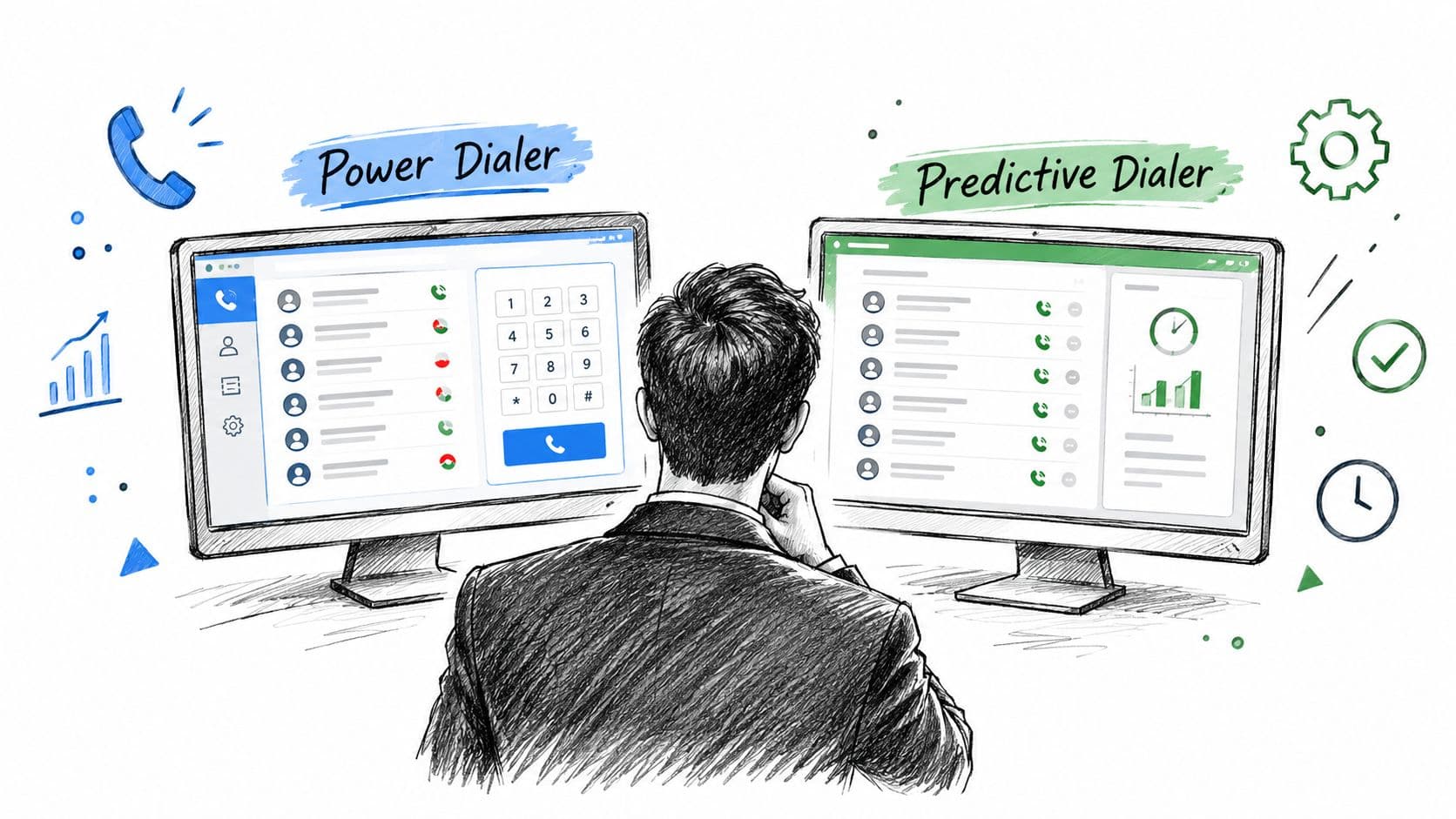
For a detailed explanation of how power dialing differs from predictive dialing, see this comparison of power dialers and predictive dialers. The important point is that the most aggressive dialing mode isn't automatically the best one. Supervisors need to balance contact efficiency with customer experience and compliance.
Enterprise economics
Five9 offers concurrent, named, and usage-based pricing models, along with preconfigured bundles and WEM options. A noted 50-seat minimum may exceed the needs of a small team, and the total cost is difficult to estimate without a quote.
Choose Five9 when you need mature blended dialing, deep contact-center controls, redundancy, and workforce management. Don't choose it merely because it has more features than a smaller calling platform.
Website: Five9
7. Talkdesk
Talkdesk is a strong fit for service organizations that need to combine voice with digital channels and workforce operations. Its platform separates voice, digital, and full omnichannel deployments, giving buyers a clearer path than a single oversized package.
Voice Essentials includes voice engagement, automatic speech recognition, voicemail transcription, and the Studio flow builder. Digital Essentials adds chat, email, SMS, and social channels, while higher tiers add workforce management and screen recording. That progression suits customer-support teams that want to start with voice and expand as digital service becomes operationally important.
Strong for service design
Talkdesk's flow builder and AI-assisted routing help teams design structured customer journeys. Analytics and workforce tools become more relevant as managers need to schedule coverage, review interactions, and coordinate channels. AppConnect and usage-based add-ons extend the platform, but they also make the final configuration more difficult to price.
Outbound sales teams should examine Talkdesk carefully before committing. True outbound dialer depth may require higher tiers or additional configuration, so a buyer focused on prospecting should test call progression, queue management, dispositions, and campaign controls directly.
Practical rule: Select Talkdesk for the service model you need to operate, not for the number of channels listed on the product page.
The platform is well suited to organizations developing a serious omnichannel support operation. Read how outbound requirements differ from broader contact-center needs in this guide to outbound call center software, then compare the workflows rather than the labels.
Website: Talkdesk
8. CloudTalk
CloudTalk occupies the middle ground between a general VoIP system and an enterprise contact center. It suits distributed sales teams that need international numbers, local presence, and practical inbound queue controls without adopting a large CCaaS deployment.
Its Smart Dialer and Power Dialer support click-to-call, call monitoring, and outbound workflows. A call-flow designer and analytics support inbound operations, while CRM integrations help sales and support teams keep customer activity connected to their existing records.
International outreach fit
CloudTalk's international phone-number availability is useful for teams selling across countries or organizing regional outreach. Local presence is worth understanding at the number level before you buy it as a feature, though. In an overlay market a prefix like area code 832 proves provisioning rather than location, so the line still has to answer, route, and return callbacks to earn the pickup. Pricing varies by country, so buyers should check number availability, local regulations, calling rates, and identity requirements in every target market.
Usability and implementation are central strengths. Teams that need to launch quickly can use built-in dialer options rather than assembling a separate outbound stack. The product is less compelling when advanced monitoring and workforce management are essential, because those capabilities are reserved for higher tiers.
Who should choose it
CloudTalk is a practical choice for a sales team with a multi-country calling motion and a need for local presence. It can also support customer service queues, but a large operation should compare its monitoring, workforce, reporting, and governance depth with enterprise contact-center platforms.
The Expert tier has a three-seat minimum, which matters for very small teams. Model the cost of numbers and country-specific usage before treating a published plan as the full price. CloudTalk works best when geographic reach and straightforward deployment matter more than a fully unified CRM and outreach workspace.
Website: CloudTalk
9. Kixie
Kixie is a sales-focused platform for teams that want high-velocity outbound calling with strong CRM activity capture. Its single-line and multi-line PowerDialer options support voicemail drop, parallel dialing, click-to-call, SMS templates, and live call coaching.
The strongest fit is a sales organization that already works inside HubSpot, Salesforce, or Pipedrive and wants calling activity to flow into those systems. CRM logging keeps records current, while sales-oriented automation helps reps move from one prospect to the next without excessive manual work.
Outbound specialization
Kixie is more focused than broad UCaaS products. That focus can help agencies, sales development teams, and recruiting groups ramp outbound activity quickly. It also means that buyers should examine the surrounding workflow, including list management, compliance administration, reporting, and handoffs to support or operations.
The platform offers unlimited US and Canada minutes on published plans, but detailed pricing and many product specifics may require a quote. Buyers should ask how multi-line or parallel dialing is configured, how abandonment is monitored, and which DNC controls are included or sold as an add-on.
Outbound efficiency is only valuable when the team can govern the dialing behavior.
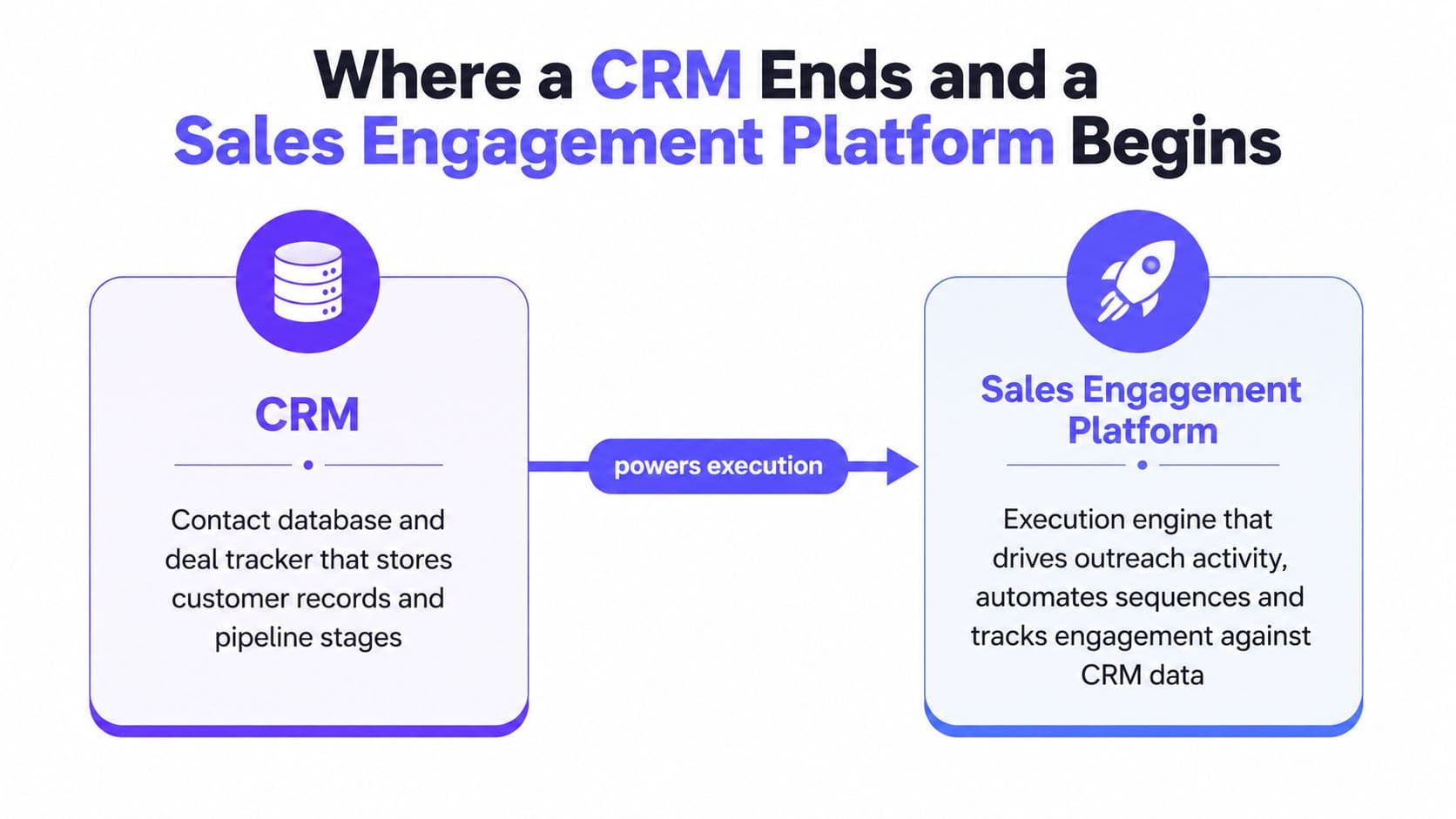
Parallel dialing can increase telecom and compliance risk if teams configure it without appropriate controls. Kixie is a good choice for a specialized outbound motion, but teams needing inbound support queues, email sequences, scheduling, and lead sourcing in the same workspace may need additional tools. This distinction separates a dialer from a broader sales engagement platform.
Website: Kixie
10. JustCall
JustCall fits teams that need an approachable combination of business calling, SMS follow-up, and CRM workflows. Its interface brings outbound dialing, texting, shared inboxes, sales sequences, and call or SMS automation into one place, making it useful for sales follow-up, recruiting, appointment-based services, and small support teams.
The platform also offers AI Voice Agent and AI Receptionist options for after-hours or overflow coverage. Buyers can use pay-as-you-go or bundled-minute arrangements, which may help teams introduce automation gradually instead of committing to a full contact-center deployment.
Voice and SMS in one workflow
JustCall's practical advantage is the connection between a call and the next message. A rep can call, send a text, place the interaction in a shared inbox, and continue the sequence through a CRM integration. That workflow is useful when prospects don't answer immediately and when follow-up needs to remain visible to the whole team.
The platform documents call and SMS rates, including geo-specific billing, but international routing and pay-as-you-go minutes can raise the total cost beyond the advertised plan. Advanced analytics and dialer capabilities may also require higher tiers or add-ons.
Best use case
Choose JustCall when you want clear entry-level access to voice and SMS without building a complex contact center. Confirm number availability, message costs, AI usage terms, recording controls, and CRM synchronization before launch.
It isn't the obvious choice for a large enterprise requiring complex workforce management, nor is it necessarily the best option for a sales team that needs highly specialized parallel dialing. Its value comes from making voice and text follow-up accessible in a single interface.
Website: JustCall
Top 10 Business Calling Software Comparison
| Product | ✨ Standout features | 👥 Target audience | 💰 Pricing / Value | ★ Rating |
|---|---|---|---|---|
| GrowOutly 🏆 | Native Google Maps scraping (≈48s to dial), built-in CRM, power dialer, pre-dial DNC/TCPA gate (sub-45ms), two-way SMS, calendar booking, vetted cold callers ✨ | Outbound sales, local trades, insurance/solar, support teams 👥 | 💰 Volume-based tiers, Base $119/mo; Pro $319/mo; Essentials $819/mo; usage allowances | ★★★★★, Compliance & 99.95% uptime |
| Aircall | Quick deploy, Power Dialer (Pro), broad integrations marketplace ✨ | SMB sales & support using HubSpot/SF/Zendesk 👥 | 💰 Per-seat plans; Pro adds dialer; 3-license min; mid-tier pricing | ★★★★☆, Integrations-focused |
| Dialpad | Real-time transcription, AI recaps & live coaching across voice/chat ✨ | Teams wanting embedded AI across Sell/Support workflows 👥 | 💰 Per-user plans; some AI/CCaaS features via quote | ★★★★☆, AI-first comms |
| RingCentral | Full UCaaS: calling, messaging, video, global telephony & device support ✨ | Enterprises & global mixed sales/support deployments 👥 | 💰 Multi-tier; often unlimited US/CA calling; add-on number pricing | ★★★★★, Scale & global coverage |
| Zoom Phone | Tight Zoom Meetings/Chat integration, E911, metered/unlimited options ✨ | orgs standardizing on Zoom ecosystem 👥 | 💰 Competitive entry pricing; metered or unlimited plans; add-ons | ★★★★☆, Seamless Zoom integration |
| Five9 | Predictive/preview/blended dialers, WEM, enterprise analytics & CRM adapters ✨ | Large contact centers / high-volume outbound teams 👥 | 💰 Enterprise quotes; concurrent/named pricing; higher minimums | ★★★★★, Enterprise CCaaS power |
| Talkdesk | Omnichannel (voice + digital), Studio flow builder, strong WFM & analytics ✨ | Service teams needing full omnichannel and WFM 👥 | 💰 Tiered plans with usage add-ons; quote-based for full stacks | ★★★★★, Omnichannel & workforce tools |
| CloudTalk | Smart/Power dialers, call flow designer, international/local numbers ✨ | Distributed teams and multi-country outreach 👥 | 💰 Straightforward per-seat plans; country-based number pricing | ★★★★☆, Usability + intl reach |
| Kixie | Multi-line PowerDialer, voicemail drop, CRM logging, unlimited US/CA minutes on plans ✨ | High-velocity outbound sales teams & SDRs 👥 | 💰 Plans with unlimited US/CA minutes; some features via quote | ★★★★☆, Outbound-centric productivity |
| JustCall | Outbound dialer + SMS, AI receptionist/agents, shared inbox & sequences ✨ | Teams needing simple voice+SMS with clear entry pricing 👥 | 💰 Clear entry pricing; pay-as-you-go AI minutes / add-ons | ★★★☆, Affordable entry + AI options |
Match the Platform to the Conversation
Selection should begin with the dominant workflow, not the vendor category. Write down whether the team mainly makes outbound prospecting calls, handles inbound support, sends SMS follow-ups, manages blended queues, or operates an omnichannel contact center. A platform that performs well in one motion may create unnecessary cost and administration in another.
Next, count users and estimate calling and messaging volume using actual operating patterns. Include peak periods, international numbers, recording storage, AI usage, add-on seats, and CRM licenses. Usage-based plans, minimum seat requirements, concurrent pricing, and country-specific rates can change the final bill more than the advertised starting price.
A practical buying sequence
- Define the dominant workflow: Decide whether outbound sales, inbound support, SMS outreach, CRM coordination, or enterprise queue management comes first.
- Test CRM logging: Make live calls, send texts, add notes, change dispositions, and confirm that the right records update without duplicate activity.
- Verify routing needs: Test IVR, skills-based routing, availability rules, caller context, transfers, queues, and after-hours behavior.
- Model total usage cost: Include numbers, minutes, SMS, AI functions, storage, WEM, international routing, integrations, and required plan upgrades.
- Confirm compliance controls: Check DNC and suppression-list handling, consent records, calling hours, identification, disclosures, recording policies, retention, deletion, audit logs, and subprocessors.
- Run a representative pilot: Use real territories, typical call lists, actual CRM fields, live routing scenarios, and the message templates the team expects to send.
SMS deserves its own implementation process. Obtain opt-in consent before messaging, keep texts short and purposeful, personalize them for familiarity, provide value early, and use the message as a path to schedule a phone call when the discussion is complex (Aircall's SMS outreach guidance). Don't treat a text as a substitute for consent or a complete customer-service process.
SMS outreach keywords should be short, easy to type, recognizable, and unambiguous. Use one word without spaces or symbols, ideally between 4 and 12 characters, test it on mobile keyboards, and avoid confusing spellings (Infobip's SMS keyword best practices). Promote keywords across the website, email, social channels, receipts, packaging, physical locations, and other relevant touchpoints. Limit active keywords, segment them by campaign or product, and automate immediate confirmation or delivery of the promised incentive (Textline's SMS keyword guidance).
The likely fits are clear:
- GrowOutly: Unified outbound and support operations, especially when lead sourcing, compliance, dialing, messaging, scheduling, and CRM context should remain together.
- Aircall: Integration-led small and midsize teams that value quick deployment and a broad marketplace.
- Dialpad: AI-led sales and support workflows with transcription, coaching, recaps, and scorecards.
- RingCentral: Organizations needing a broad communications ecosystem, global telephony, devices, and multiple departments.
- Zoom Phone: Teams already committed to Zoom Meetings and Chat that want calling inside the same workplace.
- CloudTalk: Distributed or international sales teams that need local presence and accessible dialer controls.
- Kixie: Outbound specialists that prioritize dialer speed and CRM logging.
- JustCall: Teams wanting approachable voice and SMS follow-up with automation.
- Five9: Enterprise contact centers requiring predictive, preview, blended dialing, WEM, redundancy, and deep analytics.
- Talkdesk: Service organizations expanding from voice into digital channels, workforce management, and omnichannel operations.
Best practices should continue after launch. Require consent before outreach, check DNC and curfew status before every eligible call or message, define suppression rules, and review message frequency so useful follow-up doesn't become unwanted repetition. Regulated teams usually need that sequence written down as a gate rather than a habit, and the cold calling playbook for insurance shows it running in front of the dialer instead of beside it. Use role permissions to limit sensitive records, establish recording disclosures and retention policies, and audit transcripts and recordings according to applicable law.
Keep CRM data clean by standardizing dispositions, ownership, tags, contact fields, and opt-out status. Test routing with real agent availability, missed calls, transfers, holidays, and overflow conditions. Review connect rate, response rate, booked meetings, show rate, First Call Resolution, Average Handle Time, abandonment, resolution quality, and total cost per conversation. The strongest platform is the one that improves the workflow your team runs while keeping those outcomes visible. Software only decides how many conversations a rep gets, though. What happens inside them is still execution, so pair the platform decision with the close sales techniques that turn a live answer into a booked next step.
For most buyers, the decision comes down to operational fit. Choose a specialized dialer when outbound speed dominates, a UCaaS platform when communications breadth matters, an AI-led system when coaching and transcription drive value, and a contact-center platform when queues, workforce management, and governance define the job. Choose an integrated workspace when the problem is fragmentation between prospecting, calling, messaging, scheduling, and customer records.
GrowOutly brings outbound power dialing, inbound routing, SMS/MMS, email outreach, lead scraping, scheduling, compliance checks, and CRM activity into one workspace. If your team needs to move from territory targeting to compliant conversations and booked follow-up without stitching together multiple tools, visit GrowOutly and evaluate the workflow with a representative pilot.