You've got fresh property leads, a phone queue that never seems to end, and a CRM that still needs clean notes, dispositions, and opt-outs before the day's over. In that situation, the right auto dialer for real estate isn't just the fastest one, it's the one that fits your lead source, dialing mode, caller-ID strategy, voicemail handling, SMS follow-up, team structure, and compliance process without forcing you to stitch together five disconnected tools. The comparison below keeps that lens tight, because the best choice for a solo agent calling expireds isn't the same as the best choice for an investor team working owner lists or a brokerage running inside sales. These are real-estate-specific tools; if you want the general outbound category instead, our comparison of 10 outbound call center software platforms scores the vendors built for contact centers rather than for listing data.
The market also has a clear operational reality behind it. A large 2026 calling dataset found one live contact every 16.5 dials across 76,878,081 call attempts, with 5,797,364 voicemails in the same period, which explains why voicemail automation and pacing matter so much in real estate prospecting MightyCall's auto dialer report. Compliance matters just as much. NAR says automated calls are generally prohibited under the TCPA unless prior express consent exists, and it also points to DNC checks every 31 days and local-law review for real estate calling NAR telemarketing guidance.
1. GrowOutly
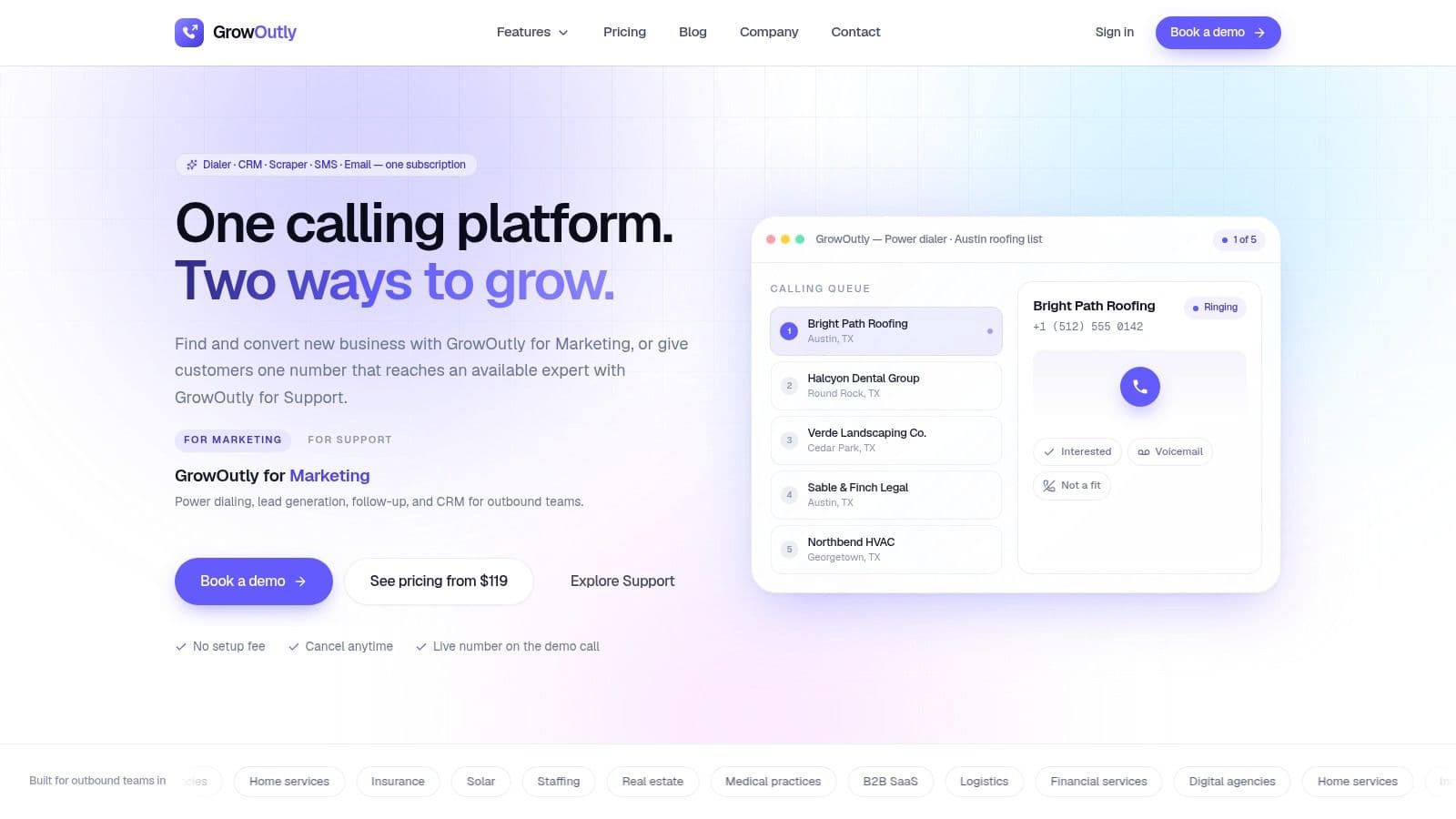
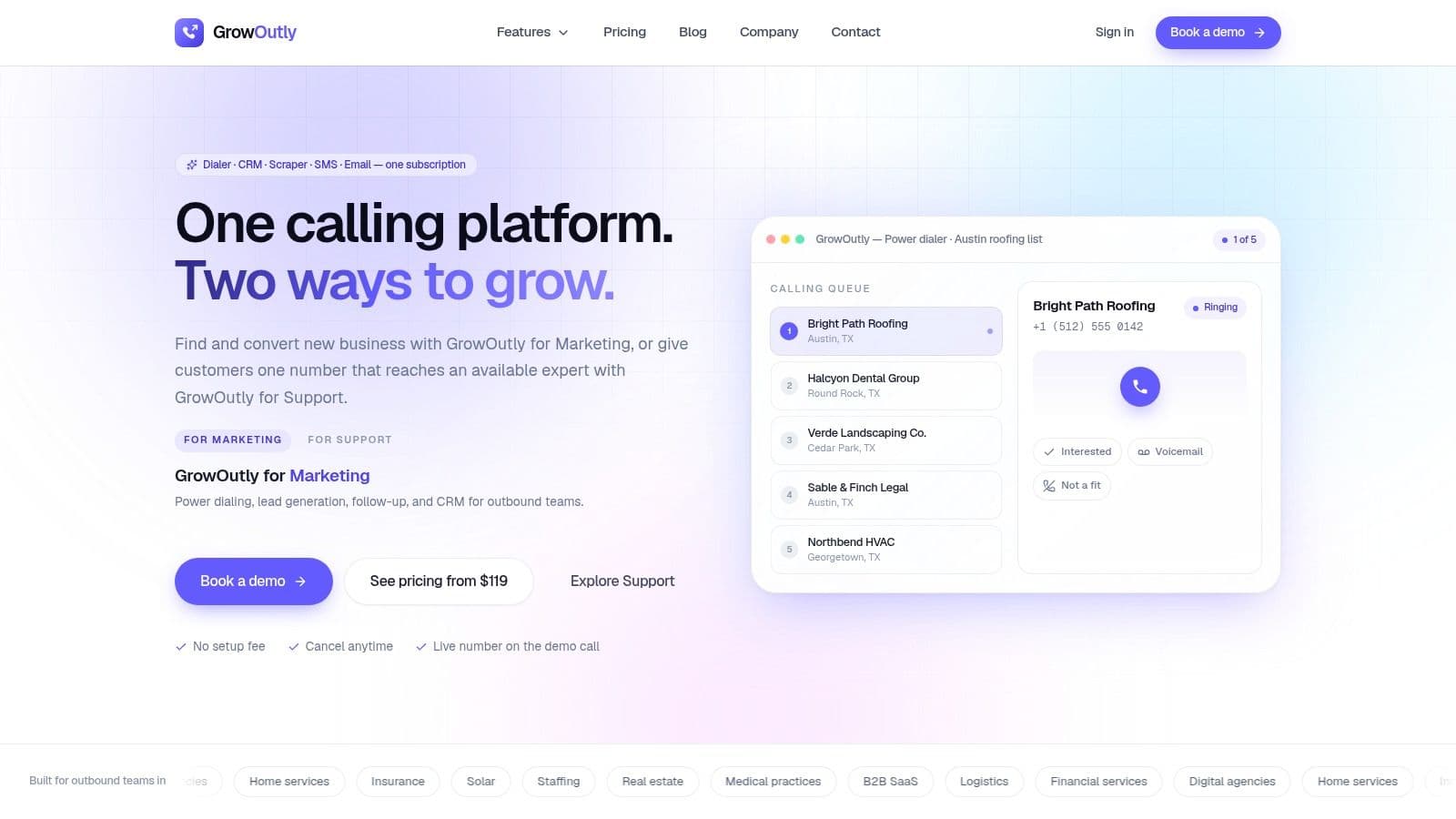
A real estate team can start with a scraped local-business list, call prospects, send a text after no answer, and schedule the next step without moving records between separate applications. That is the workflow GrowOutly targets. Its platform combines an outbound power dialer, inbound routing, two-way SMS/MMS, email sequences, Google Maps lead scraping, scheduling, and a built-in CRM GrowOutly's platform overview. The main trade-off is breadth. Teams gain one operating environment, but they also need to configure permissions, fields, dispositions, consent rules, and follow-up sequences before giving reps access.
Best fit for a shared CRM workflow
The strongest use case is continuity between lead sourcing, calling, SMS follow-up, and scheduling. GrowOutly says interactions log automatically, which can reduce missing notes when brokerages, ISA teams, or investor acquisition desks divide those tasks across several people. It also says teams reach a first dial in about 48 seconds on average. That speed has practical value only when the record retains the call outcome, message history, assigned owner, and next action.
A useful implementation approach is to define dispositions before importing a list. For example, a team might separate unanswered calls, conversations requiring a property review, appointments, and opt-outs. Approved call scripts and SMS templates can then match each disposition, while managers review transcripts and audit logs for consistency. The platform's two-way SMS/MMS supports follow-up after a call, but teams remain responsible for consent, message content, opt-out handling, and local legal review.
Practical rule: Choose a single-workspace system when handoffs and record continuity create more operational risk than the cost of a broader platform.
Compliance controls provide another reason to consider the product for scaled outreach. GrowOutly says it checks the National DNC, 50-state DNC, and telemarketing litigator lists before outreach, with checks claimed to run in under 45ms. Those controls can reduce list-cleaning work, but they do not replace documented consent procedures, campaign review, or responsibility for how agents and automated messages contact consumers.
Trade-offs for scale and inbound coverage
Local-presence caller ID, one-click voicemail drops, call recording, transcripts, audit logs, and an on-demand vetted cold-caller network cover more of the workflow than a dialer built only for outbound calls. Encryption in transit and at rest, role-based access controls, a DPA for enterprise customers, and a 99.95% uptime SLA may matter to teams sharing queues and reviewing activity. Teams should still confirm retention, access, and recording practices against their own requirements.
The public tiers start at $119/month for Base, then $319/month for Pro and $819/month for Essentials. The tier names are not ordered by price. Custom Enterprise options sit above them. This pricing makes the subscription easier to assess, though a team should compare the bundled CRM, SMS, scheduling, and calling functions with the cost of separate tools.
Availability-aware inbound routing with on-screen context suits teams handling live handoffs and customer-support-style calls. A solo agent seeking only a simple call list may not need that additional structure. The site reports 12k+ sales teams and publishes customer commentary about faster list-to-dial workflows, but it does not publicly list formal third-party certifications GrowOutly.
2. REDX Power Dialer
REDX fits agents who want lead sourcing and dialing in one real-estate-specific workflow. If the daily list starts with Expireds, FSBO, FRBO, or GeoLeads, the platform keeps those sources close to the calling layer instead of forcing them into a generic sales stack REDX Power Dialer. That lowers setup friction for listing-focused agents and smaller teams that do not want to assemble a prospecting system from scratch.
Where REDX makes operational sense
Single-line and 3-line dialing, local presence, and unlimited talk time support a familiar outbound routine. Local presence is worth understanding at the number level before buying it as a feature, since in an overlay market a prefix like area code 832 proves provisioning rather than location. Built-in spam monitoring and DNC flagging help with caller reputation and suppression work that often gets overlooked until connect rates fall. Integration with REDX Vortex keeps lead management tied to calling, which gives managers a clearer view of how agents work seller lists.
The platform is a strong fit for teams already using REDX lead sources. When the list, the dialer, and the manager view live in the same environment, reps spend less time checking whether a contact moved or whether a disposition was saved. That matters in expired-listing work, where the next call block often depends on what happened in the previous hour.
Practical rule: Real-estate-specific data plus a dialer often beats a stronger standalone dialer with no list context, because stale or mis-segmented leads waste more time than slower software ever will.
The trade-off to watch
The main trade-off is ecosystem gravity. REDX works best when you stay inside the REDX stack, so teams that already rely on another CRM should confirm how much workflow duplication they would create. Pricing and bundles can also feel less direct than a pure dialer purchase, because much of the value sits in the combined lead-and-dial package rather than in the phone layer alone.
For teams comparing vendors on compliance maturity, REDX covers spam monitoring and DNC handling, but that still leaves policy design, consent records, and campaign segmentation on the operator. If your calling process depends on proof of consent, auditability, and campaign rules, pair the dialer with a TCPA compliance checklist for dialer-led outreach. The dialer is only one part of the workflow, and the compliance layer needs to sit beside it.
3. Mojo Dialer
Mojo stays one of the most recognizable names in real estate prospecting because it is built around outbound calling. That makes it a workable fit for solo agents or ISA teams that want a fast dialing environment without adding a heavier CRM layer they may not need Mojo Dialer. The appeal is straightforward, it keeps the call motion familiar for agents who already have scripts and a calling process.
Simple dialing, familiar real estate workflow
Mojo includes single-line and triple-line dialing, local caller ID, voicemail drop, optional call recording, and add-on data for Expireds, FSBO, FRBO, and pre-foreclosure lists. Those features make it practical for prospectors who want to work through a list quickly while keeping the interface simple. The triple-line option is the main reason it still comes up for volume callers.
For teams evaluating dialing mechanics, Mojo keeps the core prospecting motion familiar, see what a power dialer does in real prospecting workflows. The a-la-carte structure is the operational question that matters. A team can start small and add pieces later, which fits agents who are still deciding whether they need voice connection, recording, or richer data feeds. The trade-off is that add-ons can accumulate, and the CRM and reporting layer remains relatively light compared with more integrated platforms.
When Mojo makes sense and when it doesn't
Mojo works best when the workflow is simple: call the list, leave the voicemail, move to the next prospect. It is less useful if each call needs to trigger SMS follow-up, scheduling, and pipeline updates. Teams with those requirements usually need a fuller system, because the phone layer alone does not remove the admin work around it.
Practical rule: Choose Mojo if call rhythm matters more than platform depth. Choose a broader stack if the dialer has to fit inside your operating system.
The process issue is easy to miss. Real estate calling gets messy when reps leave the dialer to log outcomes or re-enter notes by hand. Mojo reduces that friction in the calling step, but buyers should be honest about whether the basic reporting will hold up once the team scales. For many agents, that limit shows up only after the workflow is already working.
4. Vulcan7
Vulcan7 sits in a premium lane because it combines real estate data, dialer access, and training around listing-focused prospecting. That setup suits agents working Expireds, FSBOs, and neighborhood searches, where the quality of the lead source matters as much as the dialing workflow itself Vulcan7. It is a more curated environment than a generic sales dialer.
Why listing-focused teams care
The practical benefit is that your team is not stitching together data feeds, scripts, and calling software from different vendors. Vulcan7's integrated CRM and lead sources reduce the number of places a lead can get lost, and the whitelisted numbers with spam monitoring help teams treat caller reputation as part of the system rather than as an afterthought. Higher tiers also include multi-seat access and training resources Vulcan7, which matters if multiple prospectors are working from the same playbook.
That training angle is easy to overlook. Real estate teams often buy software and then underuse it because the calling method, talk track, and disposition logic never get standardized. A tool that includes a coaching ecosystem can be more useful than a slightly cheaper dialer that leaves managers to build the process themselves.
The main trade-off
Vulcan7 is not the cheapest way to get a dialer, and its single-line orientation can be limiting for heavy-volume callers who care about dial count. If your workflow depends on raw throughput, you need to weigh the lead-quality advantage against the pace constraint. Some teams will accept that trade if the leads are stronger and the coaching structure is better.
Vulcan7 also fits teams that treat prospecting as a repeatable discipline rather than a burst activity. Agents who want structure, data hygiene, and ongoing education will usually extract more value than operators who only want to dial faster. In real estate, that often separates busy work from consistent pipeline creation.
5. Espresso Agent
Espresso Agent is built for agents who want daily listing leads, a lightweight CRM, and a dialer with little setup overhead. It focuses on expireds, FSBO, FRBO, pre-foreclosure, and geo searching, which makes it a practical fit for early-stage prospectors who need a clear path from list to call Espresso Agent. The value is fast adoption, not broad platform depth.
A leaner stack for first-listing work
Simplicity is the main advantage. A built-in dialer and CRM reduce day-one decisions, and the daily lead feeds help keep the calling queue active. For agents who want to upload an SOI list, start a calling routine quickly, and avoid the overhead of a larger stack, that setup is easier to use.
Espresso Agent shows why a lean stack can beat a feature-heavy one for new agents: fewer decisions on day one mean faster adoption of the calling cadence itself. That matters when bottleneck is not software choice, but getting the script, lead segmentation, and follow-up rhythm in place.
The trade-off is clear. Espresso Agent uses a single-line setup, so it is not built for high-volume multi-line calling. It also has fewer third-party integrations than general-purpose sales dialers, which makes it less flexible if your team already depends on a separate CRM or automation layer.
Practical rule: Single-line tools are often the right choice for agents who win through consistency, not sheer dial count.
If a team is still refining its talk track, disposition logic, and follow-up discipline, a simpler platform can make that process easier to manage. Teams that need deeper reporting, multi-channel outreach, or more integration options will likely reach the ceiling sooner.
6. Batch Dialer
Batch Dialer is aimed at investors, wholesalers, and acquisition teams that need property context while they call. Investor-style dialing is not only about reaching more people, it is about qualifying the lead quickly enough to decide whether the property, owner, and list conditions still fit the deal.
Why it works for acquisition teams
The platform supports 3 to 5 lines per agent depending on tier, with predictive and preview modes, in-app property and owner details, DNC and litigator scrub, and phone reputation monitoring with auto number replacement on higher tiers Batch Dialer. For acquisitions, that screen-level context is the main advantage. It shortens the gap between “number answered” and “can this lead become a deal?”
Integration coverage also matters. Batch Dialer connects with Zapier, API, PropStream, and BatchLeads, so it fits teams that already source and build lists outside the dialer. That helps keep a system of record in place while callers work from a specialized outbound interface.
The trade-off in high-volume dialing
The limitation is compliance and governance. Predictive and parallel-style dialing can be efficient, but they require disciplined pacing, scrub logic, and management oversight. Without those controls, the extra throughput can create more risk than value. The tool is dialer-first, not a full pipeline CRM, so buyers should plan on keeping a separate source of truth for the rest of the workflow.
Batch Dialer's value is straightforward: it turns a large list into live conversations with property context attached. That is useful for acquisitions, but only if the team has clean list hygiene and a real process for follow-up after the call ends.
7. ReadyMode
A larger outbound team usually looks at ReadyMode after simpler calling software starts creating bottlenecks. The platform combines predictive, power, and preview dialing with a built-in CRM, analytics, compliance tooling, team monitoring, and API integrations ReadyMode. That mix suits high-volume investor shops and call operations that need admin control, call volume, and a single place to manage handoffs.
Built for supervision and queue management
ReadyMode's value shows up in campaign control. Managers can choose the dial mode that matches the list and the calling goal, while reporting reduces the need to export data just to see what reps are doing. Caller-ID reputation tools through ReadyMode iQ add another layer of control, which matters when a team needs stable call quality across many seats.
Supervisor visibility is a practical advantage here. When reporting, queueing, and call handling live in the same environment, team leads can spot list problems, pacing issues, or script friction sooner. That matters in outbound work, where a weak campaign can consume a lot of agent time before anyone notices the pattern.
Where the complexity shows
ReadyMode is heavier to implement than a lightweight dialer, and pricing is usually quote-driven rather than posted as a simple list. Third-party pricing guides put ReadyMode at roughly $239/user/month, but the vendor quotes pricing directly, so treat that figure as a planning estimate rather than a quote ReadyMode. For smaller agents, that level of system can be more than they need.
The right test is operational, not promotional. If your team needs queueing, QA, multi-mode dialing, and admin oversight in one environment, the added setup can be justified. If your process is still simple, a lighter tool may produce the same conversations with less configuration and less management overhead.
8. CallTools
A brokerage manager reviewing three lists at once needs more than a basic dialer. CallTools is built for outbound calling teams that want campaign control, supervisor oversight, and multiple dialing modes. It supports predictive, power, and preview dialing, along with inbound queues, IVR, coaching tools, analytics, and real-estate-focused resources CallTools. That mix fits call-center-style real estate operations where the workflow shifts between prospecting, intake, and follow-up.
Flexible enough for different campaigns
Mode flexibility is the main reason to consider it. A team can use predictive dialing for list-heavy prospecting, then switch to preview dialing for follow-up that needs more context. CRM connections also matter here, because real estate calling usually spans fresh inbound leads, cold outreach, and contact history that has to stay intact across rep handoffs.
The other strength is management visibility. Inbound queues and IVR extend the platform beyond outbound-only use, which helps brokerages and lead-gen teams that want one telephony layer for several workflows. Coaching tools and analytics give supervisors a place to review pacing, call quality, and activity patterns without stitching together separate systems.
The resources specific to real estate are useful for process design too. They will not replace a documented calling playbook, but they can help a team standardize how leads move from first call to follow-up.
The main caution
Public pricing is not listed, so teams need a quote before comparing it with lighter tools. Predictive and parallel-style dialing also raise the bar on compliance, list hygiene, and caller-ID management. If those controls are loose, the platform can outpace the team's ability to use it safely.
Practical rule: High-volume dialers work best when one person owns compliance, one owns number reputation, and one owns pacing decisions.
CallTools makes the most sense when operational coordination is the bottleneck. If you need to supervise several callers, keep CRM history consistent, and manage different campaign types in one place, it deserves serious evaluation. If your workflow is just a single agent making straightforward calls, it may add more setup than value.
9. PhoneBurner
PhoneBurner fits teams that want single-line calling with follow-up automation, not a raw-volume multi-line setup. For brokerages and agents that care about conversation quality, CRM continuity, and clear next steps after each call, that trade-off can make sense. It is more relationship-oriented than heavier prospecting tools PhoneBurner pricing.
Relationship selling with automation
Two features do most of the work here: unlimited calling with no per-minute fees, and AI note taking with transcripts that reduce manual logging. Voicemail drop, email and SMS integration, live coaching, call recording, and CRM connection round out the follow-up layer. The built-in CRM or CRM integration matters most for teams that want call notes and next actions captured in one place PhoneBurner pricing.
The single-line structure keeps calls human, which helps when the goal is trust, nuance, or a clean handoff to another rep. For real estate teams, that usually matters more than squeezing out the highest possible dial count. It supports reps who need time to think, document, and move a lead forward without switching systems after every conversation.
What to watch during implementation
Throughput is the main limitation. Single-line dialing will not match the pace of multi-line tools, and the per-user cost can feel high if a team only needs basic outbound calling. Adoption also depends on process discipline, because the value comes from pairing the call with the follow-up steps, not from the dialer alone.
PhoneBurner is strongest when a team wants to connect calling, notes, voicemail, SMS, and CRM updates without fragmentation. That is where real estate workflows often lose momentum, since the handoff from call to task to message is where deals stall. The product fits teams that value continuity, scripting, and follow-up control more than sheer call volume.
10. Kixie PowerDialer
A brokerage has its own lead lists, an investor acquisitions team needs rapid outbound sessions, and agents still need SMS follow-up recorded beside each contact. Kixie fits this setup by adding a calling layer to an existing CRM rather than supplying real estate leads. Its features include single-line and up to 4-line PowerDialer options, two-way SMS/MMS, IVR, queues, CRM integrations, AI conversation intelligence add-ons, ConnectionBoost, and automated DNC scrubbing Kixie pricing.
Useful for fast deployment and mixed workflows
The 7-day free trial gives teams a way to test call routing, scripts, texting, and CRM activity capture before changing their process. A local prospecting team can use its own geographic lists, while an investor acquisitions group can separate campaigns by property type, lead status, or rep. SMS should remain tied to the contact record, with consent, opt-out handling, and message timing defined before launch.
Kixie also suits teams that already manage list sourcing elsewhere. Agents can import contacts and segmentation, then use the platform for calls, voicemail workflows, routing, and follow-up. That modular setup preserves the team's preferred source for expired listings, FSBO contacts, investor leads, or local business records.
If you want the dialer to sit beside texting, routing, and CRM activity capture, see how to think about power dialer, CRM, and follow-up together. The guidance is relevant when scripts, call outcomes, tasks, and SMS replies must remain connected.
The main trade-off
Kixie does not include built-in real estate data, so list quality, segmentation, and permission checks remain the team's responsibility. Pricing amounts are not publicly posted, so a trial or quote is needed to model cost Kixie pricing. Teams should also confirm DNC procedures, calling-hour rules, recording settings, SMS consent, and escalation ownership before scaling outreach.
Kixie is a practical fit for brokerages, inside sales groups, and mixed outbound teams that already own their lead stack. Its value lies in organizing contact work after a lead exists, not in replacing lead discovery.
Top 10 Real Estate Auto-Dialer Comparison
| Product | Core features ✨ | UX / Quality ★ | Price / Value 💰 | Target audience 👥 | Notable USP / Differentiator 🏆 |
|---|---|---|---|---|---|
| 🏆 GrowOutly | ✨ Outbound power dialer, inbound IVR/routing, two‑way SMS/MMS, email sequences, Google Maps lead scrape, built‑in CRM | ★★★★★, 99.95% SLA, auto activity logging | 💰 Starts $119/mo (Base); Pro $319; Essentials $819; Enterprise custom | 👥 Marketing & support teams, agencies, home services, insurance, staffing | 🏆 Single workspace + <45ms pre‑call/pre‑SMS compliance gate; 48s list→first dial; on‑demand vetted callers |
| REDX Power Dialer | ✨ Real‑estate lists (Expired/FSBO/Geo) + single/3‑line power dialer | ★★★★ | 💰 Published dialer tiers (varies) | 👥 Real‑estate agents & teams | Tailored listing data + built‑in spam/DNC flagging |
| Mojo Dialer (Mojo Sells) | ✨ Single/triple‑line dialer, voicemail drop, optional call recording & data add‑ons | ★★★★ | 💰 A‑la‑carte pricing; add‑ons per feature | 👥 Solo agents, ISAs, small teams | Fast, simple dialing workflow; triple‑line for higher connects |
| Vulcan7 | ✨ Daily Expireds/FSBOs, neighborhood search + CRM + single‑line dialer | ★★★★ | 💰 Higher entry price; bundled tiers | 👥 Listing‑focused agents & teams | High‑quality data bundled with training resources |
| Espresso Agent | ✨ Daily listing feeds + single‑line dialer + lightweight CRM | ★★★ | 💰 Affordable bundled plans | 👥 New agents & first‑listing workflows | Quick setup and daily lead refreshes for fast prospecting |
| Batch Dialer | ✨ 3–5 line predictive/preview, property/owner data, DNC/litigator scrub | ★★★★ | 💰 Tiered; varies by lines/features | 👥 Investors, wholesalers, acquisition teams | Investor‑focused context on screen + robust number reputation tools |
| ReadyMode (XenCALL) | ✨ Multimode dialer (predictive/power/preview), CRM, analytics, compliance tooling | ★★★★★ | 💰 Quote‑driven (~$239/user/mo guide) | 👥 Large investor shops & high‑volume teams | Enterprise controls, QA, and advanced reporting |
| CallTools | ✨ Predictive/power/preview modes, IVR, inbound queues, coaching, analytics | ★★★★ | 💰 Quote‑based | 👥 Outbound teams, real‑estate investors | Flexible dial modes with coaching & integrations |
| PhoneBurner | ✨ Single‑line power dialer, built‑in CRM, voicemail drop, email/SMS, unlimited calling | ★★★★ | 💰 Per‑user published plans | 👥 Brokerages, small sales teams | Delay‑free connections, strong onboarding & US support |
| Kixie PowerDialer | ✨ Single‑to‑4‑line PowerDialer, two‑way SMS/MMS, IVR/queues, convo intelligence add‑ons | ★★★★ | 💰 Trial/quote; add‑ons available | 👥 Sales teams wanting modern telephony & analytics | Quick deploy, AI convo tools and ConnectionBoost add‑ons |
Build a Compliant Call-and-SMS Follow-Up System
The shortlist should track the actual workflow, not the loudest feature page. Bundled listing data points you toward REDX, Vulcan7, or Espresso Agent. Investor-style property context points toward Batch Dialer or ReadyMode. Single-line relationship selling favors Mojo or PhoneBurner. Multi-line acquisition work points toward Batch Dialer, CallTools, or Kixie. An integrated calling and CRM workspace points most clearly toward GrowOutly.
The implementation order matters more than the software logo. Start by defining lead-source consent and ownership, because the team needs to know who is responsible for the record before the first call goes out. Then segment contacts by campaign, choose the dialing mode that matches the work — power dialer vs predictive dialer weighs throughput against abandonment risk and rep control, which is the trade-off behind that choice — verify DNC and local-time curfew controls, protect caller-ID reputation, and write a voicemail and SMS sequence that respects the contact's permission status.
Keep the messaging simple and identifiable. An opening call should identify the sender, state the reason for the call in plain language, and offer a low-pressure next step. A voicemail drop should do the same, then give the recipient one clear way to respond. SMS follow-up should identify the sender, mention the context, and make opt-out easy, with keywords like STOP, UNSUBSCRIBE, and CANCEL handled immediately in the workflow. For marketing texts, consent still matters, and best-practice SMS workflows should preserve opt-in language and confirmation behavior DNC SMS guidance.
A compliant process also needs proof, not just intention. Sync outcomes back to the CRM, review recordings and transcripts, and keep audit logs and scrub history available so managers can verify what happened if a lead complains later. Our comparison of 10 call recording software options covers retention rules, transcript permissions, and the eleven states that require all-party consent, which matters for agents calling across state lines. The National Do Not Call Registry should be checked no more than 31 days before outbound calling, calling should generally stay within 8:00 AM to 9:00 PM in the recipient's local time zone, and opt-out requests should be honored within 10 business days real estate DNC rules. For the federal framework underneath those rules, what TCPA compliance is covers the consent standards and how channel and purpose change the requirement. If your workflow uses prerecorded or AI-generated voice, or automated texts, that's not a software question anymore, it's a legal review question NAR telemarketing guidance.
The best dialer won't make a stale list legal, and it won't make a sloppy workflow compliant. Use the software to tighten execution, then validate the operating rules with counsel and your internal compliance owner before you scale.
GrowOutly brings the dialer, CRM, SMS, email, scheduling, and compliance checks into one workspace, which is exactly what real estate teams need when they want fewer handoffs and cleaner records. If you're comparing an auto dialer for real estate and want a platform built around lead sourcing, local presence, voicemail handling, and compliant follow-up, take a look at GrowOutly.