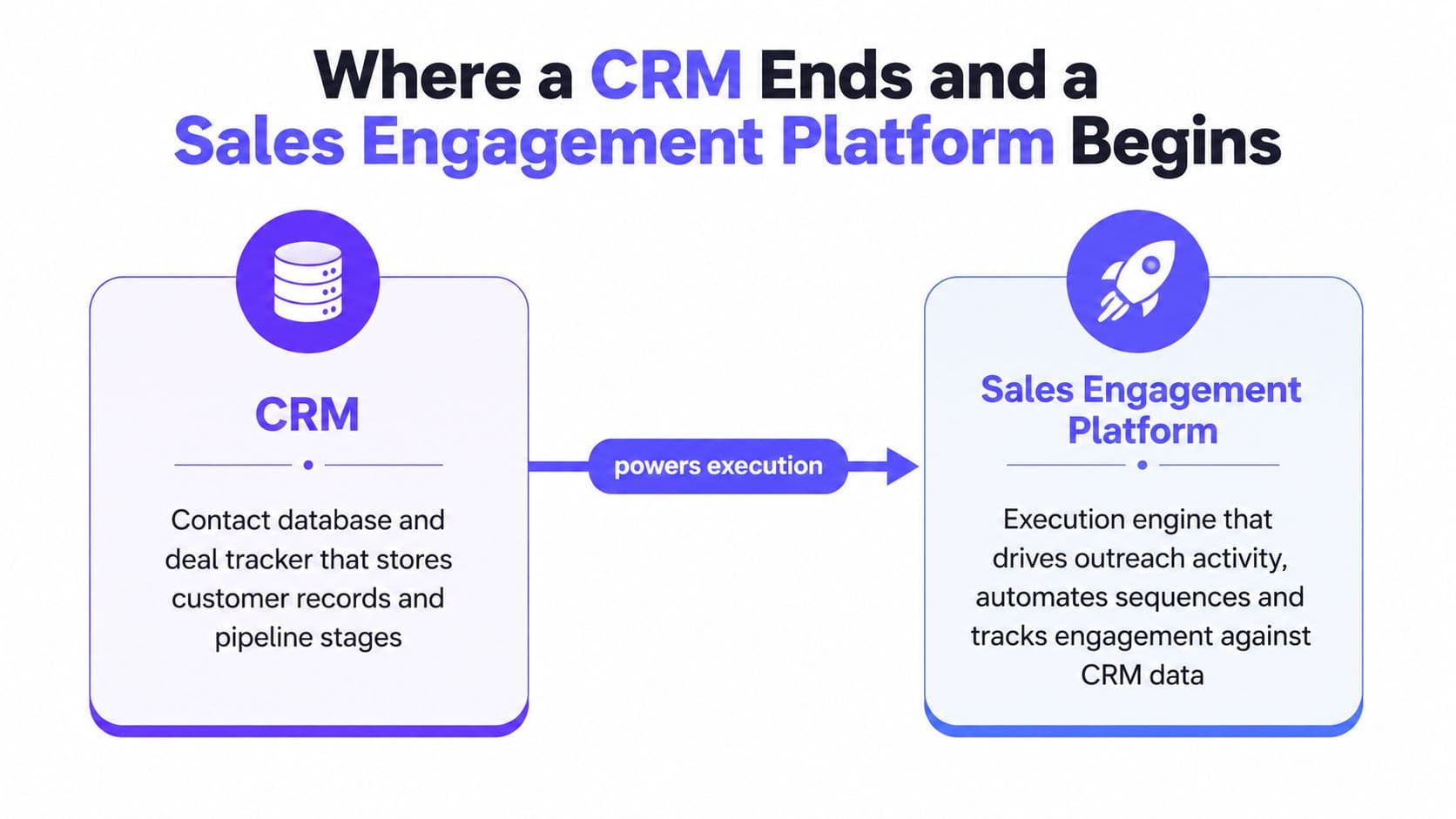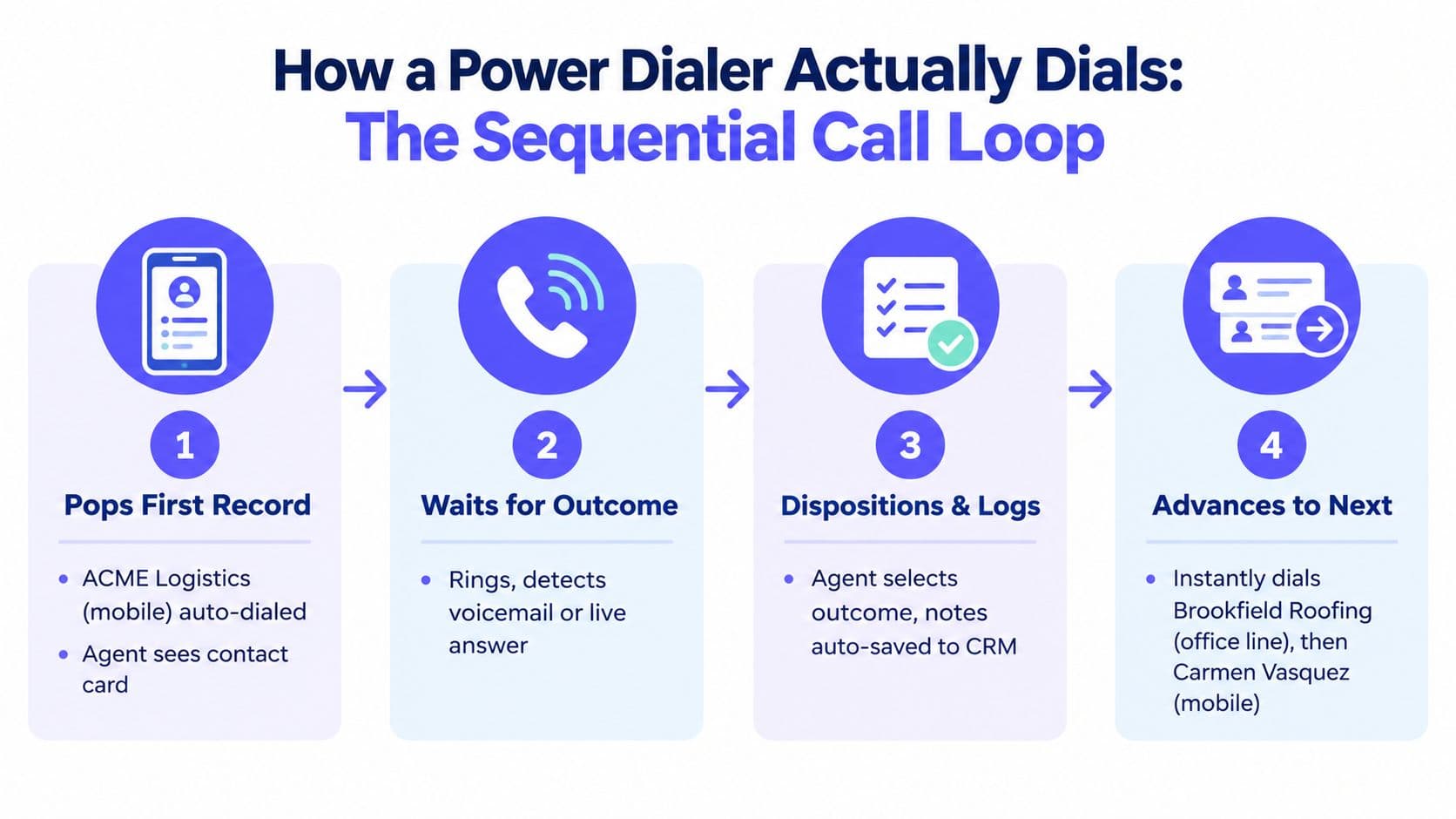
More prospecting tools do not automatically create more pipeline. They often create more tabs, more duplicate records, more credit burn, and more handoffs between reps, ops, and managers. The core decision is whether you need an all-in-one platform, a specialized stack, or a hybrid that keeps data, outreach, and CRM execution aligned without turning every campaign into an integration project.
That matters because b2b prospecting tools now sit in a market that's clearly still expanding. The B2B sales prospecting software market was valued at USD 3.2 billion in 2023 and is projected to reach USD 8.1 billion by 2030, a 14.2% CAGR that shows prospecting software has moved into core revenue operations (market overview). Teams are also using these tools every day more often, not less, with one summary reporting 68% daily use in 2025, up from 45% in 2020 (usage summary).
The comparison below starts where the workflow starts, with broad intelligence and discovery, then moves through enrichment, automation, calling, and CRM handoff. The criteria are practical, not theoretical: which tool finds the right people, which one improves contact quality, which one keeps you compliant, which one handles sequencing and calling, and which one adds operational drag you don't need. If your stack can't improve qualified conversations without creating data debt, it's too big.
1. GrowOutly
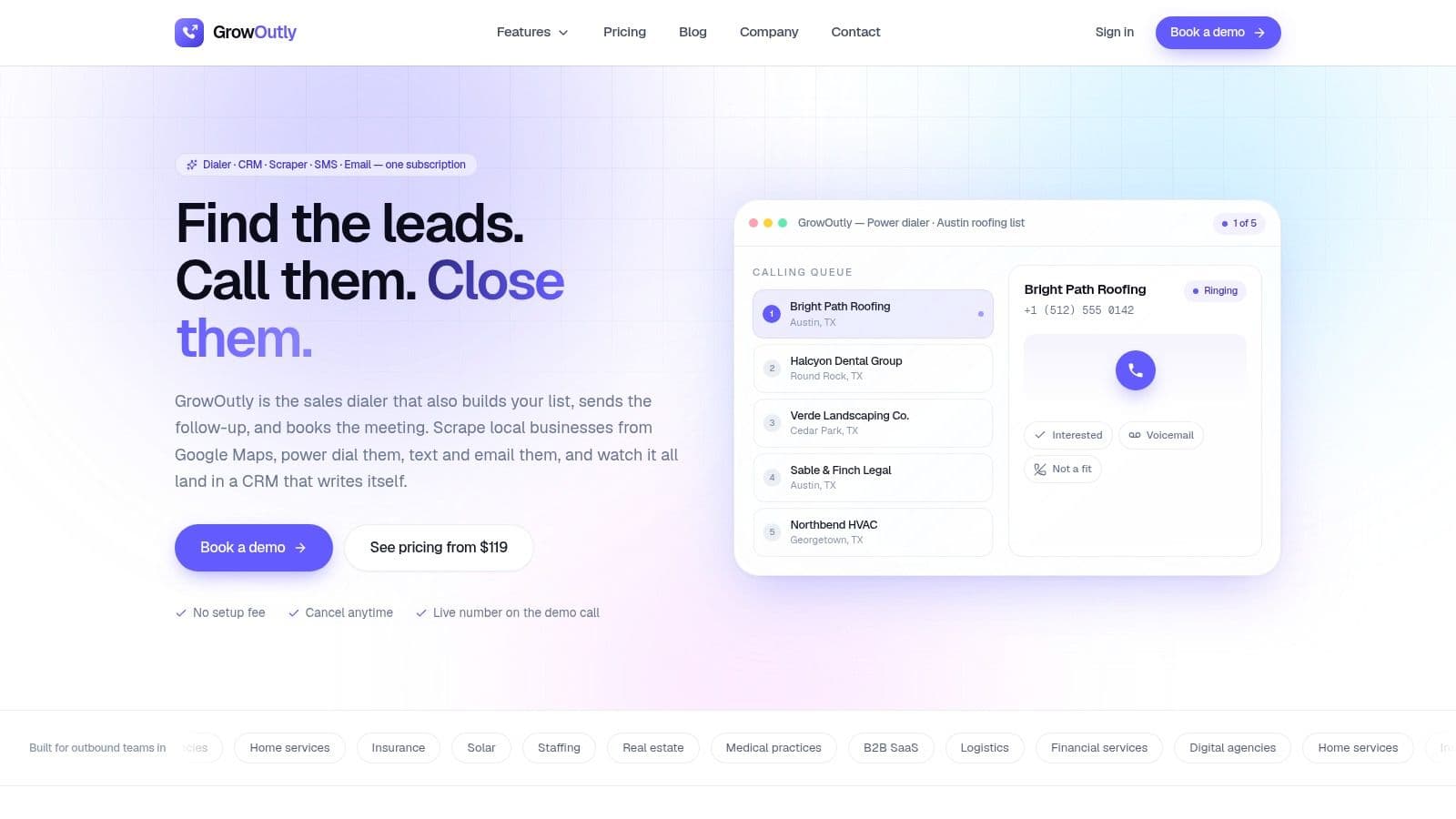
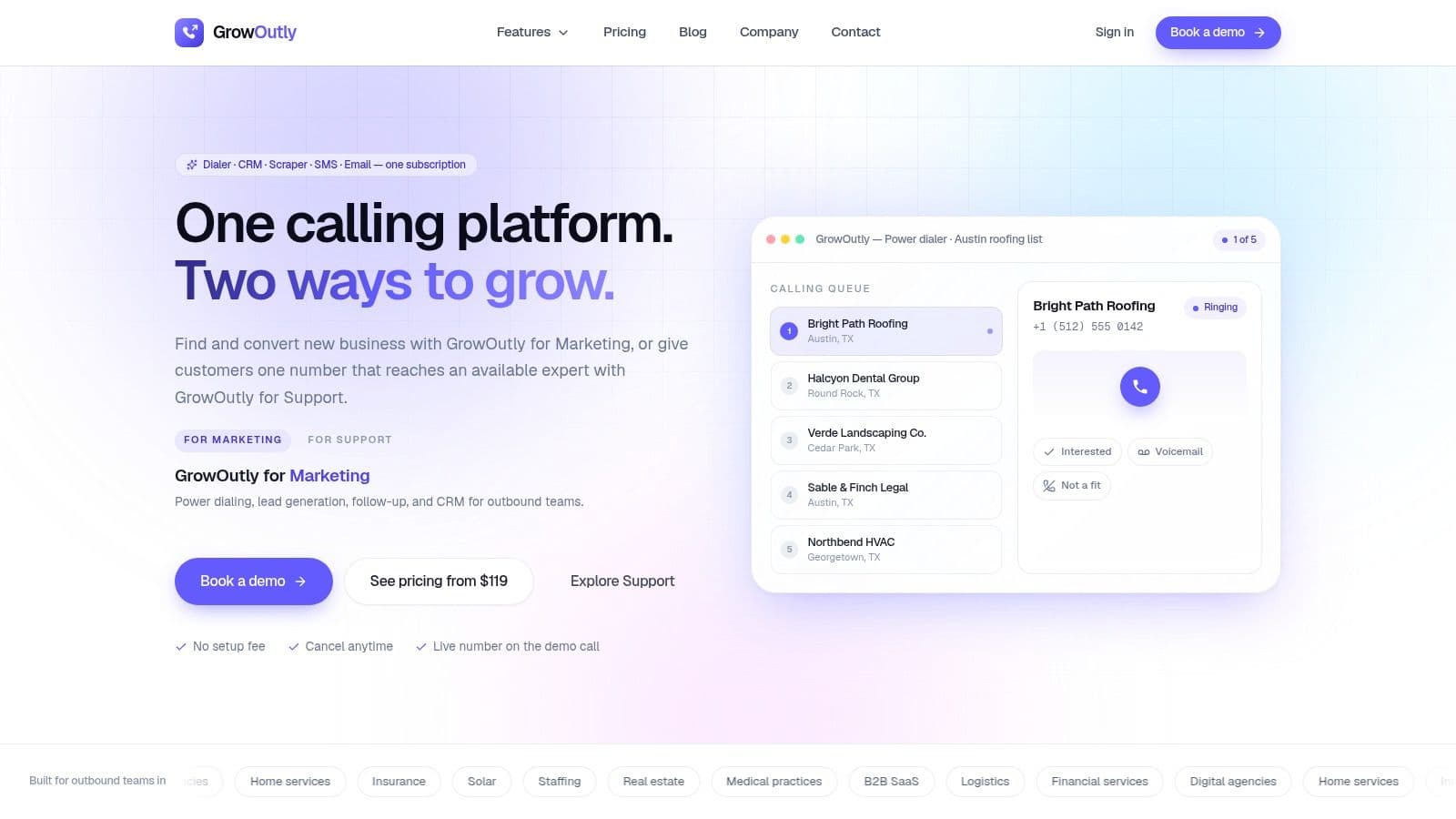
Most stacks start with a scraper, a dialer, and a CRM that never quite agree with each other. GrowOutly collapses that chain into one workspace, so list building, dialing, note-taking, scheduling, and logging happen in the same flow instead of across disconnected tabs.
Where it replaces stack sprawl
The clearest replacement is the patchwork of lead scraper, power dialer, CRM, SMS tool, and calendar app. GrowOutly's native Google Maps scraping turns territory research into a de-duplicated, verified, dial-ready list, and the site says the average time from scrape to first dial is 48 seconds. That changes the operating model because reps can move from targeting to live outreach without waiting for ops to clean spreadsheets first.
Its compliance gate is another reason it can replace point tools. The platform checks National DNC, 50-state DNC, and known telemarketing litigators in under 45ms before a call or SMS goes out. A practical outbound stack still needs its own consent practices and legal review, but blocking risky records before outreach is a real operational advantage.
What works in practice
GrowOutly is strongest when speed and context matter more than specialized modules. It bundles two-way SMS/MMS, email sequences, call recording and transcripts, an inbuilt CRM with pipelines and timelines, and live booking through Google Calendar and Microsoft 365. It also auto-logs activity, which removes one of the most common causes of CRM drift, manual double entry.
Practical rule: if the same rep is responsible for finding, dialing, texting, and booking, consolidate first. If a separate ops team owns data, routing, and reporting, compare how much of that work the CRM can really replace before you buy.
The operational add-ons are what make it fit active teams, not just software buyers. Availability-aware inbound routing shows caller context at answer, on-demand vetted cold callers can add capacity, and the site references a 99.95% uptime claim. GrowOutly also says it is used by 12k+ teams and cites 3.4x more conversations per rep on its homepage, which are vendor claims rather than independently verified benchmarks, so treat them as directional rather than universal (GrowOutly).
Pricing and fit
Pricing is transparent and tiered, starting at $119/month for Base, $319/month for Pro, and $819/month for Essentials, with Enterprise options for higher volumes and advanced routing (pricing and plans). The allowance structure matters, because high-volume teams may outgrow the lower tiers quickly. Agencies, home-services teams, insurance and solar sellers, staffing teams, and support groups are the best fit when they need fewer handoffs and a faster lead-to-dial path.
Customers still carry the legal burden for consent and regional telemarketing rules. The platform reduces risk, but it does not replace permissions, lawful basis, or the obligation to follow the rules in the markets you contact.
2. ZoomInfo SalesOS
A ten-rep sales team usually pays for ZoomInfo because the shared account map saves time across prospecting, routing, and manager review. SalesOS brings contact data, direct dials, org charts, intent signals, and buying committee mapping into one place, so multiple reps and operations users can work from the same account view. For teams with tighter process control, it can sit at the center of the stack.
Where it complements the rest of the stack
ZoomInfo usually works alongside a sequencer, CRM, and calling layer rather than replacing them. It improves source records and account maps before outreach starts, which matters when the bottleneck is deciding who enters the sequence, not sending the messages.
The trade-off is cost and operational weight. Pricing is quote-based, packaging can span multiple GTM modules, and smaller teams often pay for more capability than they need. If your workflow only requires cleaner contacts and a modest set of direct dials, the platform can be more than the process calls for.
Where it fits best
ZoomInfo fits teams running several motions at once, sales, marketing, operations, and sometimes talent. Governance controls matter when leadership wants tighter administration and clearer oversight of who can access what. It also fits account-led programs better than one-off contact searches.
The buying question is depth versus breadth. If you need deep account intelligence across many seats, ZoomInfo is defensible. If a small team only needs verified contacts and a fast path to action, the setup effort and stack complexity can outweigh the benefit.
3. Apollo.io
Apollo.io is attractive because it combines contact data with outreach in one self-serve platform. That makes it a natural choice for SMB and mid-market teams that want to test workflows quickly without stitching together a database, sequencer, and dialer from separate vendors. It's especially useful when budget matters, but the team still wants a real operating system for outbound. If you keep Apollo as the data layer, pair it with a connected outreach workflow, so email sequences write back to the same record your reps call from instead of living in a second tool nobody reconciles.
Why it's a common starting point
Apollo's appeal is the balance of data access and outreach execution. The platform advertises a large contact base, filters, enrichment, verification, sequencing, a basic dialer, and a Chrome extension, so a rep can find a contact and launch an email sequence without leaving the product. That reduces friction, especially for teams that haven't yet standardized every step of the prospecting workflow.
The downside is that “all-in-one” does not always mean “all right for your use case.” Credit usage and higher-tier complexity can create surprises if the team starts dialing heavily or pulling a lot of records. European coverage can also trail more region-specific providers, so this is not always the first pick for EMEA-heavy programs.
What to watch before buying
A practical evaluation should separate the database layer from the sending layer. One plan may look affordable until you add enough credits, seats, or sending capacity to support the actual workflow. Apollo works best when the team wants one platform for search, enrichment, and light-to-medium outreach, not when it expects enterprise-grade governance plus deep compliance controls.
If the team already has a strong CRM and a sending workflow, Apollo may be enough as the data layer alone. If it becomes the data source, sequencer, and analytics system at once, you need to check whether the plan still makes operational sense.
4. Cognism
Calling into Germany or France with a US-sourced database is how DNC-style complaints start. Cognism exists for that exact situation, with GDPR-aligned processes and phone-verified data that suit Europe-first outbound and teams that care about mobile coverage across regions. For EMEA prospecting, that is a workflow decision, not a nice-to-have.
Where it earns its place
Use Cognism as the contact-quality and intelligence layer that feeds CRM and outreach. It supports intent signals and enrichment, and it brings lawful-basis thinking closer to the start of prospecting. That matters when ops needs to control which numbers are safe to call and which records should be excluded before sequencing begins.
For teams buying compliance assurance rather than quick experimentation, the setup is more guided. Expect quote-based pricing and white-glove onboarding. That can be harder to justify if you only need a light self-serve database, but it fits teams that want stronger coverage, cleaner handoffs, and fewer manual checks in the calling workflow.
When it's the right call
Choose Cognism when the goal is fewer bad numbers, not just more names. It also fits teams that want the data source and CRM handoff to feel controlled instead of improvised.
If outbound spans multiple countries, the trade-off is usually worth it. The platform can replace a weaker contact source, sit beside a sequencer, and reduce cleanup for reps who would otherwise spend time validating records before they can dial.
5. Lusha
A rep is on a LinkedIn profile, needs a phone number in the next thirty seconds, and does not want to open a dashboard. That is Lusha's job.
Why teams pick it
Lusha fits a narrow workflow: identify a person, reveal an email or phone, then push the record into the CRM or sequencer. The browser extension is quick to use, and the credit system is easy to follow, so reps can see how activity maps to spend. For individual sellers, that matters because it keeps the lookup step fast and visible.
It also gives procurement and ops teams something concrete to review. Lusha publishes compliance information, including SOC 2 Type II, ISO, GDPR, and CCPA positioning, which can shorten internal checks if your team needs a documented path before rollout. The free tier helps teams test whether the data matches their target segment before they commit credits.
The trade-off is depth. Lusha is not built to be the deepest org-chart source or the main operations hub. If you need richer firmographic fields, account mapping, or more complex routing rules, the tool can feel narrow.
How to evaluate it
Credit cost matters more than the headline price. Phone reveals consume credits quickly, so test the economics against a real prospect list instead of a demo or a small sample. Budget the credits against one real month of prospecting before committing, because phone reveals, not email reveals, are where the cost concentrates.
6. LinkedIn Sales Navigator
LinkedIn Sales Navigator is the strongest tool for professional-network discovery and relationship context. It gives you fresh profile data, narrow filters, saved alerts, and list building directly inside the network where many buyers keep their professional identities current. For ICP precision, it often beats database tools on recency alone. Discovery is only the first step, though. Moving those records into a sales engagement platform is where the sequencing, calling, and logging actually happen, and it's the step most teams leave manual for far too long.
Why it's hard to replace
Sales Navigator is not an email database, and it's not a phone-number engine. That limitation is exactly why it fits so well as the research layer. It helps reps confirm role, company, seniority, location, and relationship proximity before they commit a record to a sequence.
The best use case is narrow targeting. If you're hunting a specific persona in a specific vertical or region, LinkedIn's live profile data can clean up list quality before you spend credits elsewhere. It's a strong complement to Apollo, ZoomInfo, Lusha, or GrowOutly, but it rarely replaces a dedicated contact source on its own.
Practical rule: use Sales Navigator to decide who deserves attention, then use a data provider or workflow tool to fill in the outreach fields. That sequencing reduces wasted exports and bad-fit records.
Where it creates friction
InMail caps and separate senders limit high-volume execution. If your team wants broad multichannel outreach, you'll still need a second system for email, calling, and CRM logging. That's why Sales Navigator is usually the research layer, not the whole stack.
7. Clay
A practical Clay setup starts with one table, not a broad platform promise. One Clay table can pull firmographics from provider A, waterfall emails from providers B and C, run Claygent for funding news, and push only scored records into the dialer. No single database does all four, which is why Clay works best as the workflow layer between research, validation, and outbound.
Why it stands out
Clay can replace several enrichment tools if the team is willing to design the process first. That matters when you want to enrich, validate, and prioritize accounts from multiple sources instead of betting on one database as the source of truth. It also fits teams that already know their ICP and need a repeatable way to build lists, apply signals, and route the right records downstream.
The trade-off is setup effort. Clay asks for clear field standards, a defined scoring logic, and a team that can handle the difference between Actions and Data Credits without confusion. If the stack still needs basic cleanup, Clay can add complexity faster than it adds value.
Best-fit use case
Clay is strongest when operations owns the workflow and sales only sees the output. Use it for custom list building, signal stacking, email validation, and CRM handoffs where the goal is to send only the best records into sequencing or calling tools. It can also complement Apollo, ZoomInfo, Lusha, or other contact sources when you need a stronger routing layer.
That said, Clay can also complicate the stack if you use it before the team agrees on regional compliance rules, source validation, and who owns each handoff. Start with one clean use case, then expand after the process works.
8. UpLead
You need 200 verified emails for a niche segment this week, and you do not want a contract conversation first. UpLead is built for that moment. It works well for solo sellers, agencies, and smaller teams that want clean contact exports without enterprise overhead. UpLead wins on predictable per-contact cost and clean exports, not on database breadth.
Why it's useful
UpLead centers on email verification and data accuracy, so it fits teams that care about deliverability and want fewer bounced messages. The credit model is easy to understand, and the browser extension plus API make it straightforward to move records into CRM or a sequencing tool. For a small team, that is often easier to run than a larger platform with features nobody uses.
The trade-off is coverage. Dataset depth is narrower than what enterprise providers offer, and phone availability varies by region and segment. That gap is also where a local-presence plan meets reality, because in an overlay market a number's area code proves provisioning rather than location. UpLead can support a well-defined outreach list, but it is weaker when you need broad account intelligence or heavy research around each account.
When to choose it
Choose UpLead when the workflow starts with verified contacts and ends in a clean handoff to another tool. It fits teams that already have a CRM, a sequencer, or a dialer in place, and only need a reliable source of usable records. It also keeps implementation light, which matters when the team wants to test a segment before committing to a larger stack.
Use it after you have checked regional compliance rules, confirmed which fields you need to validate, and decided whether calling capacity depends on phone coverage. If those pieces are still in flux, UpLead can be helpful, but it should not be the only layer you rely on.
9. LeadIQ
The SDR is already on the prospect's LinkedIn page. LeadIQ's value starts there, capture, verify, and push to CRM without opening a spreadsheet. It fits teams that build lists while they browse, then need clean handoff into CRM or a sales engagement platform.
Why SDRs like it
That workflow keeps prospecting inside the browser. Reps can collect contacts while they work, which reduces the cleanup that usually happens after list building. LeadIQ's verification and confidence scoring help filter weaker records before they reach downstream sequencing or calling. That matters if your outreach depends on accurate contact data and you want fewer manual fixes later.
The trade-offs are clear. LeadIQ is narrower than an intent platform or a broader intelligence suite, so it will not replace deeper account research. Phone credits can also become a cost issue if the team burns through them quickly. For SDR teams that source from LinkedIn and care more about fast capture than broad analysis, that limitation is often acceptable.
Practical use case
LeadIQ fits a workflow where sourcing starts on LinkedIn, capture happens in the moment, and CRM handoff is the next step. It keeps the process tight for teams that need records ready for sequencing or calling without extra spreadsheet work.
If the team needs deeper account context before capture, or if regional compliance rules and phone coverage still need to be sorted out, LeadIQ should be one layer in the stack, not the whole workflow.
10. RocketReach
Your primary database returns nothing for a hard-to-reach CFO. RocketReach is the second query you run before giving up on the record. It finds emails and direct dials, supports bulk lookups, exports, API use, and basic sequencing, so it fits a workflow where the first source misses a contact and the team needs a fast fallback.
Where it makes sense
RocketReach fits the lookup step, not the whole prospecting process. Use it to validate missing contacts, fill gaps in a list, or cross-check a record before it enters sequencing or calling. Teams that need a broader stack can pair it with a capture tool like Google Maps lead scraping for source building and keep RocketReach for contact recovery.
Treat RocketReach as a gap-filler with a monthly lookup budget, and it pays for itself; treat it as a primary database and the export caps will frustrate the team. The practical question is how many records you need to rescue, how often your main source misses, and whether the team can stay inside the lookup limits.
Best-fit scenario
It works well when another platform is already doing the heavy lifting on research, sourcing, or outreach. That makes it useful for teams that want a low-friction fallback without adding another large system to the stack.
RocketReach also helps when the team needs a second pass for regional coverage, data validation, or CRM cleanup before handoff. If calling capacity, compliance rules, or sequencing logic still need to be defined, RocketReach should stay in the support layer and not take over the workflow.
Top 10 B2B Prospecting Tools Comparison
| Product | Core features | Quality ★ | Value/Price 💰 | Target 👥 | Unique strengths ✨ |
|---|---|---|---|---|---|
| GrowOutly 🏆 | All-in-one: power dialer, Google Maps scrape, CRM, SMS/MMS, email, calendar | ★★★★★, availability-aware routing, 99.95% uptime | 💰 Starts $119/mo; volume-based tiers; full feature set | 👥 Agencies, local/home-services, insurance, staffing, support teams | ✨ Native Maps scraping (48s to dial), sub-45ms compliance gate, on-demand cold callers |
| ZoomInfo SalesOS | Enterprise company/contact DB, direct dials, org charts, intent signals | ★★★★★, enterprise-grade data & governance | 💰 Quote-based; typically expensive | 👥 Large enterprise sales, GTM ops | ✨ Deep org charts, intent data, broad GTM ecosystem |
| Apollo.io | 240M+ contacts, email sequences, basic dialer, CRM-lite, AI tools | ★★★★☆, reliable for SMBs | 💰 Transparent self-serve plans; good entry value; free tier | 👥 SMBs & mid-market SDR teams | ✨ Bundled data + outreach; easy pilotability |
| Cognism | Global B2B DB with phone-verified data, DNC screening, GDPR emphasis | ★★★★☆, strong EMEA mobile/phone coverage | 💰 Quote-based; enterprise-focused pricing | 👥 Teams targeting Europe or regulated markets | ✨ GDPR-first processes; strong European mobile reach |
| Lusha | Credit-based reveals, Chrome extension, enrichment, API | ★★★★☆, easy and accurate for SMB use | 💰 Credit model; affordable for individual users | 👥 Individual SDRs, lean sales teams | ✨ Fast setup, transparent credits, published compliance |
| LinkedIn Sales Navigator | Advanced people/company search, saved lists, InMail, CRM sync | ★★★★☆, unmatched recency & relationship context | 💰 Mid-range subscriptions; InMail caps apply | 👥 Account execs, ICP-focused reps | ✨ Best-in-class profile recency & social proximity |
| Clay | Multi-source enrichment, AI research (Claygent), sequencer, data waterfalls | ★★★★☆, powerful but steeper setup | 💰 Mid-range; usage-based Actions/Data Credits | 👥 Ops-led teams, research-heavy workflows | ✨ Configurable data waterfalls; BYO API keys |
| UpLead | Verified emails, credit downloads, CRM exports, Chrome extension | ★★★☆☆, solid email validation | 💰 Affordable credit pricing; clear per-contact costs | 👥 Solo sellers, small agencies | ✨ Email validation focus; straightforward credits |
| LeadIQ | Chrome capture, phone/email discovery, CRM sync, confidence scores | ★★★★☆, smooth capture workflow for SDRs | 💰 Credit model; free starter; phone credits costlier | 👥 SDRs capturing from LinkedIn & web | ✨ Fast on-the-fly capture + verified numbers |
| RocketReach | Person/company lookup, API, bulk lookups, basic sequencing | ★★★☆☆, simple, reliable backup source | 💰 Prepaid lookups; free tier limited | 👥 Teams needing secondary data source | ✨ Easy add-on for gaps; simple bulk/API lookups |
Build the Smallest Stack That Supports the Workflow
The best choice depends on the job, not the brand. For enterprise intelligence and governance, ZoomInfo is the strongest fit. For EMEA coverage and compliance, Cognism is the safer default. For professional-network discovery, LinkedIn Sales Navigator gives you the freshest profile-based targeting. For fast self-serve contact lookup, Lusha, UpLead, and RocketReach are the lighter options, each with different trade-offs. For custom enrichment automation, Clay is the most flexible. For consolidated calling and outreach, GrowOutly is the most complete operating layer in this group.
The selection framework should start before you compare feature lists. Define the ICP first, then validate a sample by region, role, and segment, because data quality changes a lot across markets. If the provider can't produce usable records for your actual buyers, it doesn't matter how large the database looks on paper.
Compliance has to be part of the buying decision, not an afterthought. Teams should check consent requirements, DNC obligations, and regional rules before any record enters a sequence. The operating standard should also include regular list hygiene, not just initial import, because stale contacts and suppressed numbers create avoidable risk. Regulated sellers usually need that written down as a gate rather than a habit, and the cold calling playbook for insurance shows the sequence in order, registry scrub, litigator screen, consent proof, and calling window, running in front of the dialer instead of beside it.
Best practice: scrub call lists against the National Do Not Call Registry at least every 31 days, maintain a company-specific internal do-not-call list, and honor opt-out requests immediately (compliance guidance). If your stack spans calls and texts, that discipline should live in the workflow, not in a spreadsheet.
Data validation and enrichment need cadence too. Verify contact data before it enters a sequence, then re-enrich active records on a regular cycle. One common operating rule is to re-enrich active segments every 90 days and avoid overwriting manually confirmed fields unless a new source is clearly higher confidence (enrichment guidance). That prevents “helpful” automation from degrading the CRM over time.
Sequencing and calling capacity should be matched to the channel mix, not to the loudest vendor demo. If prospects reply by phone and text, a calling-first platform may outperform a contact database with a prettier interface. If the team sells in long cycles, relationship intelligence and CRM handoffs matter more than raw list volume. Keep credit limits, send limits, and seat counts visible before launch so expansion doesn't turn into surprise spend. If calling turns out to be the real bottleneck, the answer sits on a different shortlist: our comparison of 10 outbound call center software platforms scores dialing modes, routing depth, CRM workflow, and compliance controls the way this list scores data.
Standardize fields, deduplicate aggressively, and log every activity in the CRM. A strong prospecting stack should preserve the audit trail for record origin, outreach basis, suppression status, and every call, text, and email, because that is what keeps opt-outs and deletions synchronized across tools. Then run a small pilot, measure deliverability and connect rates, and review the results before you add seats or buy the next shiny tool.
Prospecting tools only decide how many qualified conversations a rep gets. What happens inside those conversations is still execution, so pair the stack decision with the close sales techniques that turn a live call into a booked next step rather than one more entry in the follow-up queue.
If you want a stack that reduces handoffs instead of multiplying them, GrowOutly is worth a close look. It combines prospect sourcing, compliance checks, dialing, messaging, scheduling, and CRM logging in one workspace, which is exactly the kind of consolidation that keeps outbound teams moving. Visit GrowOutly to see how it fits your prospecting workflow and whether it can replace more of your stack than you expected.